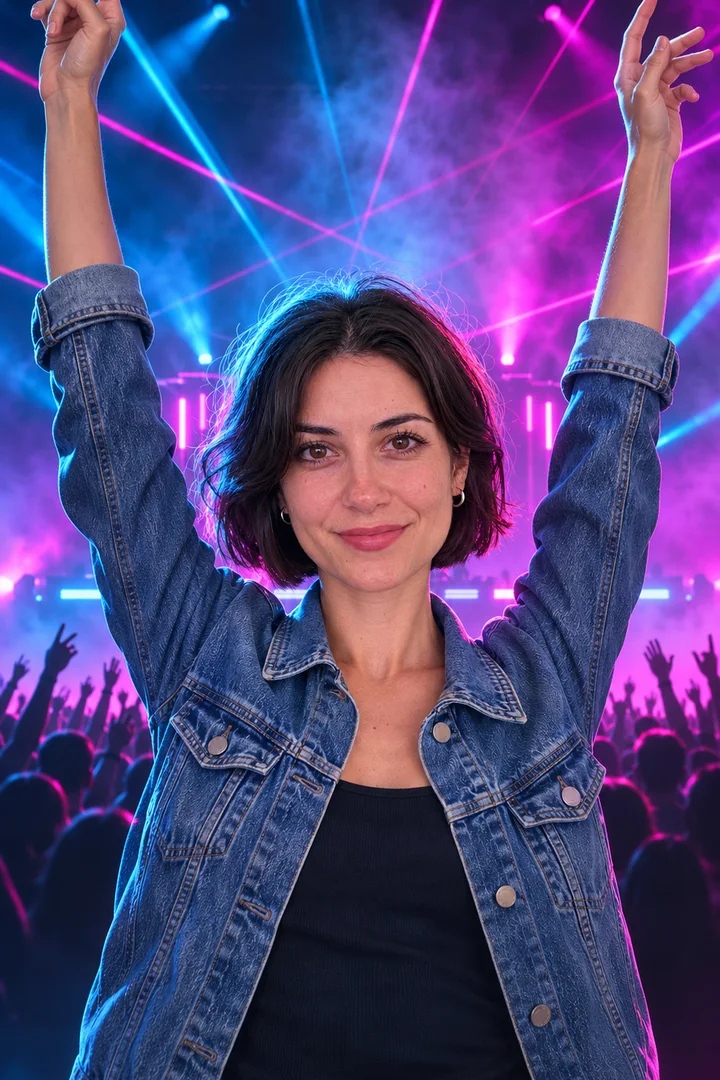
Add a 10 to 30 second clip of your song and one photo, design the still, then animate it with the song as reference audio so the picture moves on the beat.
Last checked 2026-11-04
⚙ AI Forge Studio
Add your song clip and a photo, design the cover still, then animate it with the song as reference audio.
9:16 · the still is made first, then animated with your song as reference audio
Next: animate 10 s · 280 credits.
Joining the trend is free; making it on Lovart ME uses credits from packs starting at $9.90 for 250 credits. Each button shows its exact cost before you generate.
SAMPLE · INPUT → RESULT
Sample inputs and result from this page. Your result will appear here.
Start with an idea
01 / Samples
AI music video generator samples with the song playing
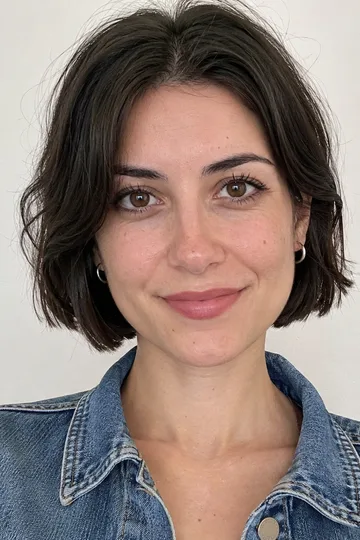
A pop chorus on a rooftop and a lo-fi loop in a bedroom, each made from an original song clip and one portrait of an original adult character, with the song and the still shown next to the clip.
Both clips were made once on November 5, 2026 with the project's sample tools, not with the workbench above: the songs with Suno V6, the stills with GPT Image 2.5 Flare, the clips with Seedance 2.0 Fast.
Rooftop chorus, pop
Song clip · 12 s · Suno V6
Photo →Still→StartEnd
Rooftop chorus, pop
Seedance 2.0 Fast · still + song clip as reference audio · not workbench output
Song
Rooftop Lights, an original song made for this page with Suno V6 on November 5, 2026: bright synth-pop, a wordless la-la hook over a four-on-the-floor kick. The 12-second clip above starts on a kick at 0:14.9.
Still
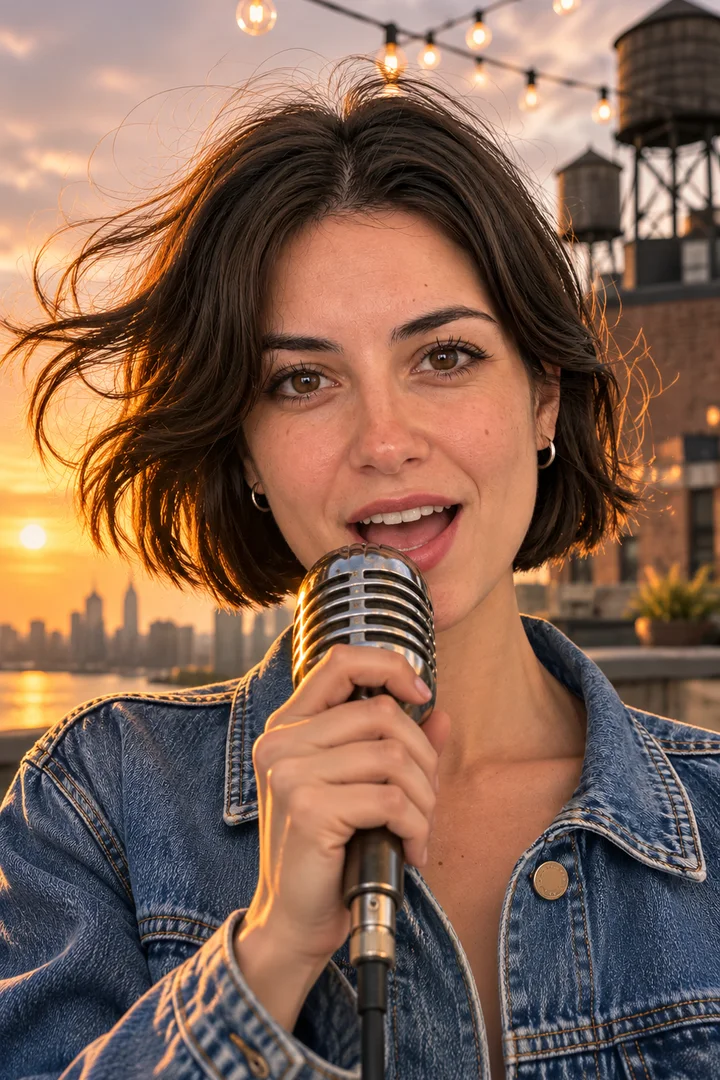
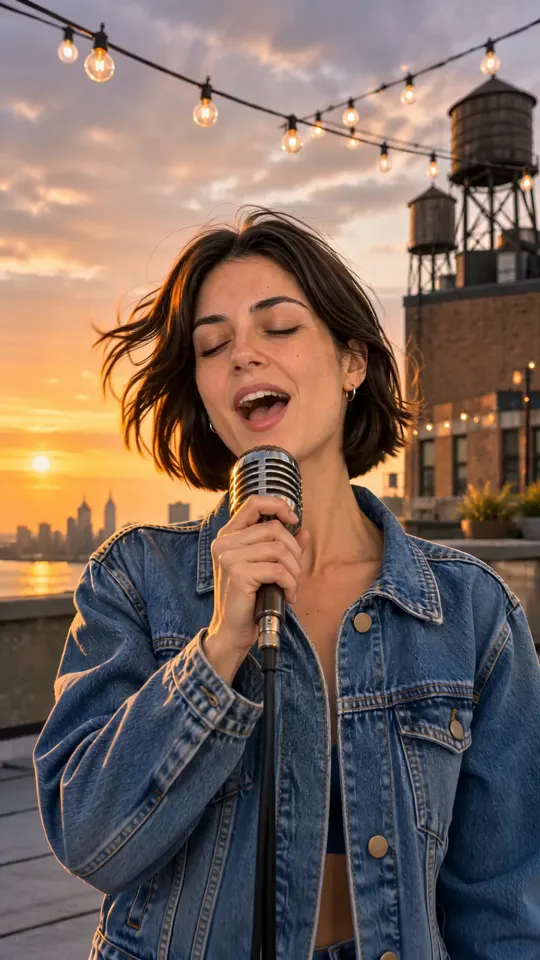
GPT Image 2.5 Flare, image to image from the portrait: the same face, bob and denim jacket, singing into a vintage mic on a rooftop at golden hour
Clip
Seedance 2.0 Fast · 720p · 9:16 · 10 s, the still as reference image and the song clip as reference audio, made November 5, 2026
Shot by shot
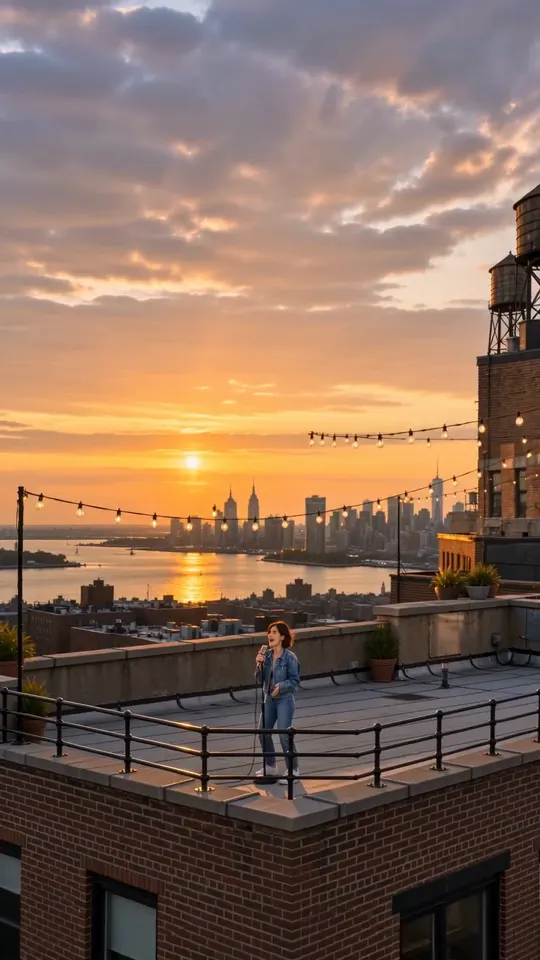
0–2 s close-up push-in as she sings into the mic; about 3 s cut to her side profile with the water towers; 4–5 s she steps back from the mic stand; 5–10 s the camera pulls back to the whole rooftop and the skyline at sunset
Sound
Made by the video model with the song clip as reference: it keeps the song’s tempo but is not a copy of the clip, so the card plays both
Seedance 2.0 Fast · still + song clip as reference audio · not workbench output
Song
Lamp Light Loop, an original instrumental made for this page with Suno V6 on November 5, 2026: lo-fi hip hop, dusty drums, mellow Rhodes chords, vinyl crackle. The 12-second clip above starts on a kick at 0:20.7.
Still
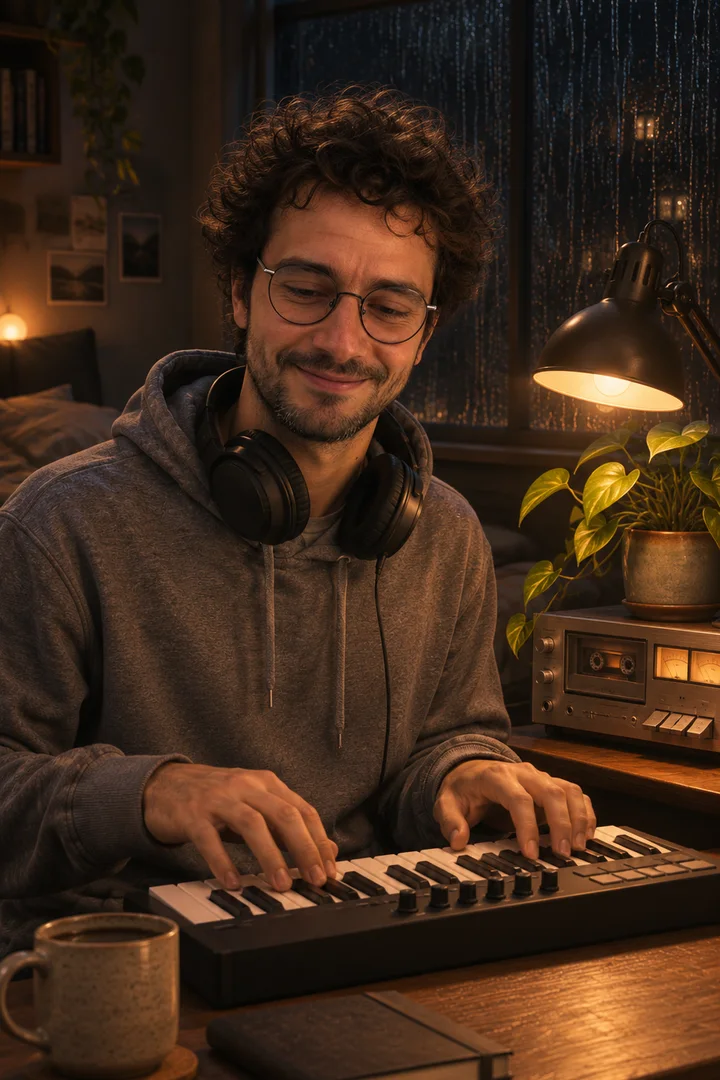
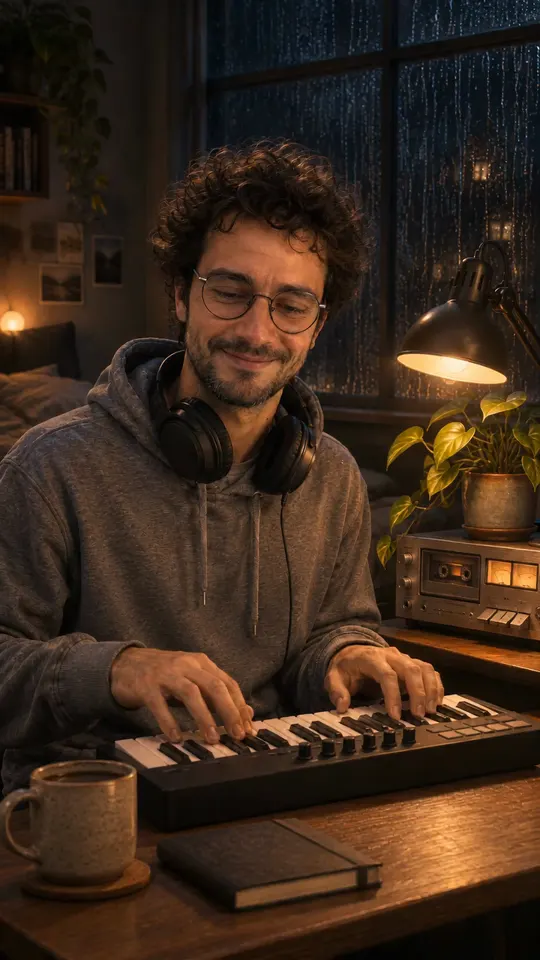
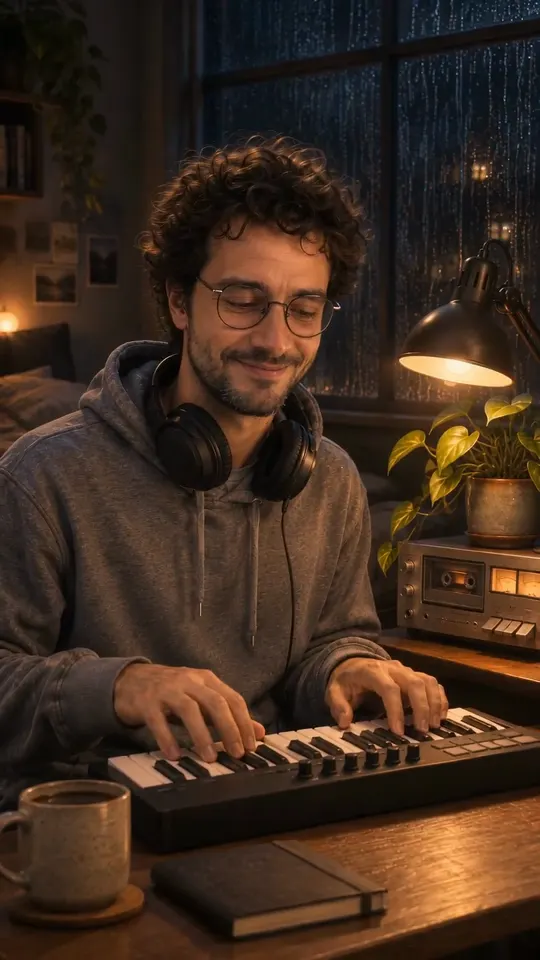
GPT Image 2.5 Flare, image to image from the portrait: the same glasses and hoodie, at a desk in a dim bedroom at night, headphones round his neck, a warm desk lamp
Clip
Seedance 2.0 Fast · 720p · 9:16 · 10 s, the still as reference image and the song clip as reference audio, made November 5, 2026
Shot by shot
0–2 s he plays the small keyboard and nods along; about 3 s a close push-in on his face; 4–6 s the camera drifts past him to the rain on the window, the desk lamp and the plant; 7–10 s it drifts back to his hands on the keys, ending close to the first frame so the clip loops
Sound
Made by the video model with the song clip as reference: it keeps the loop’s tempo but is not a copy of the clip, so the card plays both
The AI music video generator chain from song to clip
Make or upload the song, design one still of the singer or scene, then send the still and a 10 to 30 second slice of the song together so the model animates to what it hears.
Make or upload the song
On AI Music, Simple mode takes a one-line description and Custom mode takes a title, styles and your own lyrics, on Suno v3.5 to v6; download the MP3. Or bring your own MP3 or WAV.
Add the song clip and press Animate to the song: the still goes in as the reference image and the clip as the reference audio. First-and-last-frame mode takes images only, so a song always needs reference mode.
How does an AI music video generator stay on the beat?
It listens to the clip you attach: pick a section that starts on a downbeat, keep it 10 to 30 seconds, and name the bar where the chorus or drop lands in the prompt.
Intro4–8 bars
Slow push-in on the singer, lights low, no cuts yet.
Verse8–16 bars
Medium shot, the head nods on every snare, one cut every 2 bars.
Chorus8 bars
Cut to a close-up on the first kick of the chorus, then pull back wide on bar 5.
Drop4–8 bars
Arms up on the drop at 0:12, fast cuts between wide and close on every kick.
Up to 30 seconds per run on Seedance 2.5 and 15 seconds on Seedance 2.0 Mini; a full song is one clip per section.
Pick the section
Cut the clip so it begins on beat one of a bar; the first move then lands with the music. Both samples above start on a kick.
Write the bar into the prompt
On Video, write “the chorus starts at bar 5, cut to a close-up” or “arms up on the drop at 0:12”. The model hears the timing in the clip; the prompt says what happens on it.
Keep one face across sections
Use the same still for every section of the song so the singer stays the same person. Keep the face large and front-on; a small or side-on face drifts, and close-up lip sync is the hardest shot.
Each genre chip sets a place, light and cutting pace: street night and low angles for hip hop, bright color and a hero shot for pop, one warm room for lo-fi, light and fast cuts on the drop for EDM.
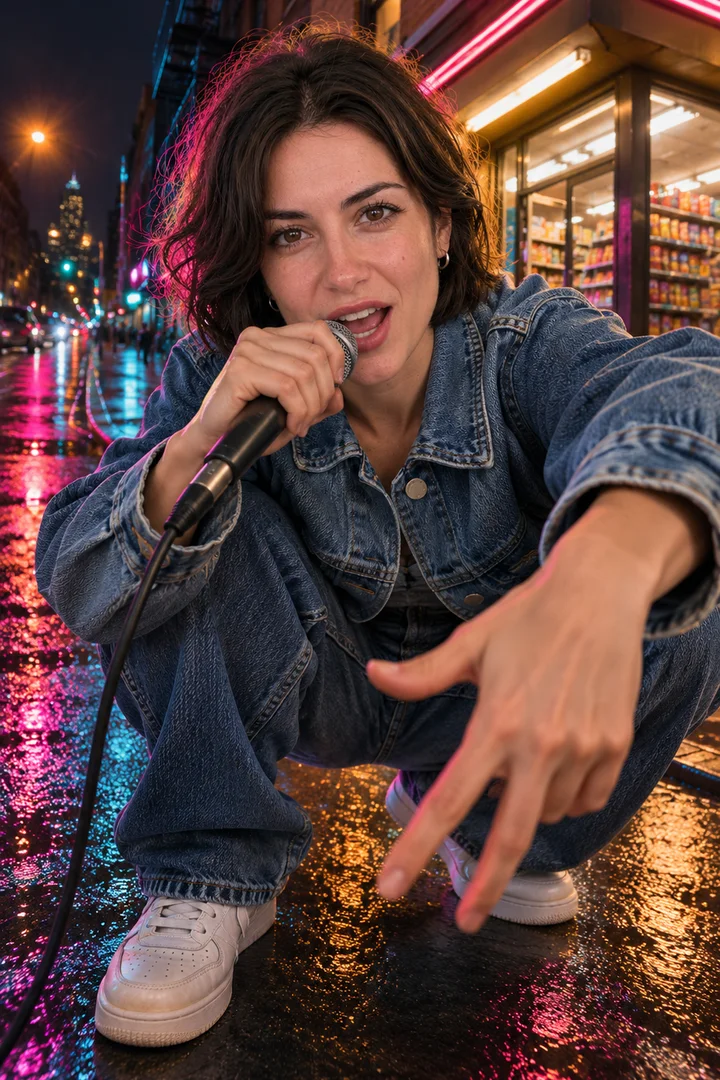
Hip hop
Still only
Street at night, neon on wet asphalt, a low wide angle and quick cuts on the snare.
Hip hop and EDM are GPT Image 2.5 Flare stills from the Rooftop chorus portrait, made November 4, 2026; no video was made from them.
05 / Routes
Free AI music video generator routes compared
Free starts exist, but they trade length, resolution or downloads: HeyGen and Freebeat have free tiers, an editor can cut free visuals to your song, and on Lovart PhotoCraft is free and each video run shows its credits first.
Dedicated song-to-video tools (free tier)
What you get
Beat-matched clips; HeyGen keeps one performer across scenes, Neural Frames splits a track into 8 stems
What to prepare
An MP3 or WAV, or a Spotify, SoundCloud, YouTube, Suno or Udio link on Freebeat
Limits
Free tiers limit length, resolution or downloads; Freebeat lists 500 free credits, HeyGen starts free without a card
Uses your song
Yes
Edit free visuals to your song (free)
What you get
Your own cut of stock or filmed shots
What to prepare
Footage and a video editor
Limits
Nothing moves to the music on its own; you cut every beat by hand
Uses your song
Yes, as the soundtrack
Lovart: song as reference audio (uses credits on this site)
What you get
A still designed from your photo, then a clip animated to your song clip
What to prepare
A song clip and one or two photos
Limits
Up to 30 seconds per run on Seedance 2.5; PhotoCraft is free and each video run shows its credits first
Your own lyrics and recording stay yours; AI-made music follows the terms of the tool that made it, purely AI output is not protected by US copyright, and YouTube wants realistic AI music labelled.
Songs from AI music tools
Suno free-plan songs are for non-commercial use and Suno keeps ownership; songs made during a Pro or Premier subscription come with commercial use rights. The US Copyright Office report Part 2 (January 29, 2025) says purely AI-generated material is not protected, while your own lyrics, recording or arrangement can be.
YouTube upload label
Disclose realistic altered or synthetic content in YouTube Studio, including AI-generated music that is the main focus of the video; clearly unrealistic or animated visuals do not need the label.
Spotify Canvas loop
A 3 to 8 second vertical 9:16 loop, 720 to 1,080 px tall, MP4 or JPG; skip singing shots and rapid flashing. Add lyric cards and cover type in PhotoCraft.
The same photo and song also fit a tiny-desk stage set or a vertical mic-check rap; open either play page or go back to the workbench and change the genre chip.
Yes. Upload an MP3 or WAV clip of up to 30 seconds on Seedance 2.5 as the reference audio; for a full song, make one clip per section.
Can I make the song here first?
Yes. Write a one-line description or your own lyrics on Music, pick a Suno version, download the MP3, then come back.
Can the singer lip-sync?
Mouth movement follows the audio on models with a reference audio slot, but close-up lip sync is not frame-accurate; dedicated lip-sync tools do that better.
How long can one clip be?
Up to 30 seconds per run on Seedance 2.5; longer videos are several clips joined in an editor.
Can I post it on YouTube or Spotify?
Yes; tick YouTube's AI disclosure for realistic AI music or scenes, and cut a 3 to 8 second vertical loop for Spotify Canvas.
Who owns the song and the video?
Your own lyrics and recording stay yours. AI-made music follows the terms of the tool that made it, and purely AI output is not protected by US copyright.