Special Offer·15% OFFLimited time offer on all credit packages
JME rap filter · since October 19, 2026
Check One Check Two AI: Design the Flash Shot, Then Rap
Upload one selfie, design the night flash still with the crowd behind you, check your face, then animate the mic check into a vertical clip.
Last checked 2026-10-26
⚙ AI Forge Studio
Design the flash shot, then rap.
Your selfie
9:16 vertical · the still is made first, then animated as the first frame
Joining the trend is free; making it on Lovart ME uses credits from packs starting at $9.90 for 250 credits. Each button shows its exact cost before you generate.
SAMPLE · INPUT → RESULT
Sample inputs and result from this page. Your result will appear here.
Start with an idea
01 / Samples
Check one check two AI samples cut from flash stills
Each sample started as one original selfie, became a night flash still with a crowd behind, and was cut into a short vertical clip that opens on the mic check.
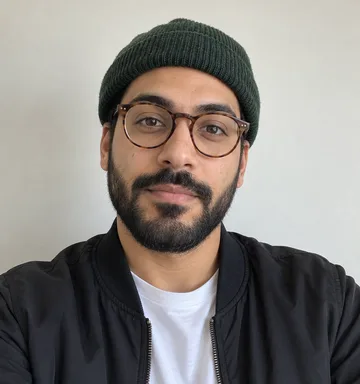
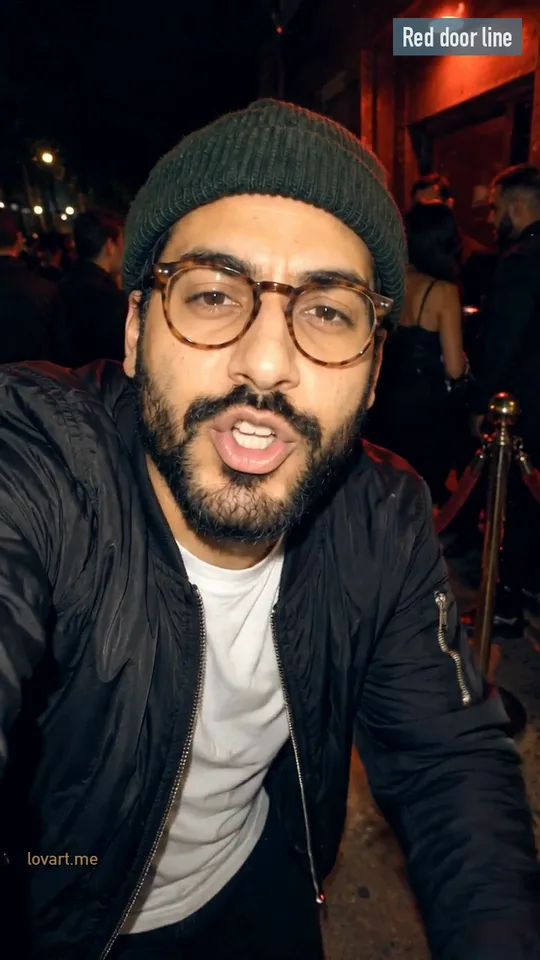
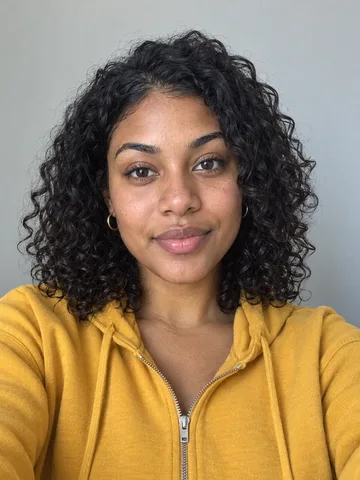
All people are original generated adults, not JME or any real artist. The three clips are Lovart ME cuts of clips made for this trend with Seedance 2.0 Fast; the cards show the real selfie and still behind each one and what moves in the original. The flyer is a new still with no video. Nothing here was made with the workbench above.
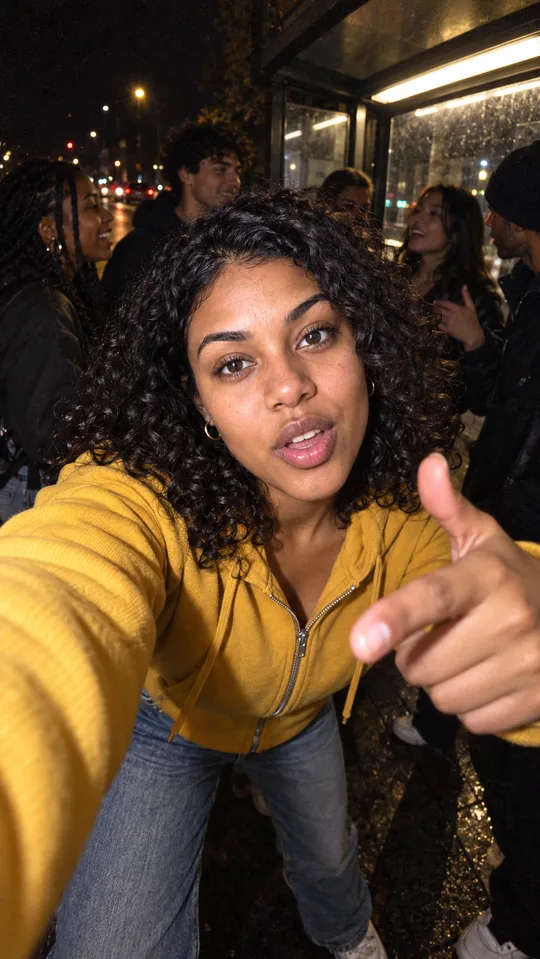
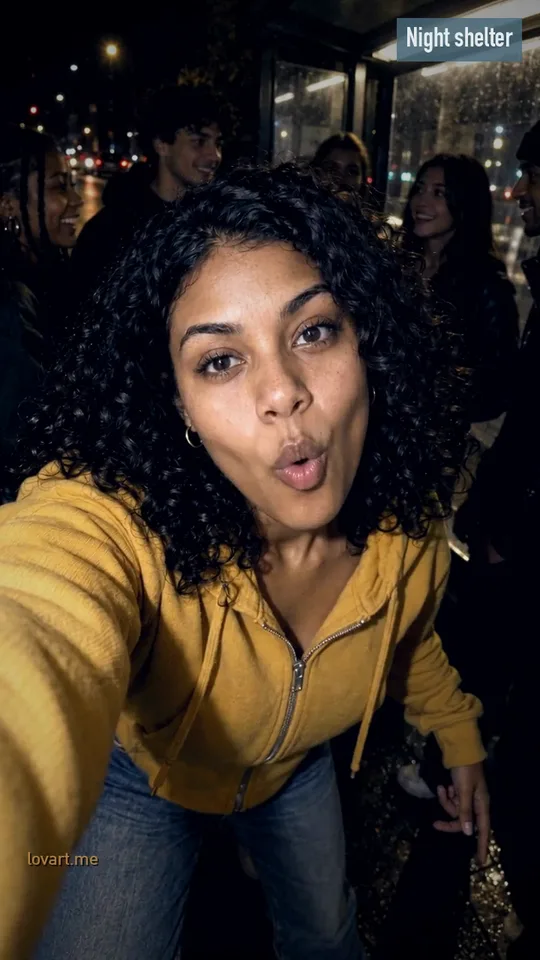
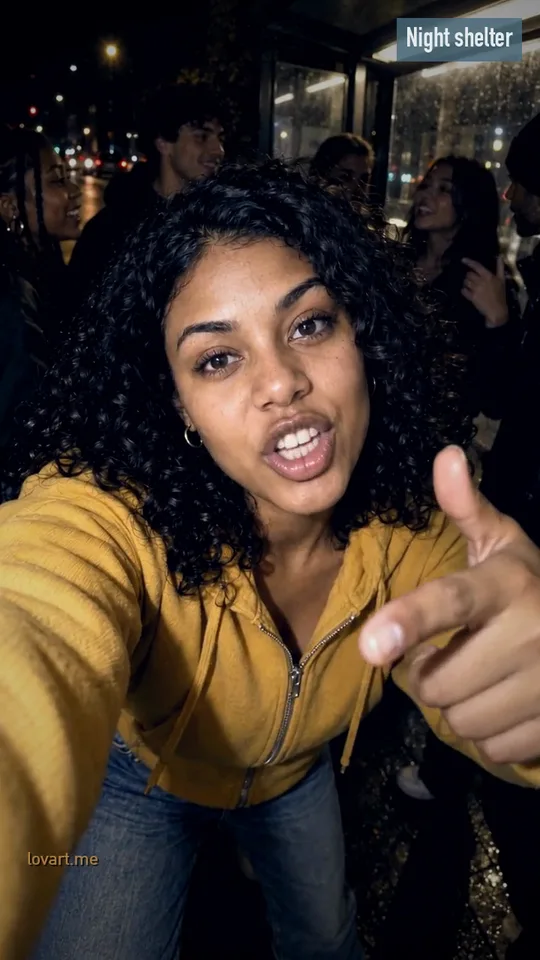
Night shelter
Photo →Still→StartEnd
Night shelter
Remixed from a Seedance 2.0 Fast clip
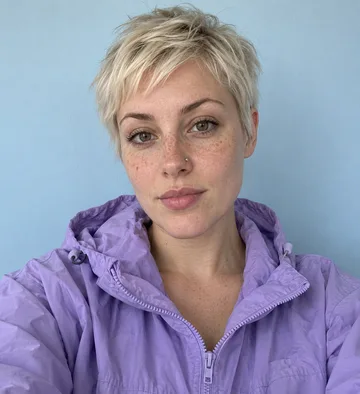
Input
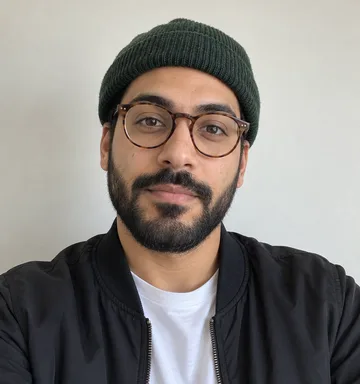
One original selfie in plain daylight
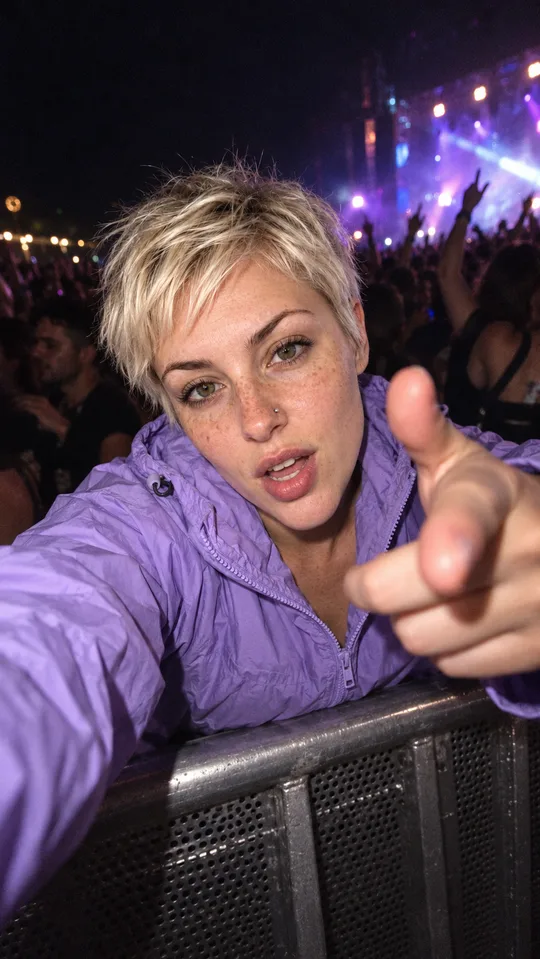
Still
GPT Image 2.5 Flare, 9:16: a bus stop at night, flash on her face, friends under the shelter light
Original
Seedance 2.0 Fast · 720p · 6 s, made October 25, 2026
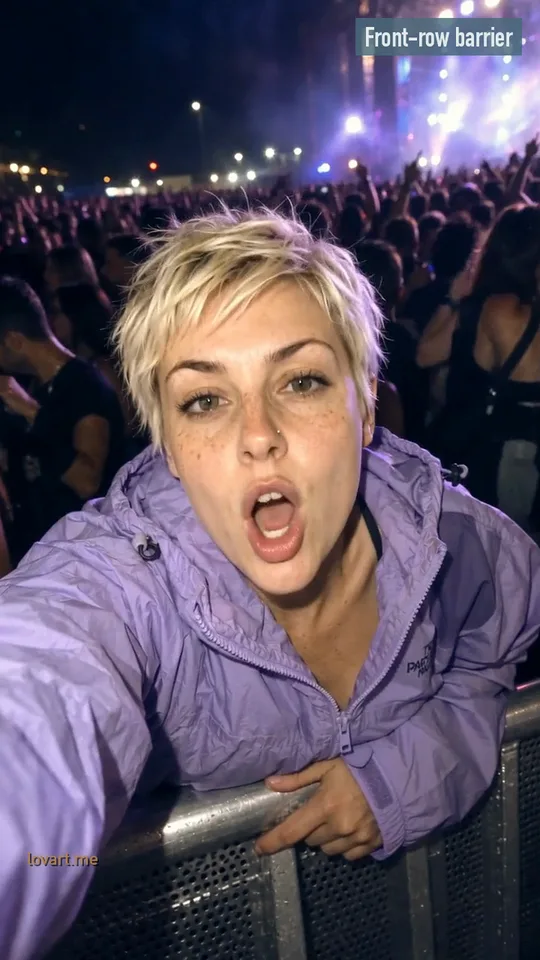
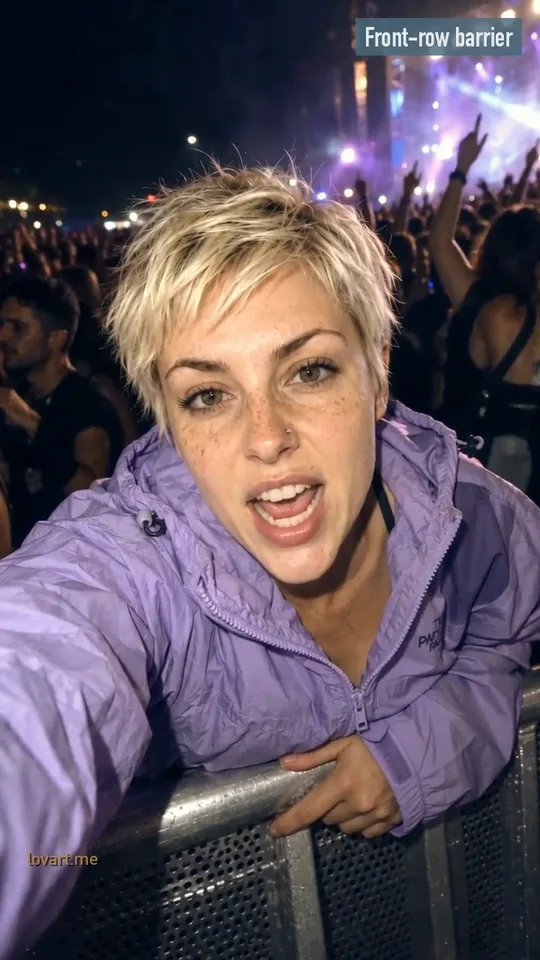
In the clip
Leans into the wide lens, says a quick mic check, raps with head nods and points at the camera; the people behind nod along
This cut
5.3 s, re-cut, reframed and steel-blue graded; no new AI generation
Make check one check two AI in three steps from a selfie
Upload a front-facing selfie, design the flash still and check your face, then animate the lean-in, the mic check and the bars.
Upload a selfie that holds
One clear face, looking at the camera, in even light, mouth uncovered, head and shoulders in frame. Sunglasses, side views and heavy filters make the face drift later.
Design the flash still
Pick a scene and press Design the still. It runs Image to Image with your selfie as the reference and returns a 9:16 night shot: wide lens close to the face, hard flash, crowd behind. If the face is off, rebuild the still now, not after the video.
Animate the mic check
Animate it sends the still to image to video as the first frame: lean in, “check one, check two”, nod on the beat, point at the lens. Seedance 2.5 at 6 seconds is the default; the button shows the credits first.
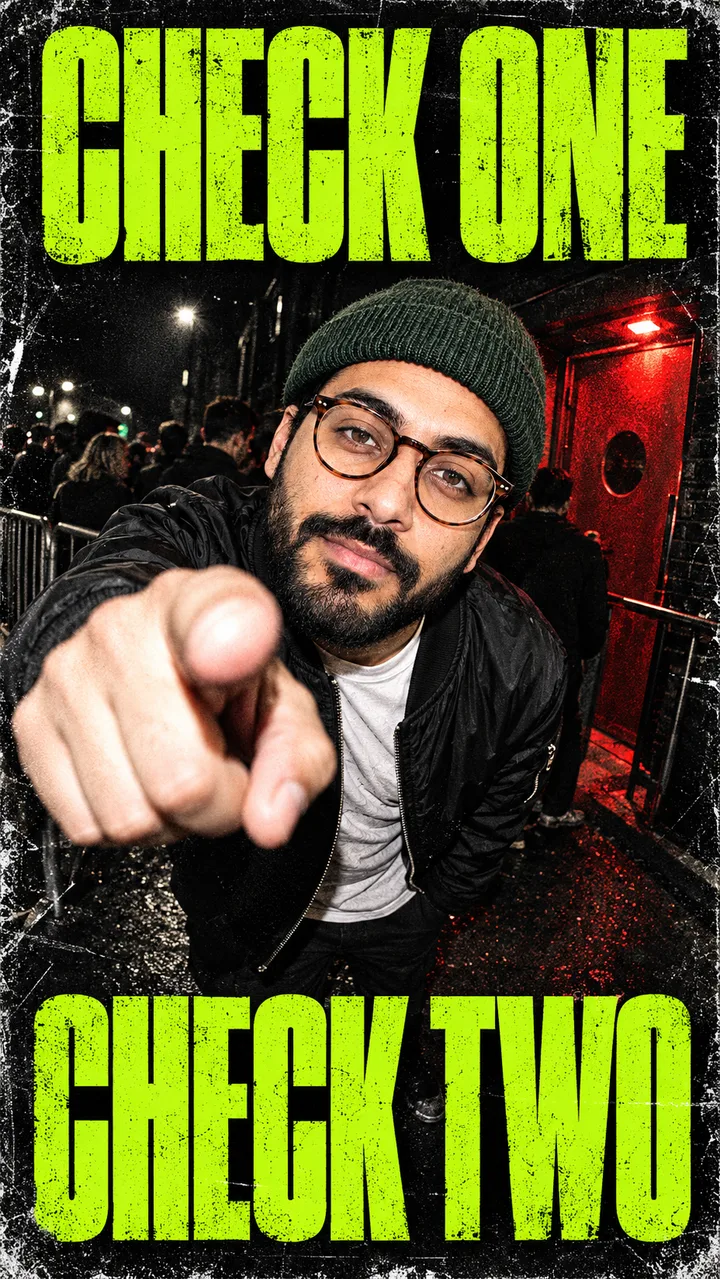
The same flash shot as a grime night poster with bold CHECK ONE / CHECK TWO type and photocopy grain. Download it or add your name and date in PhotoCraft.
The check one check two AI prompt in six editable parts
Write the lens, the light, the crowd, the action, what to keep and what to exclude as separate lines, then change one line at a time.
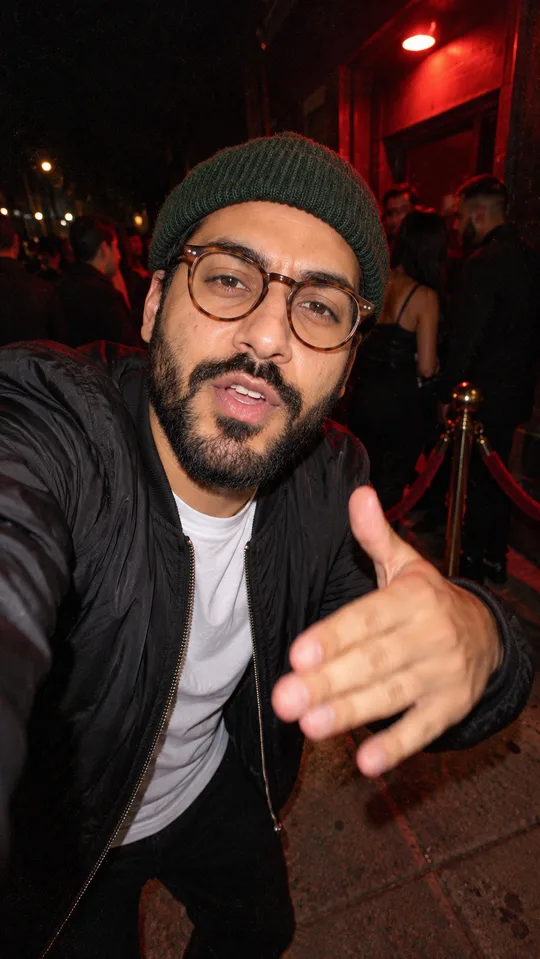
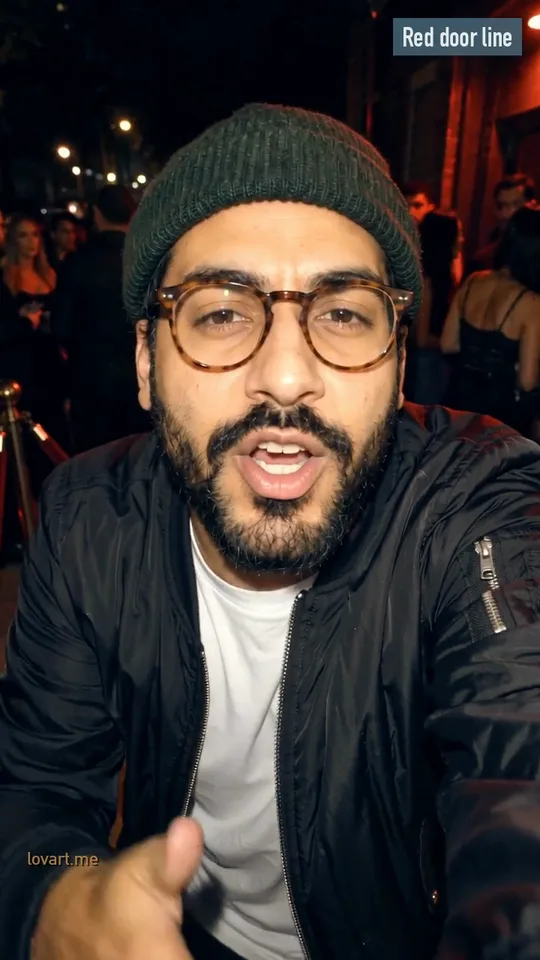
These are the prompts behind the Red door line sample, split into parts, with the person written as “the person in the photo”. Lens, Light and Crowd build the still; Action, Keep and Exclude go into the motion prompt. Each card has one swap to try. The scene chips fill these in for you; copy them when you want to work in Image to Image directly.
Lens
Vertical 9:16 phone photo at night. The person in the photo leans close into an extreme wide-angle phone lens held at arm's length.Swap: hold the lens slightly below the chin so more crowd shows behind.
Light
Harsh on-camera flash on the face, dark background, film grain.Swap: add a red door light from one side, flash still on the face.
Crowd
A small crowd in a queue outside a club behind them, a velvet rope under a red door light.Swap: friends waiting under a bus shelter light.
Action
Use the photo as the first frame. One continuous vertical shot. The person leans into the lens, says a quick mic check, then raps with rhythmic head nods on the beat and points at the camera; the people behind nod along.Swap: one hand chopping the air instead of pointing.
Keep
Keep the same face, hair, glasses, skin tone and clothes throughout, with the hand kept below the chin.Swap: name what you wear, such as the beanie or earrings.
Exclude
No face changes, no extra limbs, no text, no logos, not a real celebrity. Original grime-style beat around 140 BPM, no existing song, no real artist.Swap: drop the beat line if you will add the TikTok sound.
Check one check two AI comes from a 2017 JME verse
The line opens JME's verse in GRM Daily's Boy Better Know freestyle from January 12, 2017; the AI filter took off around October 19, 2026.
Jan 12, 2017GRM Daily uploads the Boy Better Know freestyle with JME, Skepta, Frisco and Jammer.
Jun 29, 2025A #jmefreestyle lip-sync to the verse reaches about 629K likes, before any AI version.
Jul 10, 2026Luke Dean, Locky and JME release a separate single called “Check One, Check Two”.
Oct 19, 2026A CapCut template post draws about 100K likes and the AI filter spreads, mostly from UK creators.
JME and the Boy Better Know freestyle
JME is Jamie Adenuga, a grime MC and producer from Tottenham, Skepta’s younger brother and a co-founder of Boy Better Know. The trend uses the opening of his part in the 2017 freestyle.
From lip-sync to AI filter
People lip-synced the verse for years. The 2026 version swaps the lip-sync for a generated clip: one photo, a wide lens in your face at night, a crowd nodding behind.
Not the 2026 Luke Dean single
The July 2026 track by Luke Dean, Locky and JME shares the title but is a different song. When you add sound, pick the clip of the 2017 verse that other posts use.
Download the clip, add the "check one check two" sound in TikTok or Reels and trim it to the first mouth movement, or score it with an original beat.
Generated clips here do not include JME’s recording. The default motion prompt asks for an original grime-style beat; mute it in the app when you add the trend sound.
On TikTok
Press Download MP4 in the workbench.
Upload the clip in TikTok and tap Add sound.
Search “check one check two” and pick the sound other posts use.
Trim the start so “check one” meets the first mouth movement, then post.
On Instagram Reels
Start a Reel with the downloaded clip.
Tap Audio and search “check one check two”.
Drag the start point to the first mouth movement.
Lower the original clip audio if the two clash, then share.
An original beat for ads
Brand and ad posts need music cleared for commercial use. Write a prompt like “original grime beat, 140 BPM, sparse square-wave bass, no vocals” in AI music and lay the track under the clip.
Check one check two AI on CapCut or in the browser
Use the CapCut template for the fixed TikTok clip on your phone; design the flash still here when you want to pick the scene and check your face first.
Route
What you bring
What you get
Sound
CapCut template “JME Rap check 1 check 2”
One photo
The template’s fixed clip
Template sound where licensed
Talking-photo tool
A photo + your own recording
Lip-sync to that recording
Your recording
Flash still, then video (this page)
One selfie
A night flash still you check, then a vertical clip
Add the TikTok sound or an original beat
The CapCut template
Open it from a TikTok post (CapCut · Try this template) or search the Templates tab. Pro assets and export watermarks depend on your account.
A talking-photo tool
Lip-syncs a photo to a recording you supply. Good when you want to rap your own bars; there is no flash scene or crowd unless the photo already has one.
Flash still, then video on Lovart ME
The Mic Check tab: pick the scene, check the face in the still, then animate it. Two steps, each with its credit cost on the button.
Around October 19, 2026, mostly from UK creators, after a CapCut template post drew about 100K likes on TikTok.
Is check one check two AI the same as the JME rap filter?
Yes. They are two names for one trend, and the CapCut template is listed as "JME Rap check 1 check 2". People also search check 1 check 2 and check one check two filter.
Can I make a check one check two flyer instead of a video?
Yes. Pick Grime flyer in the Mic Check tab and design the still. Download it, or open it in PhotoCraft to add your own name, date or venue.
Can I use the original JME sound in an ad?
Personal posts can add the TikTok or Reels sound. Brand and ad posts need music cleared for commercial use, so score those with an original beat from AI music instead.
Where do the sample clips on this page come from?
They are remixes of Seedance 2.0 Fast clips made for this trend on October 25, 2026: re-cut, reframed and color graded, with no new AI generation. Each card shows the original selfie and the flash still behind it.
How long should my check one check two AI clip be?
Five to eight seconds covers the mic check and a few bars; the workbench starts at 6 seconds. Seedance 2.5 on the video page runs 4 to 30 seconds, but longer clips give the face more time to drift.
Lovart ME is an independent site and is not affiliated with JME, Boy Better Know, GRM Daily, TikTok or CapCut. Sample people are original generated adults; no real artist’s face or recording is used.