v0.10.0 · Oct 18, 2026MIT / Apache-2.0Windows · macOS · Linux · Web
01 / Made to work together
What you can make with PhotoCraft and AI
Edit layers and PSDs in PhotoCraft, then use Lovart ME AI tools to generate new backgrounds, restyle a shot or turn the finished image into a short video.
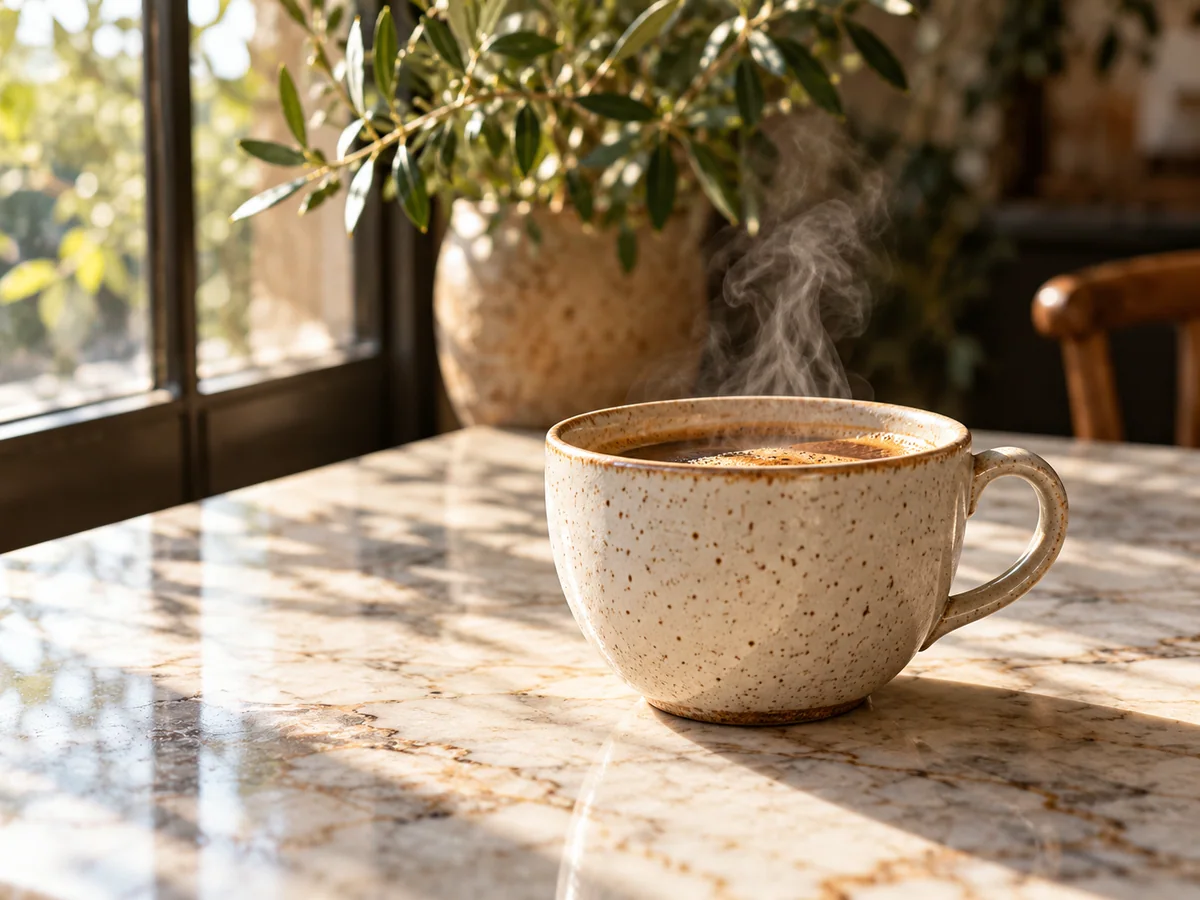
PhotoCraft + Text to Image
A new setting for your product
Input: Coffee product photo → marble studio backdrop
Cut out the cup in PhotoCraft. Generate a sunlit marble background, paste it behind the product and match the light with Curves.
Output: Layered composite → PNG
Workflow concept · illustrative still
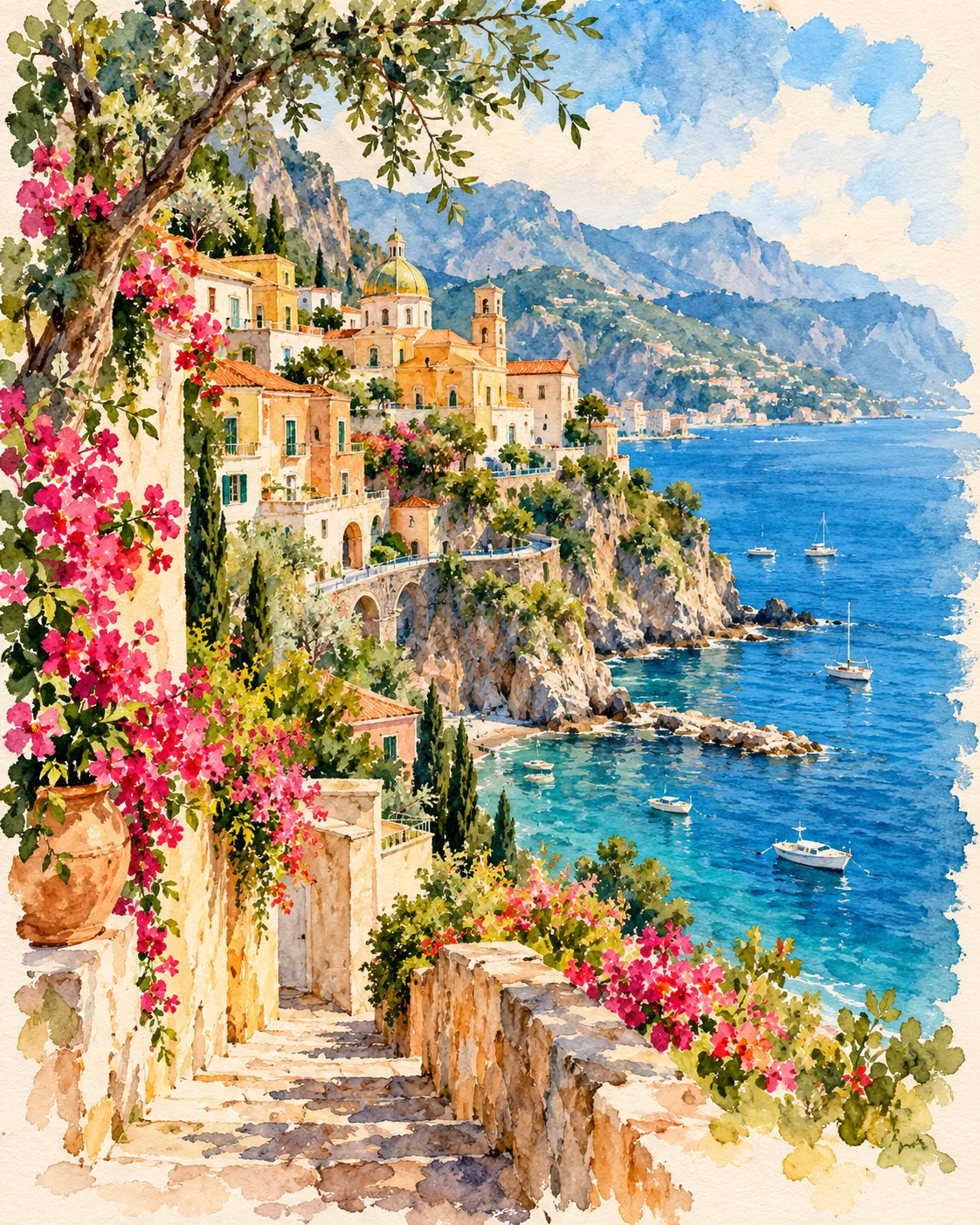
PhotoCraft + Image to Image
Give a poster a softer side
Input: Layered poster → watercolor treatment
Export a flat PNG, restyle it with Image to Image, then blend the result as a new layer in your original document.
Open your photo in the PhotoCraft Editor tab, cut out the subject, generate a new background with Text to Image, then mask, adjust and export or animate the result.
Open your photo
File › Open Start with a photo or a layered PSD. Work on a copy of important files.
Keep the subject
Layer › Remove Background Or use Select › Subject, then Select and Mask to refine the edges.
Create the backdrop
Switch to Text to Image. Describe the background and choose Open in PhotoCraft on your result.
Make the layers fit
Select › All · Edit › Copy Paste the background into your original file. Clip Curves to the subject to match the light.
Save, then animate
File › Save As Save a PSD first. Quick Export a PNG or send it to Image to Video.
The browser editor has no autosave or crash recovery. Save your PSD before exporting or leaving the page.
03 / Know your tools
What is PhotoCraft?
PhotoCraft is a free, open-source Photoshop-style editor with layers, masks and real PSD files. Its Rust engine runs in your browser through WebAssembly.
Version 0.10.0 is early alpha. Use it for photo edits and layered compositions, and keep a mature editor for critical professional work.
Editing core
Rust + WebAssembly
License
MIT / Apache-2.0
Platforms
Desktop + Web
Latest version
v0.10.0 · Oct 18, 2026
Status
Early alpha
PSD
Layered open + save
Last checked: 2026-10-19
Does PhotoCraft have AI features?
It has no built-in generative fill or text-to-image; its smart tools like Select Subject and Remove Background run locally, and generative AI comes from tools such as Lovart ME image and video generators.
Task
Built into PhotoCraft
Add with Lovart ME AI
Cut out a subject
Local selection & masks
Background remover
Replace a background
Paste, mask & blend
Generate the backdrop
Make a new image
Drawing & compositing
Text to Image
Restyle or expand
Manual editing
Image to Image
Animate a photo
—
Image to Video
Images: Nano Banana 2, Nano Banana Pro, GPT Image 2, Seedream 4.5 / 5 Lite / 5 Pro, Flux Kontext. Video tools include Seedance 2.5 / 2.0 Mini, Veo 3.1 and Sora 2. AI models edit flat images; bring results back as layers.
Open the browser editor on this page with no install, or download the desktop app (v0.10.0, October 18, 2026) for Windows, macOS, Linux or FreeBSD from the official releases.
Desktop is better for large PSDs, full shortcuts and translated interfaces. The browser interface is English. Compare your file’s SHA-256 hash with SHA256SUMS.txt before installing.
05 / Pick the workflow that fits
Can PhotoCraft replace Photoshop?
Not for daily professional work yet: PhotoCraft is early alpha and covers layers, masks, type and PSD editing, but lacks generative AI, Photoshop plug-ins and some pro tools.
Start with PhotoCraft
Crop, adjust color and build simple layered compositions in the free editor. Save a PSD before exporting.
Yes. PhotoCraft is free, open-source software under MIT or Apache-2.0, including the desktop downloads and browser editor. Lovart ME AI generation is a separate service.
Is PhotoCraft safe to install?
Use the official releases. Windows installers are code-signed and the Mac app is signed and notarized. Compare the download’s SHA-256 hash with SHA256SUMS.txt. PhotoCraft is early alpha: keep copies of important work.
How well does PhotoCraft handle PSD files?
PhotoCraft opens and saves layers, masks, type, shapes, adjustment layers and smart objects. Check complex PSDs after saving, especially documents with precise type, filters or effects.
Why is the PhotoCraft web editor blank?
Enable graphics acceleration and update your browser. Try the WebGL or CPU renderer buttons below the editor, wait for the initial download, and open a small PNG first.
Does the browser version save my work automatically?
No. Use File › Save As to download a PSD, or Export for a flat image. The browser editor has no autosave or crash recovery; save before closing, refreshing or leaving for payment.
Can I use PhotoCraft with an AI agent through MCP?
Yes, in the desktop CLI. Run photocraft-cli mcp and explicitly grant read and write folders with --automation-read-root and --automation-write-root. Batch operations use photocraft-cli batch.
What does AI generation cost on Lovart ME?
PhotoCraft is free and open source. AI generation on Lovart ME uses credits: packs start at $9.90 for 250 credits, and each tool shows its exact cost before you generate.
Can AI edit my layered PSD directly?
AI image models process flat images. Export a PNG, edit it in Image to Image, then open the result in PhotoCraft and paste it into your PSD as a new layer to mask and blend.