Windowsill sweet → daze · sweet frame, glitch frame, clip
Design a sweet frame and a dazed frame from one pet photo, then animate the four compliments between them so the clip lands on the blank, droopy-eyed face.
Last checked November 21, 2026
9:16 vertical · first frame, then last frame, then the clip between them
Next: last frame 3 credits, then animate 10 s · 40 credits.
A 10-second clip uses 40 credits in Fast mode (Seedance 2.0 Mini, 480p) or 280 credits in High quality mode (Seedance 2.5, 480p); each still uses 3 credits. Credits come in one-time packs from $9.90 for 250 credits, and each button shows its exact cost before you generate.
 SAMPLE · INPUT → RESULT
Sample inputs and result from this page. Your result will appear here.
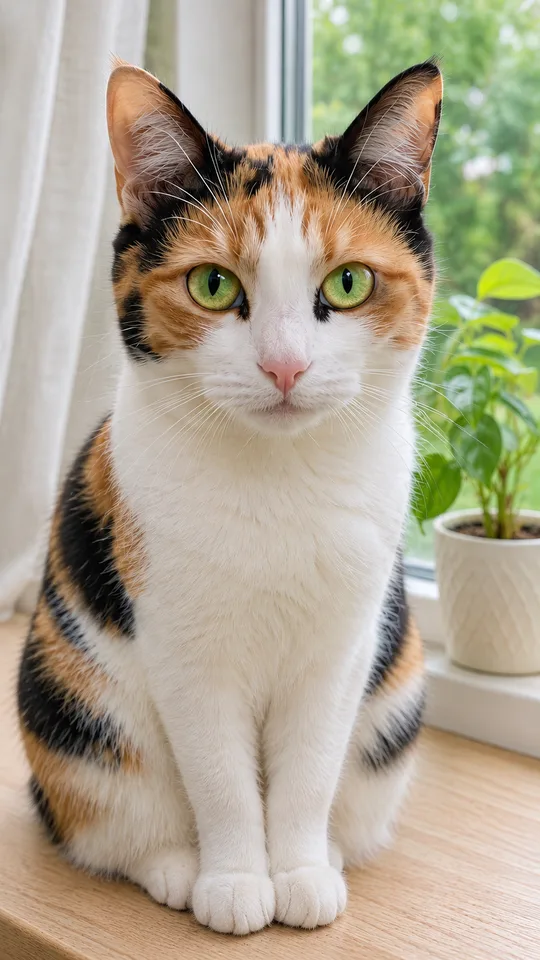
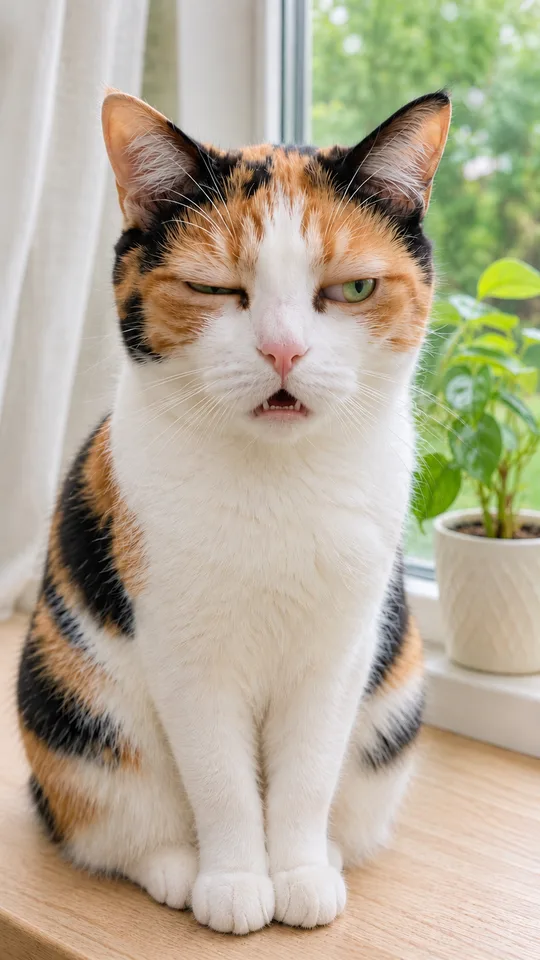
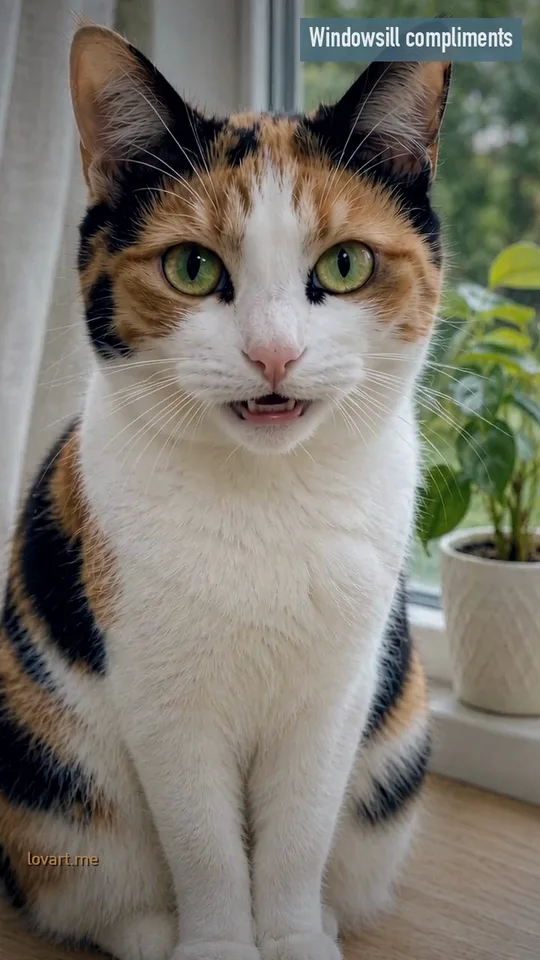
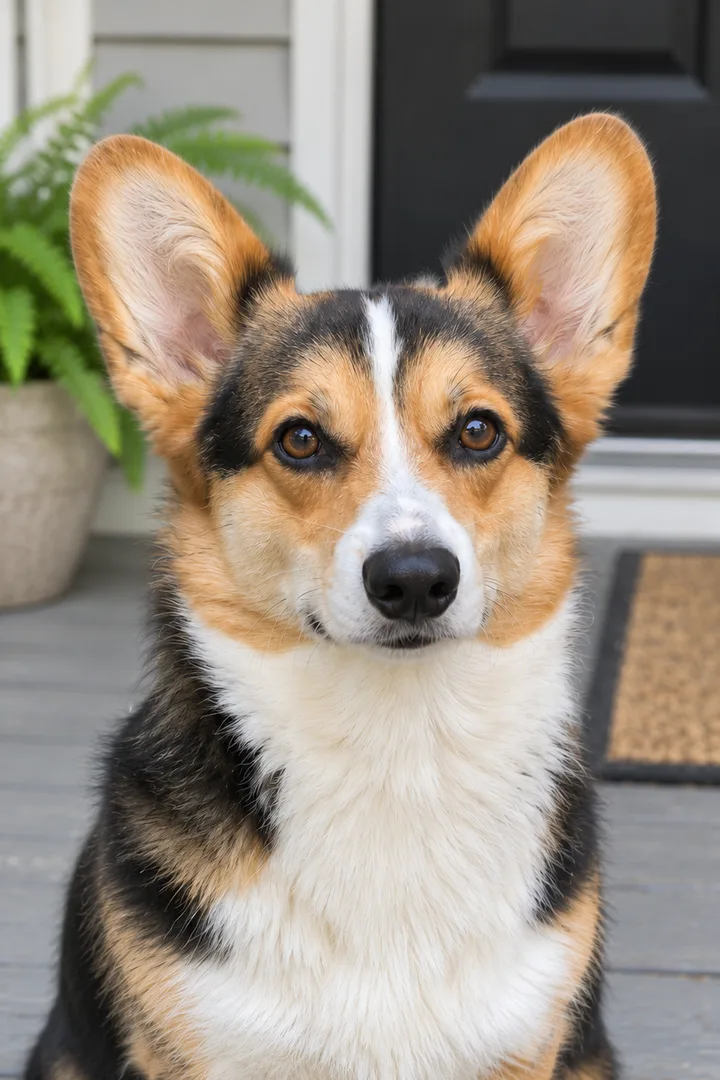
Left, the pet face-on with bright wide eyes and its mouth shut; right, the same face with lids sagging and one eye squeezed. A calico cat and a corgi, each as two frames and a clip of about 9 seconds.
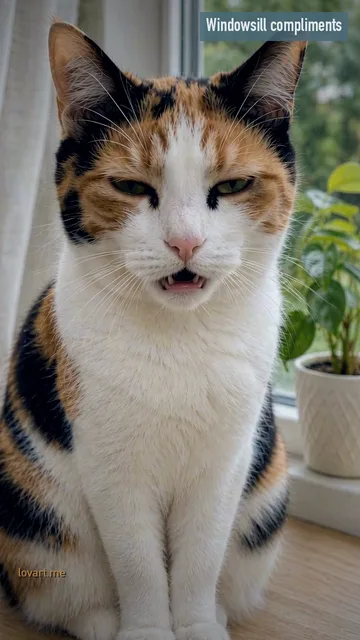
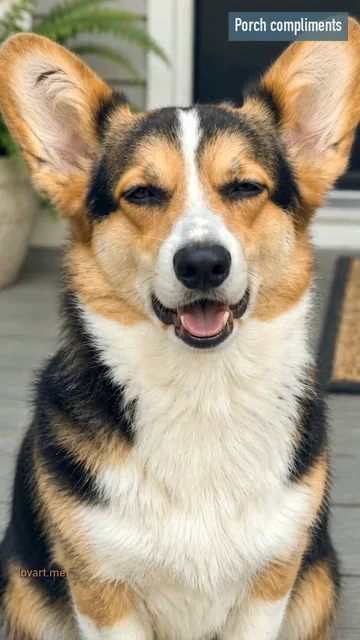
The you are nice you are pretty trend is a short vertical pet clip: a cat, dog or other pet looks straight into the camera, says four compliments in a small, squeaky voice with the mouth moving on every word, then its face glitches into a blank, droopy-eyed daze. The calico and the corgi below are original AI pets. Both clips were made for this page on Lovart ME in vertical 9:16 with Seedance 2.0 Fast (720p), each from its sweet frame alone; the glitch frames are GPT Image 2.5 Flare stills made for this page afterwards and were not animated. The third panel on each board is a frame from the clip itself, so you can compare the designed face with the one the model made. None came from the workbench above.
Windowsill sweet → daze · sweet frame, glitch frame, clip
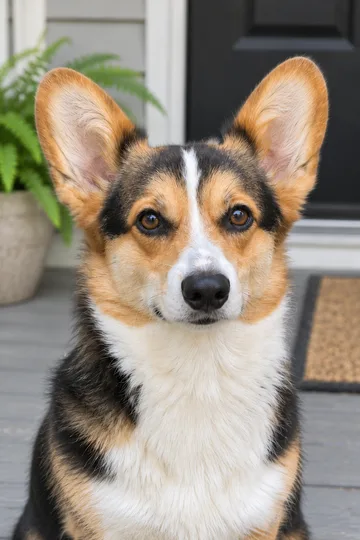
Porch corgi sweet → daze · sweet frame, glitch frame, clip
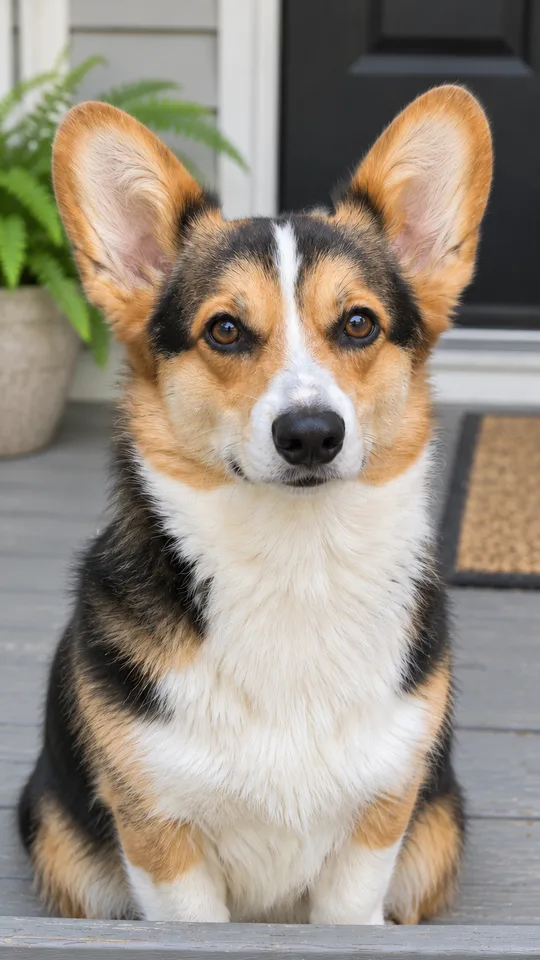
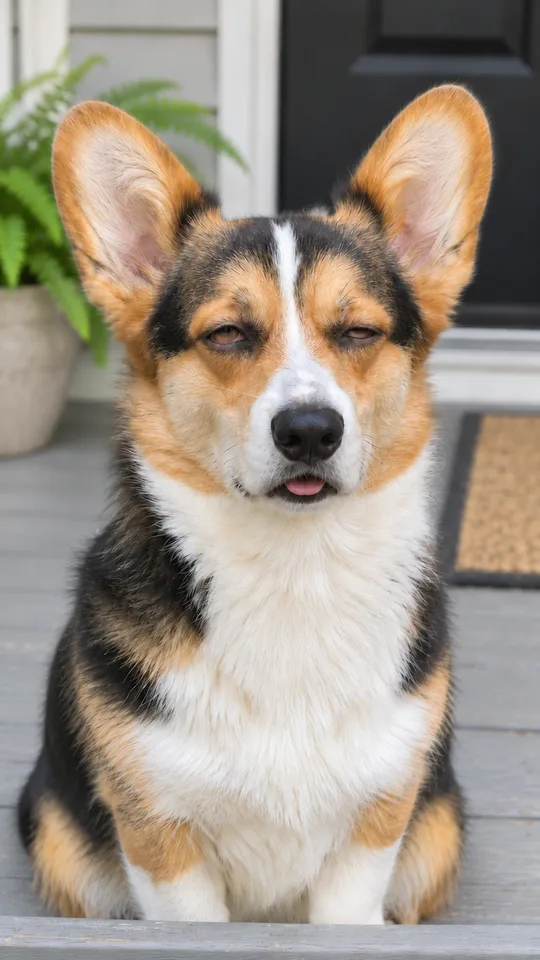
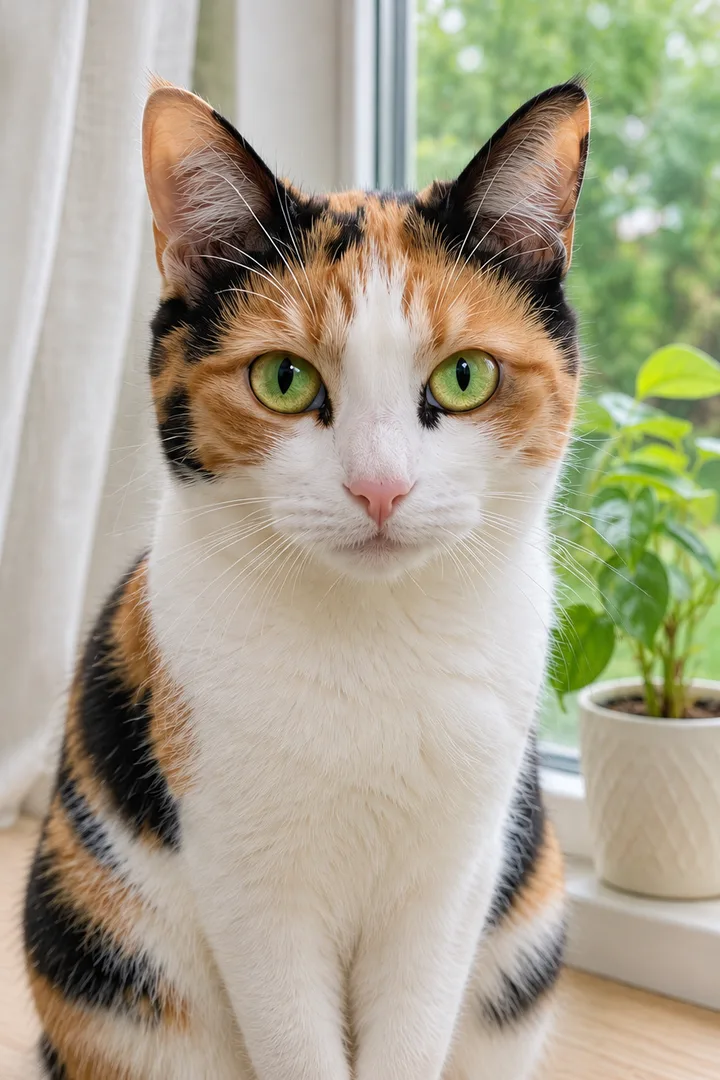
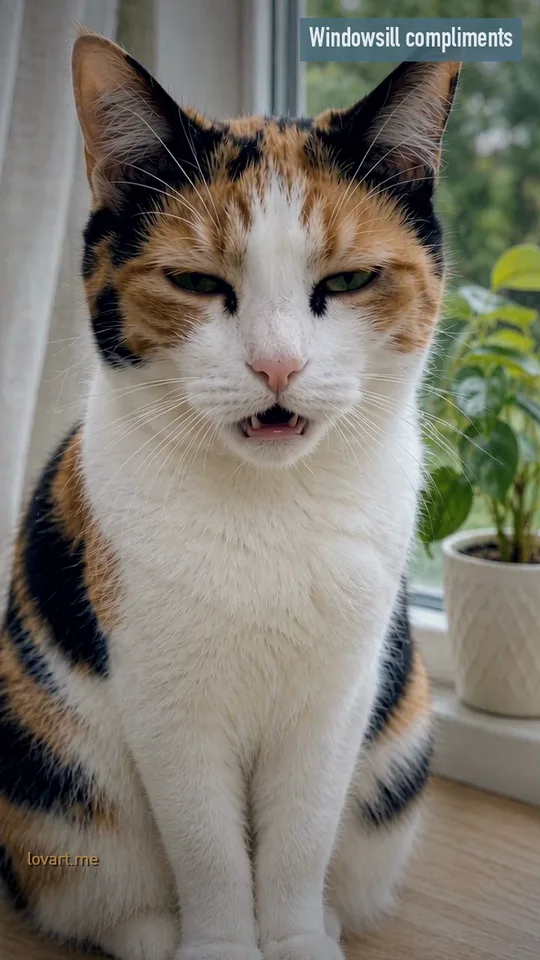
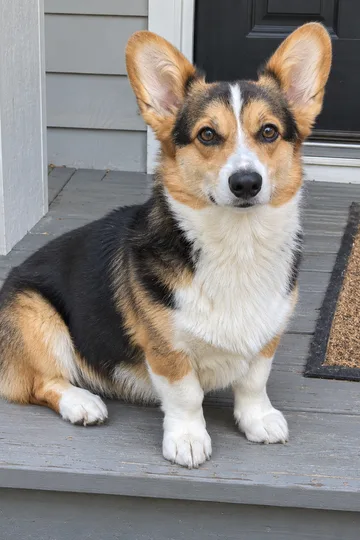
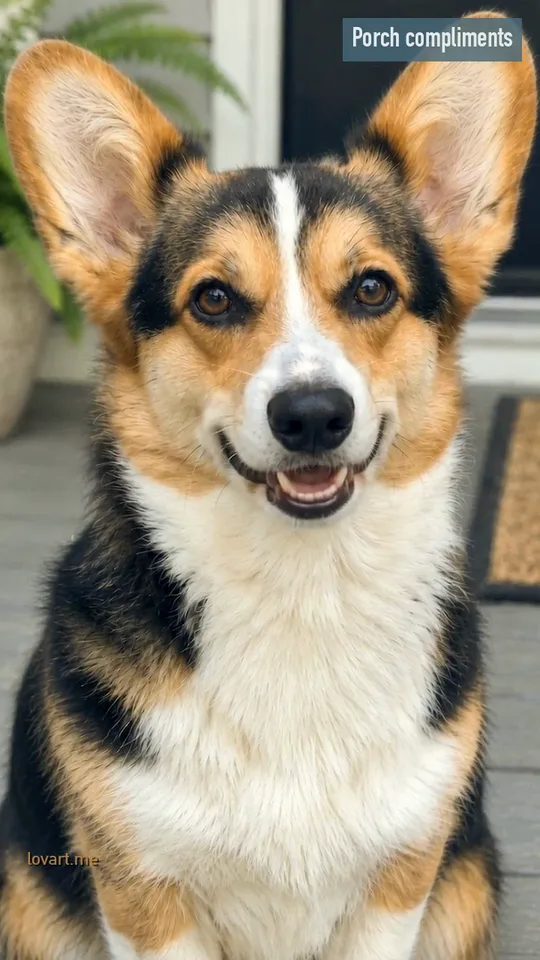
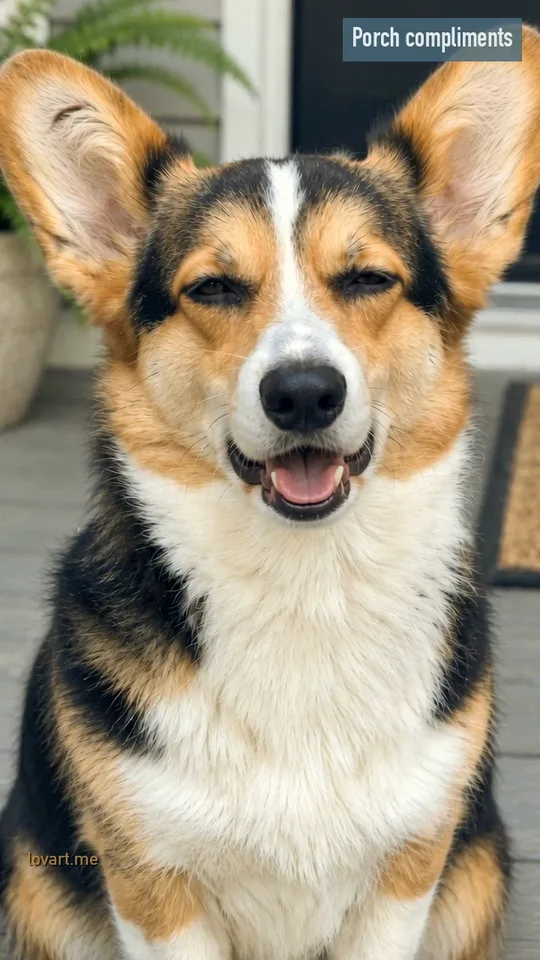
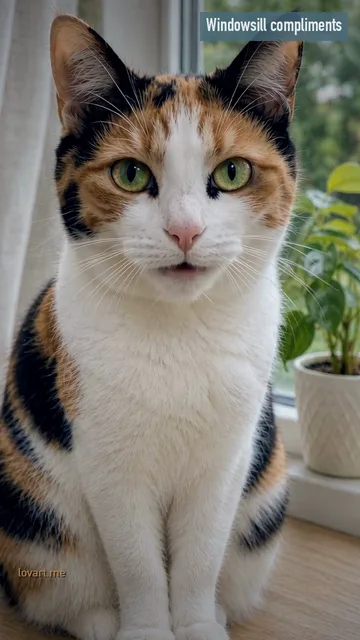
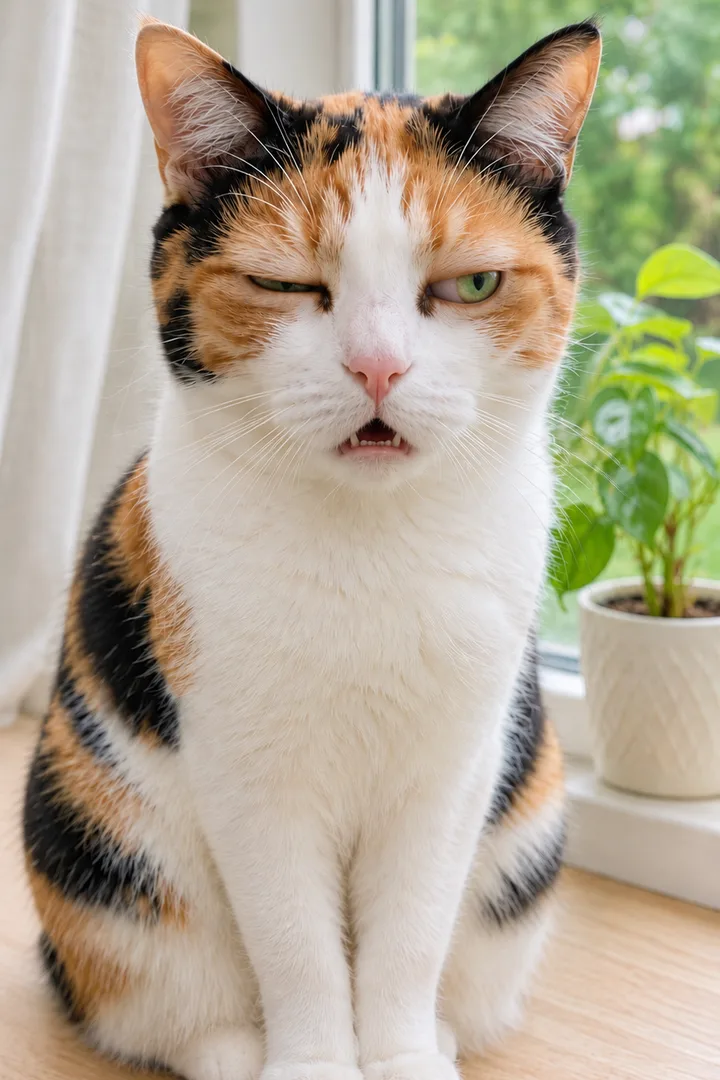 Calico glitch frame
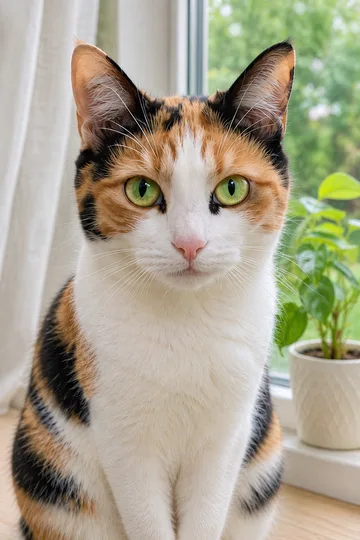
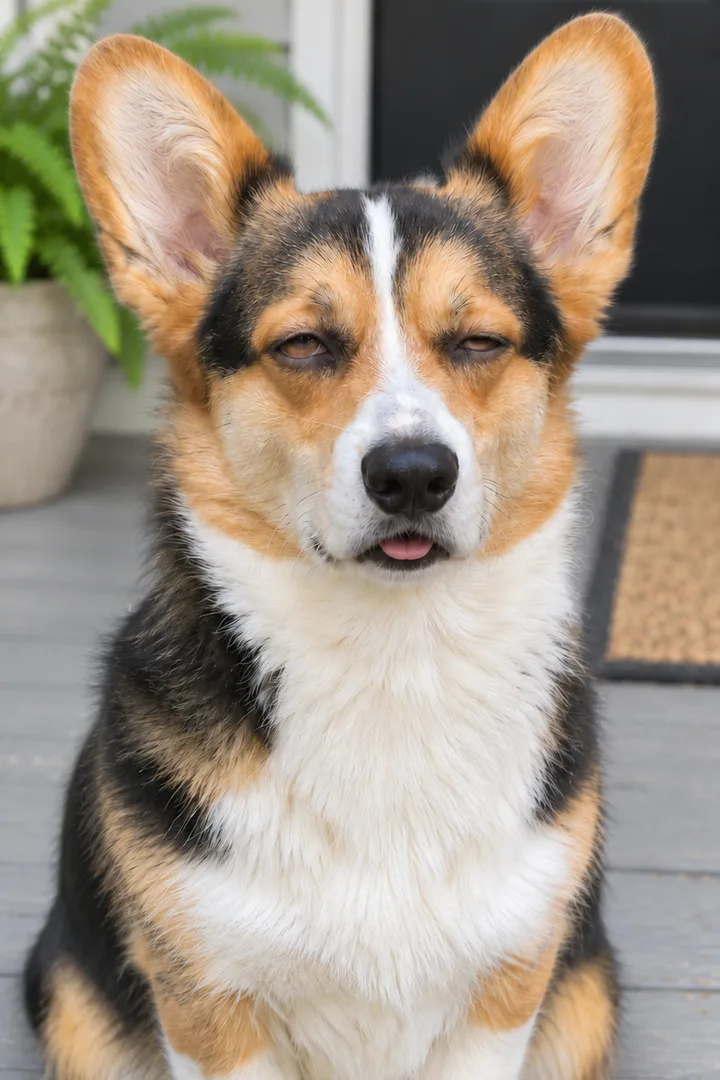 Corgi glitch frame
Drop both eyelids to half, let one eye close further than the other, open the mouth a little with the jaw slack, and keep the head and body still; the face should look switched off, not sleepy or angry.
1 2 3 Both upper lids come down to about half, covering the top of the iris. In the original trend the face goes blank and the eyelids drop half shut once the last line is said, per the peer page. Half is the target: fully closed reads as asleep, and lids that stay up read as a stare, not a freeze.
One eye closes further than the other, nearly shut and squeezed. A still cannot twitch, so the last frame holds the squeezed eye and the clip does the twitch on the way there. In the calico glitch frame it is the cat’s right eye; in the clip itself both eyes sank about evenly, which is why a designed last frame is worth the extra step.
The jaw drops a little and the mouth hangs open, a hint of teeth or the tip of the tongue, no grin. In the corgi clip the mouth stayed open in a grin with the tongue out, so its dazed face reads half happy; the corgi glitch frame closes the grin to a slack jaw.
The glitch is an expression, not a filter: no RGB split, no shaking picture, no stutter frames. The head and body do not move, so only the eyes and mouth change between the two frames. That is also why the photo matters: one pet facing the camera with its eyes open, head and chest in view, sharp and in good light. A close-up works best because the mouth does all the talking, and breed, fur colours, ears and markings come from the photo. Set the sweet frame runs on Image to Image, which takes up to 16 reference images in one request and outputs at 1K, 2K or 4K.
Set the glitch frame →Put the sweet frame first and the glitch frame last, then describe only the middle: four short lines in a tiny voice, the mouth moving on each word, a smile on the last line, then the drop.
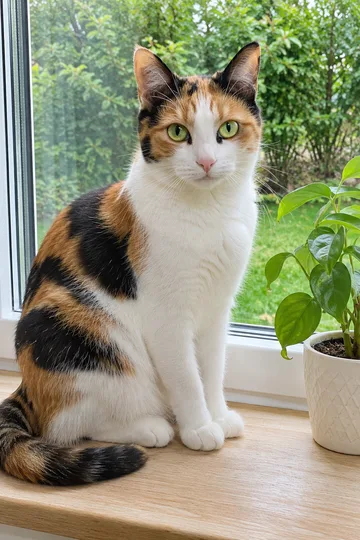
1Set the sweet frame builds it from Your pet photo: the same pet face-on, eyes wide, mouth shut, on a windowsill or a porch step. Pick Windowsill Sweet or Porch Corgi Sweet first.
2Design the last frame keeps the same pet, place and light and changes only the face: lids at half, one eye squeezed, jaw slack. Rebuild last frame tries again; Rebuild first frame goes back a step.
 3
Animate it sends both frames to Image to Video at 9:16. The prompt covers four lines with the mouth moving on each word, a blink, a smile on the last line, then the drop into the last frame.
| Video model | What it gets | Where the clip ends |
|---|---|---|
| Seedance 2.5 or Seedance 2.0 Mini | Sweet frame and glitch frame | On your glitch frame |
| Other video models | Sweet frame only | On whatever face the model makes |
Use image 1 as the first frame and image 2 as the last frame; the clip must end exactly on image 2. The pet keeps its face, eye colour, ears, coat colours, markings and natural proportions in every frame, real paws, never human hands. One continuous take, fixed camera at the pet's eye level, vertical. Sound: only a tiny, squeaky, cute high voice that comes from the pet, saying in English "You are kind. You are cozy. You are brilliant. You are my favorite human." with quiet room tone; no music, no other voices. 0-0.5 s: it sits still and looks straight into the lens with bright, wide eyes. 0.5-1.6 s: "You are kind.": the mouth opens and closes on each word. 1.6-2.8 s: "You are cozy.": a small happy blink. 2.8-4.0 s: "You are brilliant.": still looking into the lens. 4.0-5.4 s: "You are my favorite human.": a small, sweet smile. 5.4-10 s: the face goes blank: both eyelids drop half shut, one eye twitches nearly closed, the mouth hangs open and slowly opens and closes with no sound, the body stays still, landing on the last frame. No cuts. No subtitles, no captions. No text, no logos.
The workbench fills in the scene’s lines for you. To say your own four lines, for example a friend’s name or “I love you”, copy this prompt, change the words in quotes and run it on Image to Video with your two frames. Keep each line short, three or four words, so every line gets about a second of mouth movement.
Both samples were made from the sweet frame alone. In the calico clip the lids start sinking at about 6.1 s and the face holds from 7 s; in the corgi clip the eyes narrow from about 6.3 s. The mouth follows each word but it is not perfect lip sync; if it drifts, use a sharper face-on photo and run it again.
The clip opens on the end of the first line, mouth open, green eyes wide.
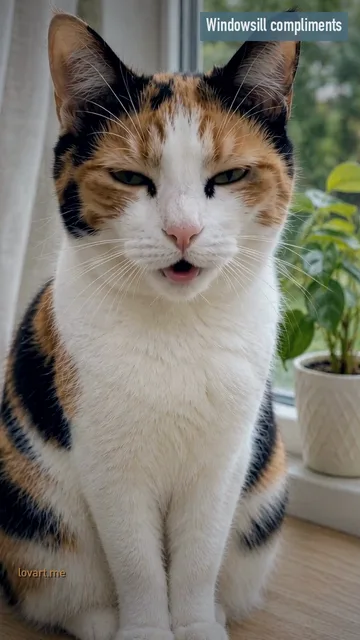
Both eyes squeeze briefly on “You are cozy”, then open again.
“You are my favorite human”: still face-on, eyes still wide.
Lids at half on both eyes, mouth slack over small teeth, body unmoved.
An AI clip redraws the mouth, eyes and head around your own pet, so it reads as your pet talking; a CapCut template is quicker but looks like a preset edit. Make the clip here, then add captions wherever you post.
When the face has to be your pet’s. The clip is generated from your sweet frame, so the mouth opens on each word and the eyes and lids move on the face itself; the glitch is an expression inside the same take, not an effect laid over the picture. With a glitch frame as the last frame you also decide exactly how dazed it ends.
When speed matters more than the face. The trend started with a CapCut AI template, also called the kind words CapCut template, with tutorials that show how to use it. If the trend sound is what you want, add it in TikTok when you post; the clips here carry their own voice and no trend audio.
| Option | Face | Mouth | Steps here |
|---|---|---|---|
| AI clip | Your pet’s own face and coat, both frames designed | Moves on each word, close but not perfect sync | Set the sweet frame → Design the last frame → Animate it |
| CapCut template | Your photo inside a preset edit | Whatever the template does | Done in the CapCut app, not here |
The trend took off in November 2026, per the peer page: on November 11 an AI-made chick with a cat’s face said the lines (520,200 views), a fold cat followed on November 13 (912,700 views), and on November 14 a hamster version became the top clip at 1.6 million views and 410,200 likes. By November 19 #youareniceyouareprettytrend held 383 videos and #kindwordscapcut 355. People also search you are my friend glitch, you are nice you are pretty glitch, MeiMei pet trend and the talking cat meme.
Either way the pet was put into the clip by AI from one still photo; nobody filmed it. Keep the platform’s AI label on when you post.
Design my frames →Stack the sweet frame over the glitch frame in PhotoCraft, leave a thin white gutter between them and set one line of your own above each, so the card works where a video does not play.
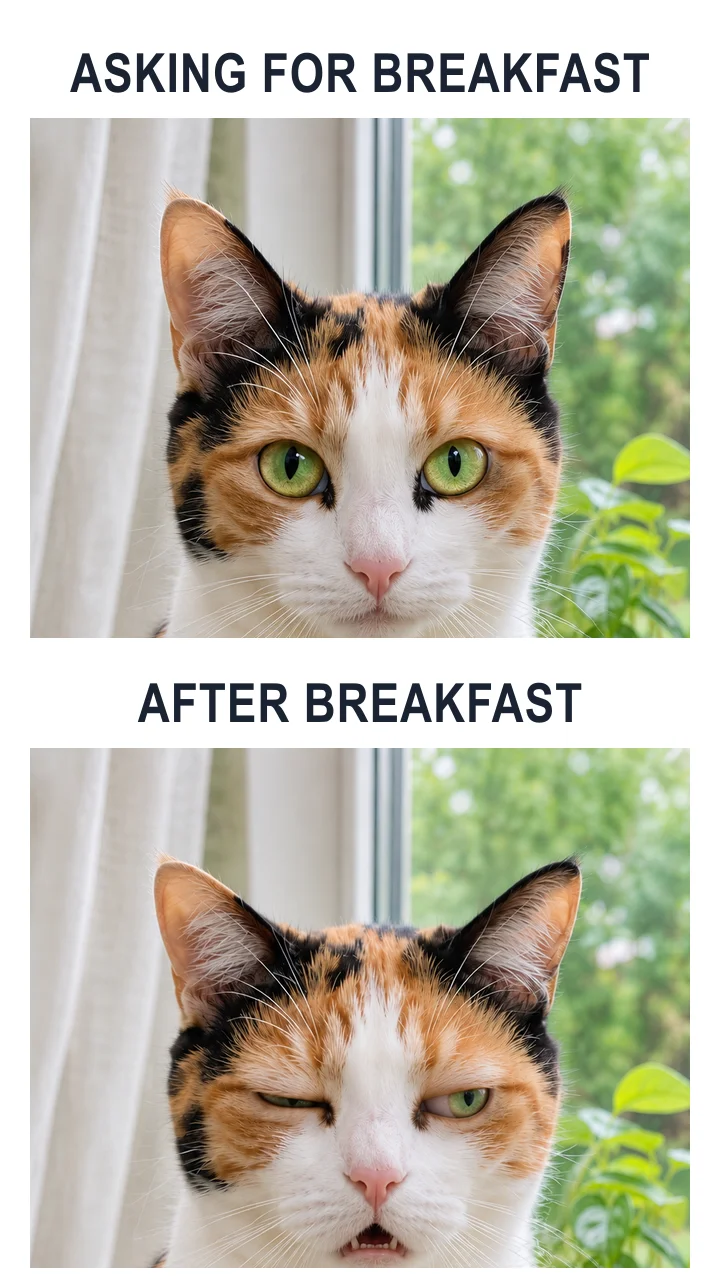
Stacked, 9:16: the sweet frame on top, the glitch frame below, a white gutter between them and a bold line in condensed capitals over each panel. Crop both panels to the same face size so the eyes line up. Still only · the sweet frame and the GPT Image 2.5 Flare glitch frame with type set on top.
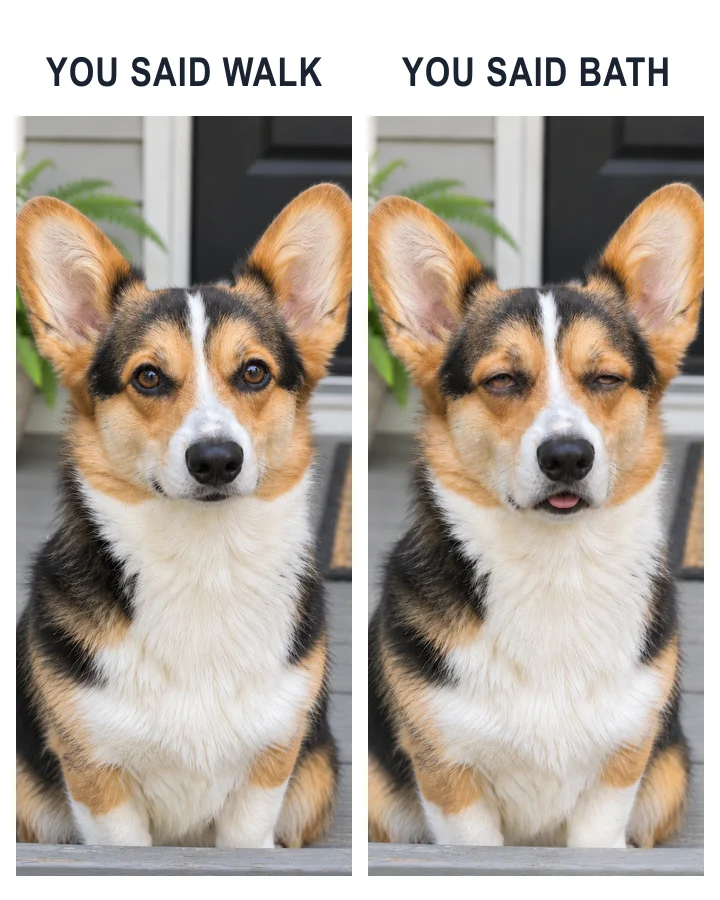
Side by side, 4:5: two tall panels and a short line over each. The lines are the joke, so write a setup for the sweet face and a turn for the blank one; on these cards they are “ASKING FOR BREAKFAST / AFTER BREAKFAST” and “YOU SAID WALK / YOU SAID BATH”. Still only.
Download frame in the workbench saves the sweet frame; the glitch frame is saved in your image history, where you can download it. Open both in PhotoCraft, a free editor for type and layout on a generated image, place them in two panels and type your two lines. Captions peers suggest include “POV: your pet is sweet for exactly 4 seconds”.
Open PhotoCraft →The whole joke is the drop from a bright, wide-eyed face to a blank one. With both ends fixed, the clip starts on the sweet face and has to land on the dazed face you designed, instead of whatever face the model picks.
No. The trend started with a CapCut AI template, sometimes called the kind words CapCut template. Here you design two frames from your own pet photo and animate the lines between them in the browser.
Yes. One dog facing the lens with its eyes and mouth in view keeps its own face and coat in both frames; the Porch corgi card shows it. In that sample the dog’s glitch came out as a small squint, so a designed last frame helps more for dogs.
“You are nice. You are pretty. You are smart. You are my friend.” Many captions end with “MeiMei”. The samples on this page use original compliments in the same rhythm, such as “You are kind. You are cozy.”
Each designed still or frame uses 3 credits. The 10-second clip uses 40 credits in Fast mode (Seedance 2.0 Mini, 480p) or 280 credits in High quality mode (Seedance 2.5, 480p). Credits come in one-time packs, not a subscription: the smallest is $9.90 for 250 credits. Purchased credits do not expire, and a failed generation returns its credits automatically.
Pet Photo to Video AI moves your pet through a whole place, far away first and nose at the lens last; this page keeps the pet still and changes only its face.
The pets in the samples are original AI-made animals, and the clips are AI-generated, not filmed. The trend sound belongs to its owner and is not used in these clips. Use your own pet’s photo.