Special Offer·15% OFFLimited time offer on all credit packages
One lit window · since October 22, 2026
Window Dance Trend From a Designed First and Last Frame
Upload one photo, design the first frame with you in the lit window and the last frame with the curtain shut, then animate between them.
Last checked 2026-10-26
⚙ AI Forge Studio
Design the first and last frame, then animate between them.
Your photo
9:16 vertical · first frame, then last frame, then the clip between them
Joining the trend is free; making it on Lovart ME uses credits from packs starting at $9.90 for 250 credits. Each button shows its exact cost before you generate.
SAMPLE · INPUT → RESULT
Sample inputs and result from this page. Your result will appear here.
Start with an idea
01 / Samples
Window dance trend clips remixed for Lovart ME
A solo clip and a clip with a bulldog were cut from 10-second Seedance 2.0 Fast originals, plus one closed-curtain end frame designed here.
All people are original generated adults and the dog is an original generated animal. The two clips are Lovart ME cuts of clips made for this trend with Seedance 2.0 Fast from a single first frame; the end-frame route below was not used for them. Each card shows the photos and the frame behind it. Nothing here was made with the workbench above.
Brick window, solo
Photo →Still→StartEnd
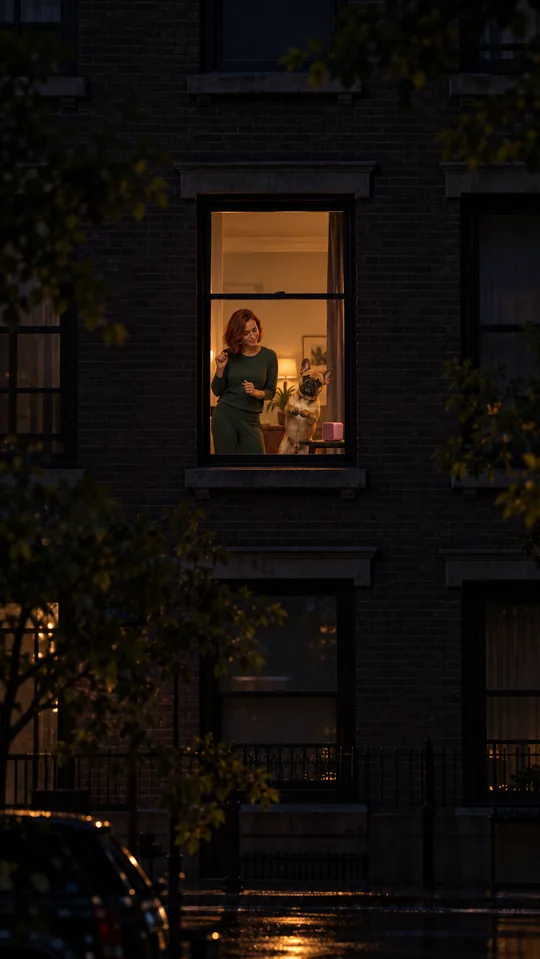
Brick window, solo
Remixed from a Seedance 2.0 Fast clip
Input
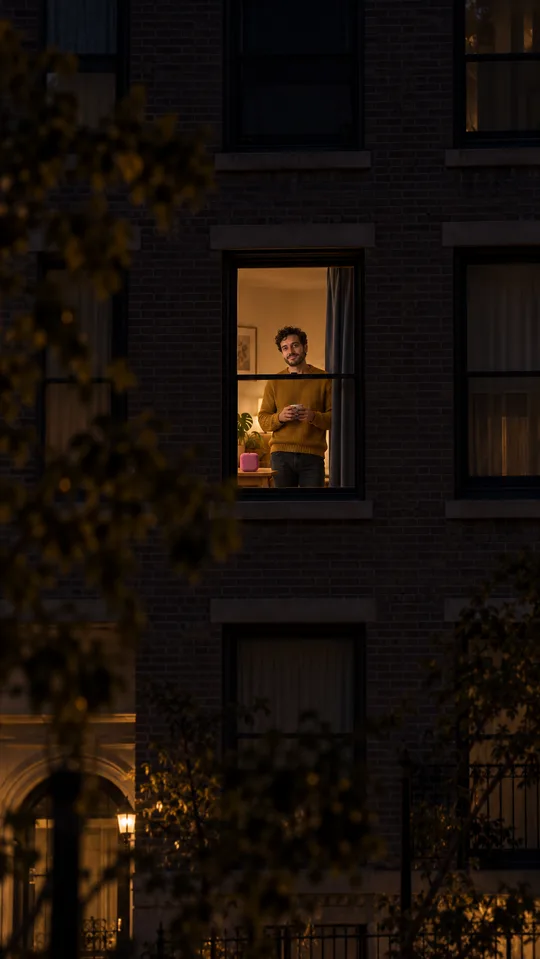
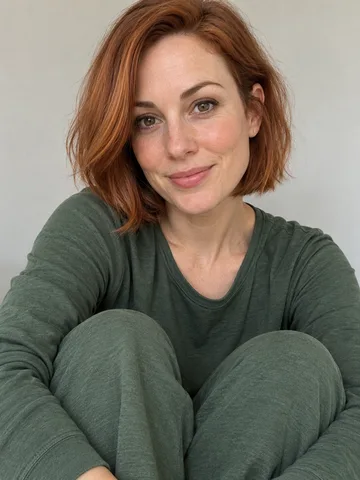
One original portrait: a man with curly dark hair and a short beard in a mustard sweater
First frame
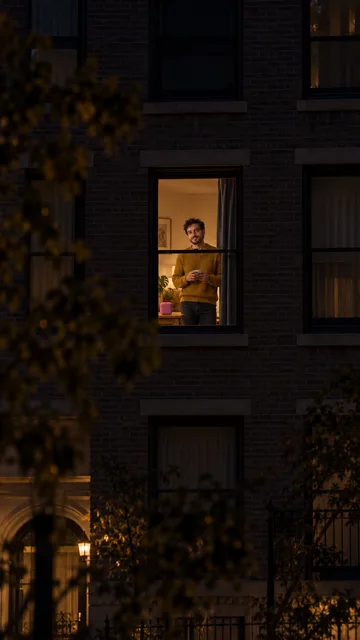
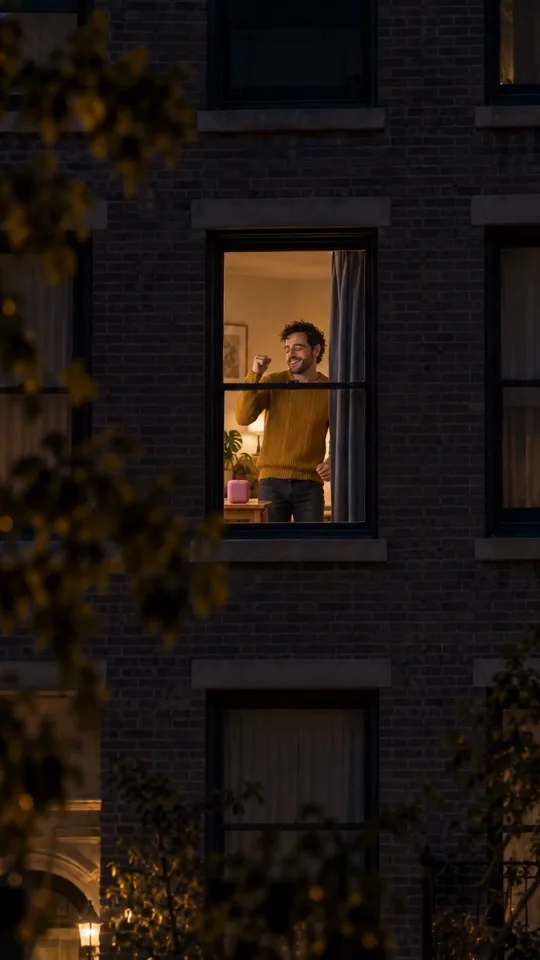
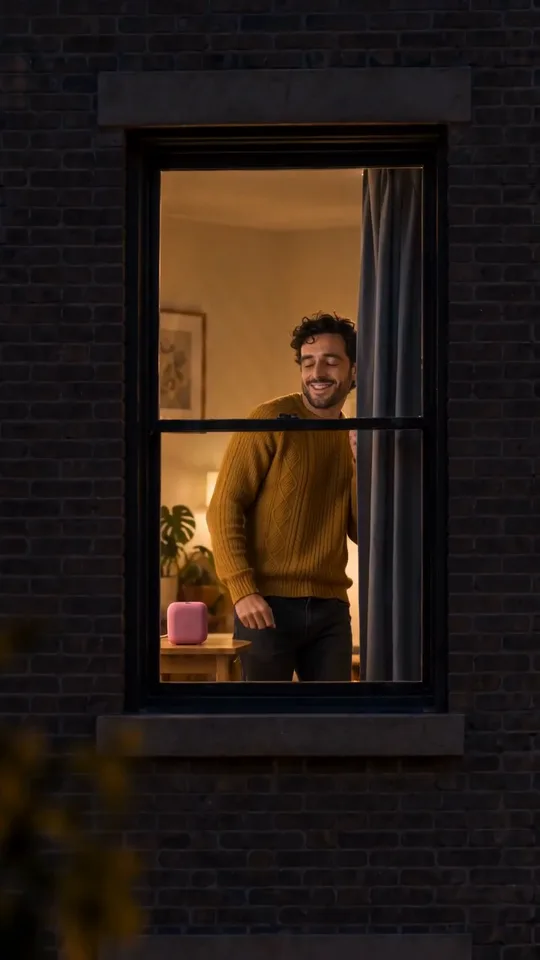
GPT Image 2.5 Flare, 9:16: a dark brick apartment block at night with one lit window, him dancing inside next to a small pink speaker
Original
Seedance 2.0 Fast · 720p · 10 s from that one first frame, made October 26, 2026
In the clip
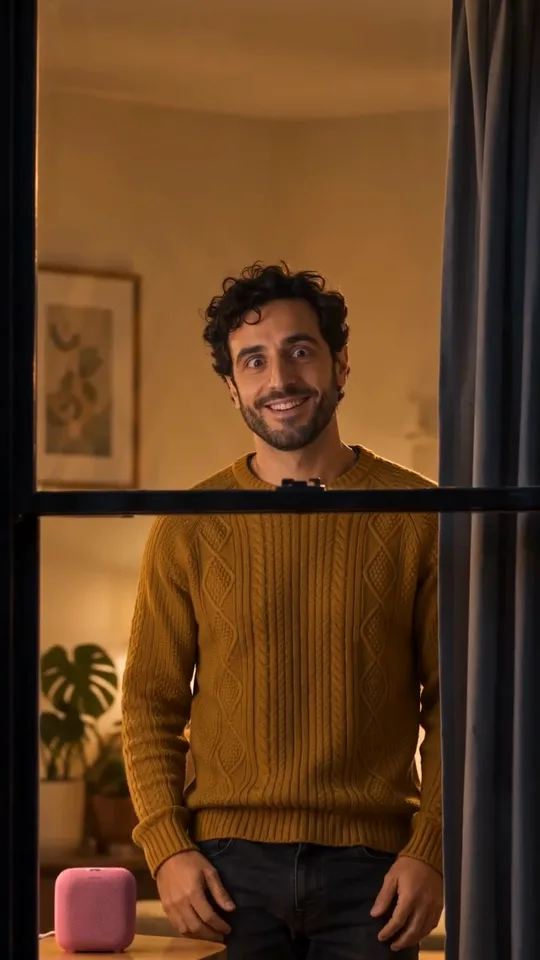
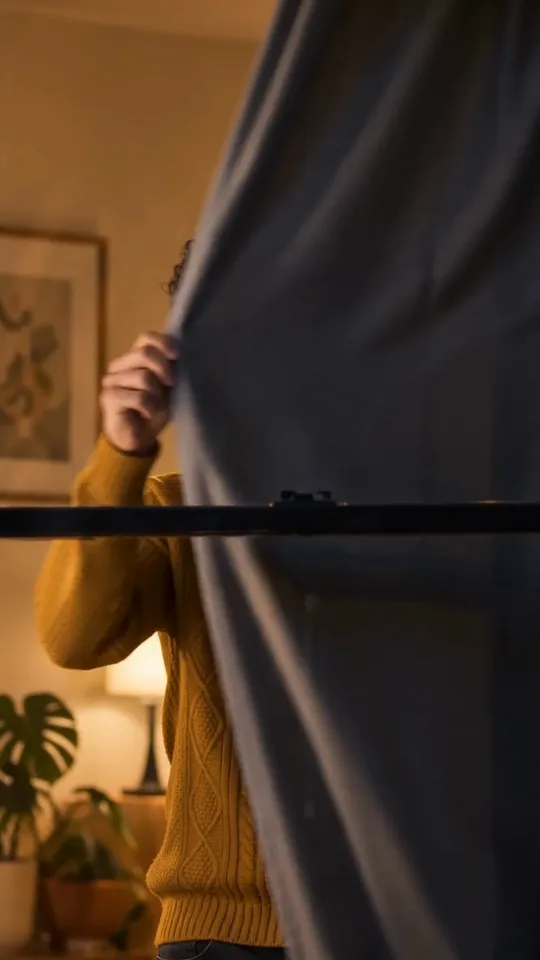
A push-in from across the street until the window fills the frame, carefree dancing, he spots the camera and grins, then pulls the dark curtain shut
This cut
8.3 s, re-cut, reframed and steel-blue graded; no new AI generation
Design the window dance trend first and last frame
Make the first frame of you in the one lit window and the last frame with the curtain pulled, both from your photo, then put them into Image to Video as start and end.
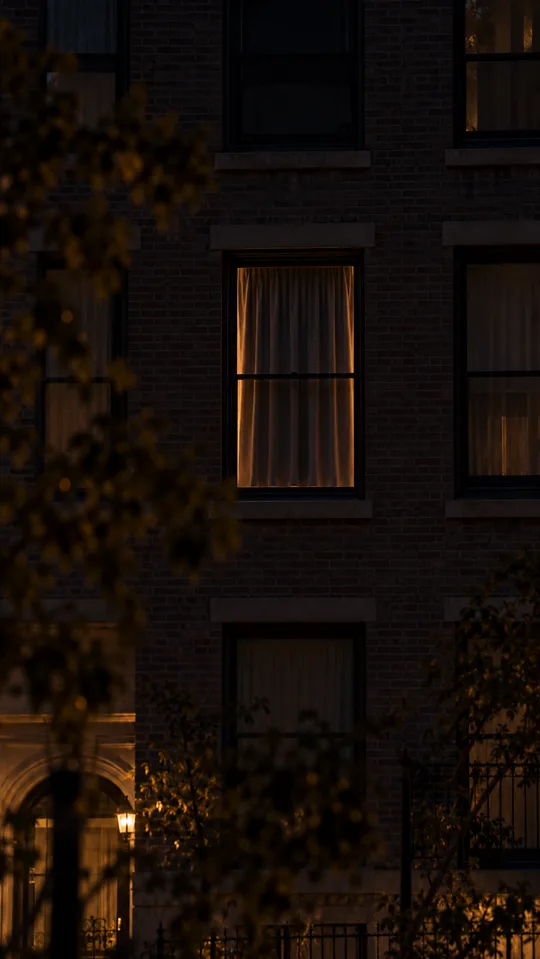
First frame · the lit window→Last frame · curtain shut
The first frame is the one behind the Brick window sample; the last frame was designed from it on October 26, 2026. This pair has not been animated, so no clip is shown for it.
First frame: the lit window
Design the frames sends your photo to Image to Image and builds the night shot: a dark brick block, one lit window, you inside next to a small speaker, seen from the knees up. Use a sharp, well-lit photo with your face to the camera; the face has to read large once the window fills the frame.
Last frame: curtain shut
Once the first frame looks right, Design the last frame edits that same picture: same building, same framing, same window, with only the curtain pulled shut. Check that the window and wall still match before you animate.
Animate between them
Animate it sends both frames to Seedance 2.5 or Seedance 2.0 Mini as first and last frame, with the four-line shot list. Veo 3 and Veo 3 Fast take the first frame only, and the tab tells you to switch.
Why an end frame keeps the window dance trend ending
Without a last frame the model may stop before the curtain; a designed end frame makes the clip finish with the window covered.
Endings models skip
The trend packs four beats into about 12 seconds: push-in, dance, the caught smile, the curtain. With only a first frame and a prompt, the model often spends its seconds on the dance and ends mid-grin or with the curtain half drawn. That is the “only first frame” column: the middle and the ending are left to chance.
Matching the two frames
With first frame and last frame, the model knows where it has to land and fills the move between them. Keep the two frames identical apart from the curtain and the person: same camera position, same window, same light. If the last frame drifts, rebuild it before you animate.
Write 0-2 s push in, 2-6 s dancing by the speaker, 6-8 s the caught smile, and 8-10 s the curtain, then edit one line at a time.
Frames come from the 10-second original behind Brick window, solo; each card pairs the time slot with its line in the motion prompt. Keep the camera in one continuous shot with no cuts, and when you change a line, regenerate and compare before you touch the next.
Line 1: push in
0–2 s
0-2 s: slow smooth push-in from across the street until the lit window fills the frame.
Line 2: dance
2–6 s
2-6 s: unaware of the camera, they dance happily by the speaker, bouncing on the knees, fist pumps, swinging arms.
Add a picture of your room or building as an extra reference, and the frames keep your curtain, wall color and window shape.
Your photo · the face+
Your room or building picture window · curtain · walls
Room picture · optional→First frame
Diagram: the sample first frame was made without a room picture.
Room or building reference
In the Window tab, open the last photo slot and add one picture of your room from inside or your building from the street. It is sent to Image to Image as an extra reference with your photo; GPT Image 2.5 takes up to 16 references.
Keep the speaker and curtain
The small speaker on the table and a dark curtain at the side of the window are what make the last line work. If your room picture has blinds or no curtain, the frames still add one so it can close.
Window peeper on October 20, 2026, the Window Dance clip on October 22, a second template on October 24, and pet takes on October 25.
Oct 20, 2026A CapCut template puts people into a night shot of the one lit window in a dark block, eating a burger until they catch the camera and pull the curtain: the window peeper meme.
Oct 22UK account @dancevault14 posts “Window Dance”: the camera pushes in, someone dances by a small speaker, grins and pulls the curtain. 975,600 views by October 25.
Oct 24A second template post passes 475,000 views; #windowpeeperdance and #danceofthewindow start.
Oct 25The first pet takes: a dog in a red tracksuit and a cat in a tuxedo dancing at the lit window.
The shot
Night, a dark brick block, one window lit; one continuous push-in from across the street; inside a cozy room and a small pink cube speaker; dancer from the knees up; about 12 seconds.
Names across countries
US how-tos say peeking-through-the-window dance or window peeper dance, Spanish ones baile en la ventana, French ones la tendance Window Dance.
Use the CapCut template if it opens, one still plus a prompt for a quick try, and start and end frames here when the curtain has to close.
Route
What you bring
What you control
Best when
CapCut window template
One photo
Nothing beyond the photo
The template still opens
One still, then prompt
One photo
The middle and the ending are left to the model
A quick try
Start and end frame
One photo (+ a room picture)
First and last frame both designed
The curtain has to close
CapCut template
One photo in the window template on a phone. Fast, but nothing beyond the photo can change.
One still plus prompt
A one-photo image-to-video generator with the push-in, dance, notice and curtain written as timed beats, about 12 seconds; the ending depends on the model.
Start and end frame
The Window tab: design the first frame, then the last frame, then animate between them with the four-line shot list.
Turn the first frame into a lit-window poster in PhotoCraft, or try Zombie Couple and Swing Dance with the same photo.
The Brick window first frame, ready for a title.
Poster in PhotoCraft
Download frame saves your first frame. Open it in PhotoCraft, the free browser editor, and set a title in the dark wall above the window; the one lit square already reads like a poster.
The start frame fixes the one lit window with you inside; the end frame fixes the closed curtain. With both in Image to Video’s first-and-last-frame mode, the clip has to finish on the covered window instead of stopping wherever the model runs out.
Can it look like my own window?
Yes. Add a picture of your room or building in the optional slot when you design the frames; the frames then follow its window shape, curtain and wall colors.
Can I use a celebrity face like the template posts?
Use your own face, a friend who agreed, or a pet. Almost every template post uses a celebrity or famous character, and putting a real person’s face in without their okay is the part to avoid.
Where do the sample clips come from?
They are remixes of Seedance 2.0 Fast clips made for this trend on October 26, 2026 from a single first frame: re-cut, reframed and color graded, with no new AI generation. The closed-curtain end frame was designed here and not animated.
Who posted the first Window Dance?
The UK account @dancevault14 on October 22, 2026, two days after the window peeper template; that clip had 975,600 views by October 25.
Does the clip come with music?
The speaker plays an original beat in the generated clip. Add a trend sound from TikTok or Reels when you post.
Lovart ME is an independent site and is not affiliated with TikTok, CapCut or @dancevault14. Sample people are original generated adults; the sample dog is an original generated animal.