Upload his photo with a makeup reference, design the full-glam still, then animate from his bare face to that still and add the caption.
Last checked 2026-10-31
⚙ AI Forge Studio
Design his full glam from his photo and a makeup reference, then animate bare face to glam.
1Still · 3→
2Animate 10 s · 280
His photo
9:16 vertical · your photo is the first frame, the designed frame is the last
Next: animate 10 s · 280 credits.
Joining the trend is free; making it on Lovart ME uses credits from packs starting at $9.90 for 250 credits. Each button shows its exact cost before you generate.
SAMPLE · INPUT → RESULT
Sample inputs and result from this page. Your result will appear here.
Start with an idea
01 / Samples
Boyfriend makeup prank filter board samples
Each sample shows his photo, the makeup board, the designed glam and the clip, remixed from airapvideo.homes originals with original adult characters.
The boyfriend makeup prank filter turns one photo of him into a short clip where hands give him a full face of makeup and he ends in glam. The people below are original generated adults, not real couples. Both clips are Lovart ME re-cuts of 10-second MiniMax H3 originals made on airapvideo.homes, reframed and graded, not mirrored and with no new generation. The two makeup boards, the two glam stills and the caption card were made with GPT Image 2.5 Flare for this page on October 31, 2026. None came from the workbench above.
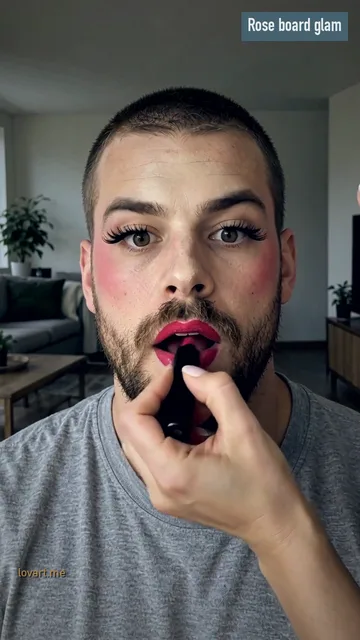
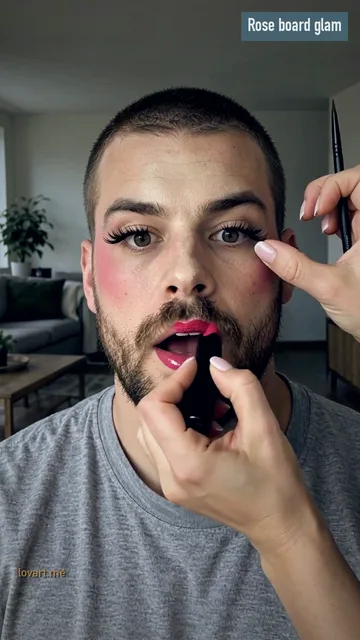
Rose board glam
Photo →StartEnd
Rose board glam
Remixed from an airapvideo.homes clip · MiniMax H3
Photo
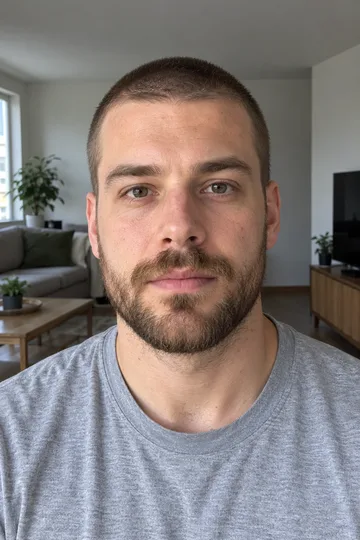
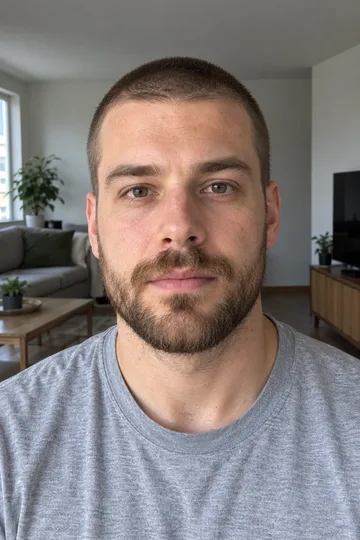
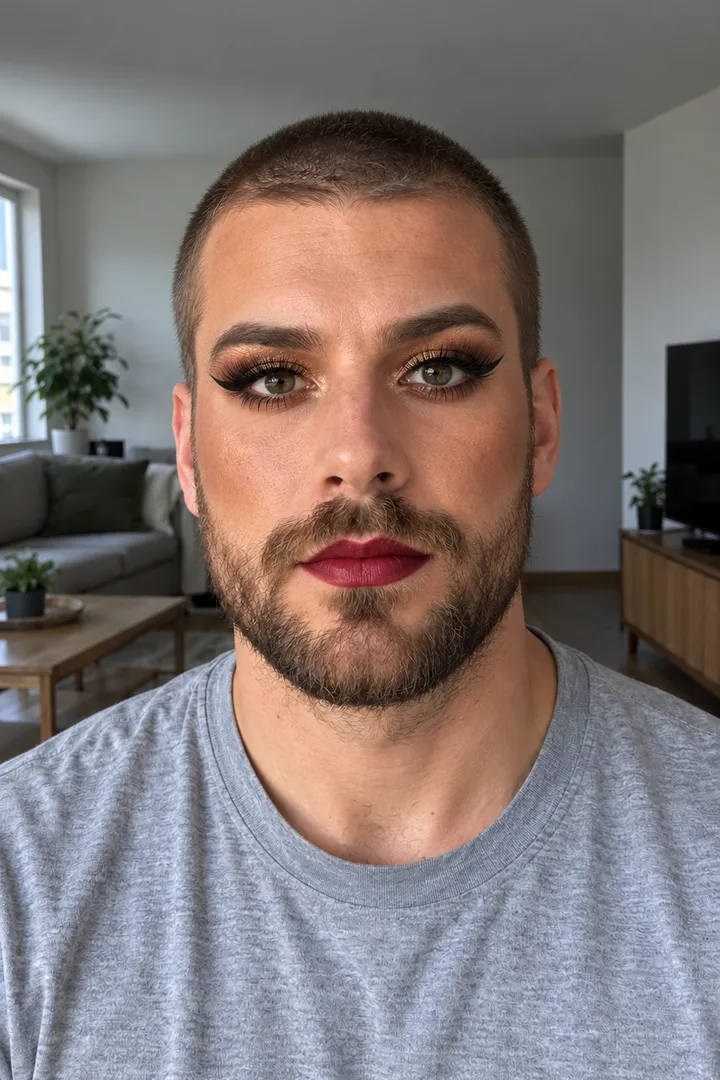
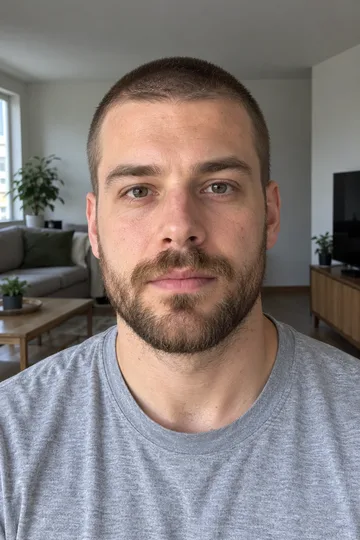
GPT Image 2.5 Flare: an original generated man in his late 20s with a buzz cut, a short brown beard and a grey tee, face straight to the camera in a living room
Master
MiniMax H3 · 768p · 9:16 · 10 s, his photo as the first frame, made on airapvideo.homes
This cut
8.6 s re-cut for Lovart ME: reframed, steel-and-frost grade, not mirrored; zero credits
What happens
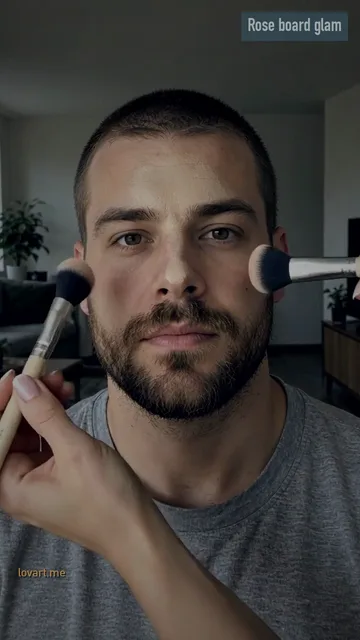
Two brushes add rose blush, a pen draws a black wing on each eye, lashes go on, then pink lipstick; the cut ends during the lipstick
Note
This original had no designed glam still, so the strip goes straight from his photo to the clip; the Rose Board still below shows the designed version
Remixed from an airapvideo.homes clip · MiniMax H3
Inputs
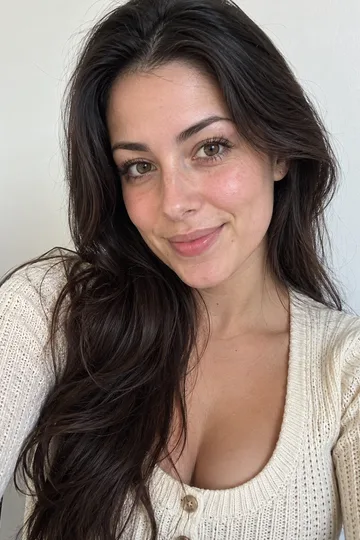
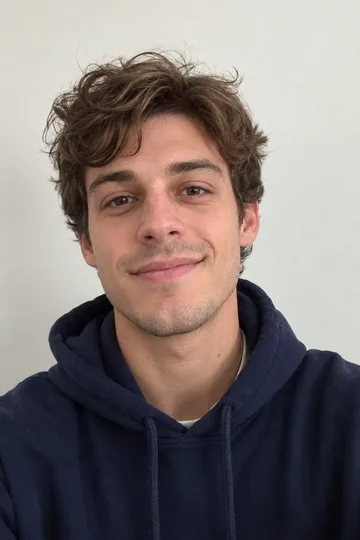
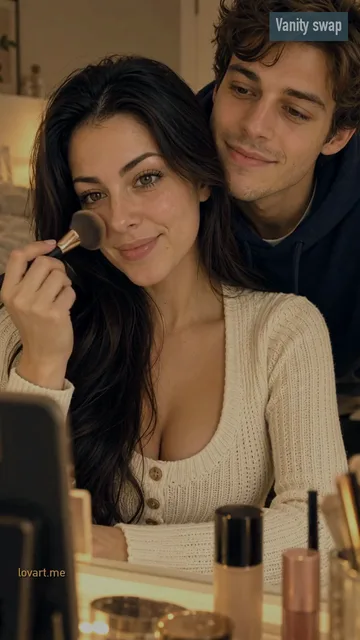
Two original generated adults: a woman with long dark hair in a cream knit top, and a man with curly brown hair in a navy hoodie
First frame
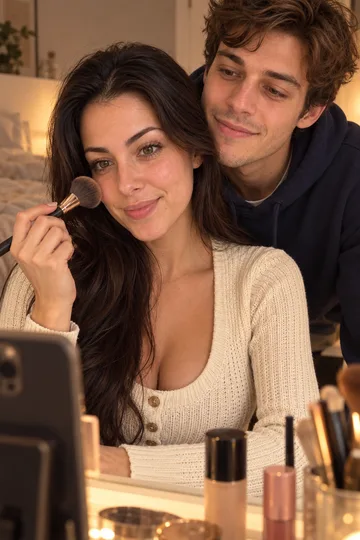
GPT Image 2.5 Flare, 9:16: her at a lit vanity with makeup on the table, him leaning in behind her
Master
MiniMax H3 · 768p · 9:16 · 10 s, made on airapvideo.homes
This cut
9.7 s re-cut for Lovart ME, ice-and-brass grade, not mirrored; zero credits
What happens
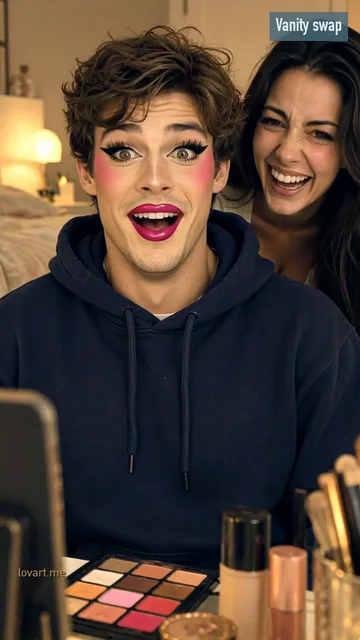
She brushes on blush, a big brush sweeps past the lens at about 4 s, then he sits in front in pink blush, winged liner, lashes and pink lips while she laughs behind him
Add his photo plus one makeup reference for blush, liner and lip colour, and ask to keep his face, beard and hair exactly.
His photo
One adult, head and shoulders or chest up, face straight to the camera, window daylight, eyes open, nothing on the face. A beard is fine. Use a vertical photo: it is the first second of the clip, so his face, clothes and room come from it.
The makeup reference
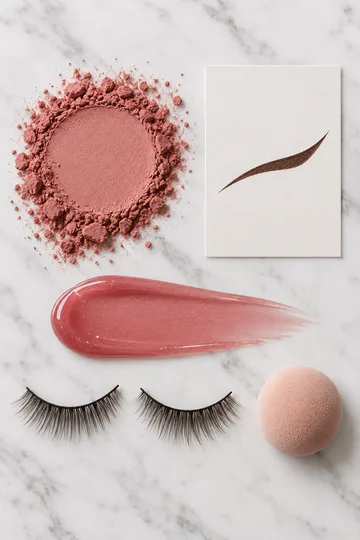
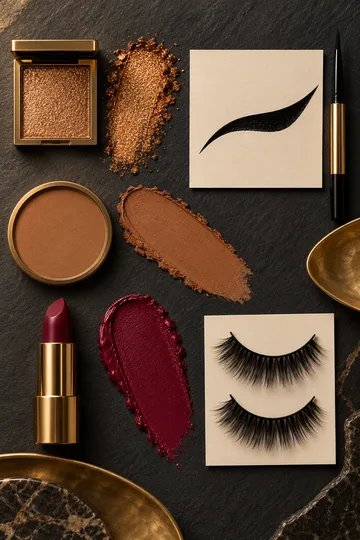
Add one or two pictures of the look: a palette, a lip swatch, a liner shape or a makeup look you saved. They are read as colours and shapes, not as people. With no reference, the chip you pick sets the look.
Keep his face
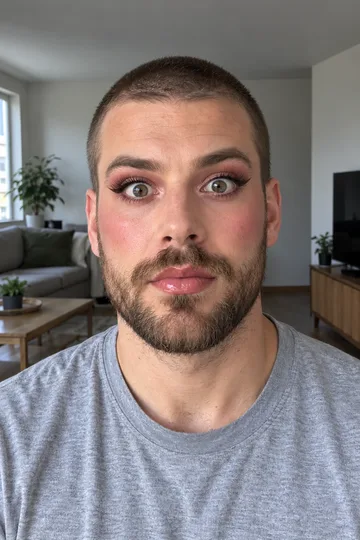
Design the glam sends the board to Image to Image, which can take up to 16 reference pictures, and asks for the same face, beard, hair, clothes and room with the makeup added. If anything else changed, press Rebuild last frame.
Rose Board
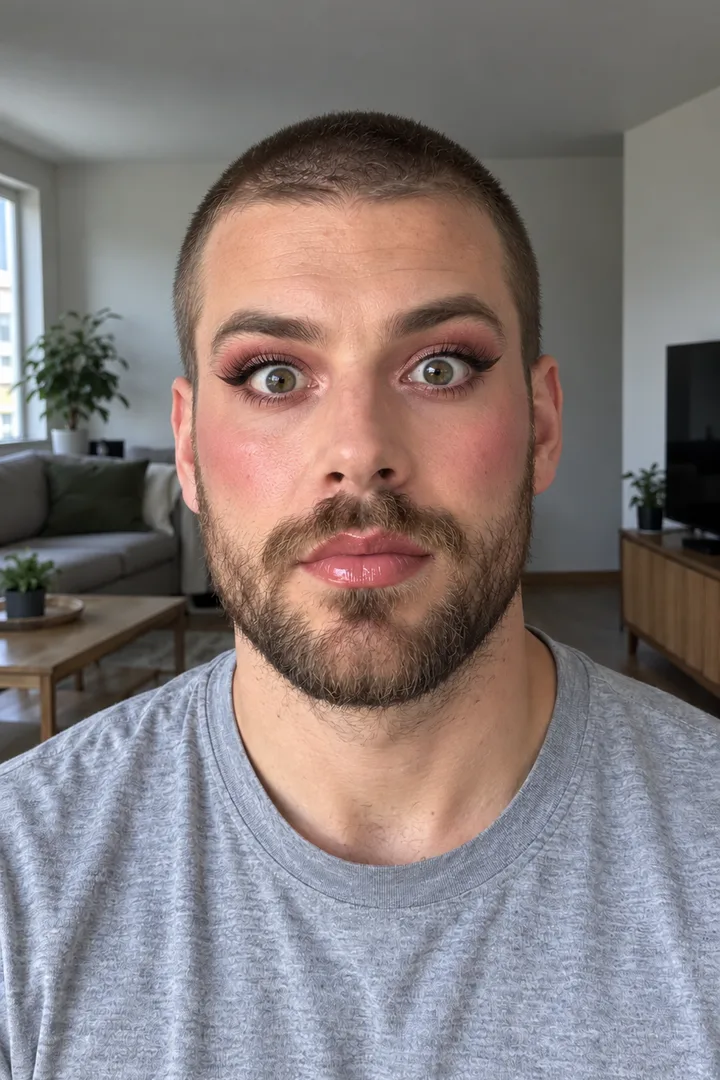
Dusty rose blush, soft brown wings, rose shadow, long lashes and glossy rose lips. The softest look, and the default.
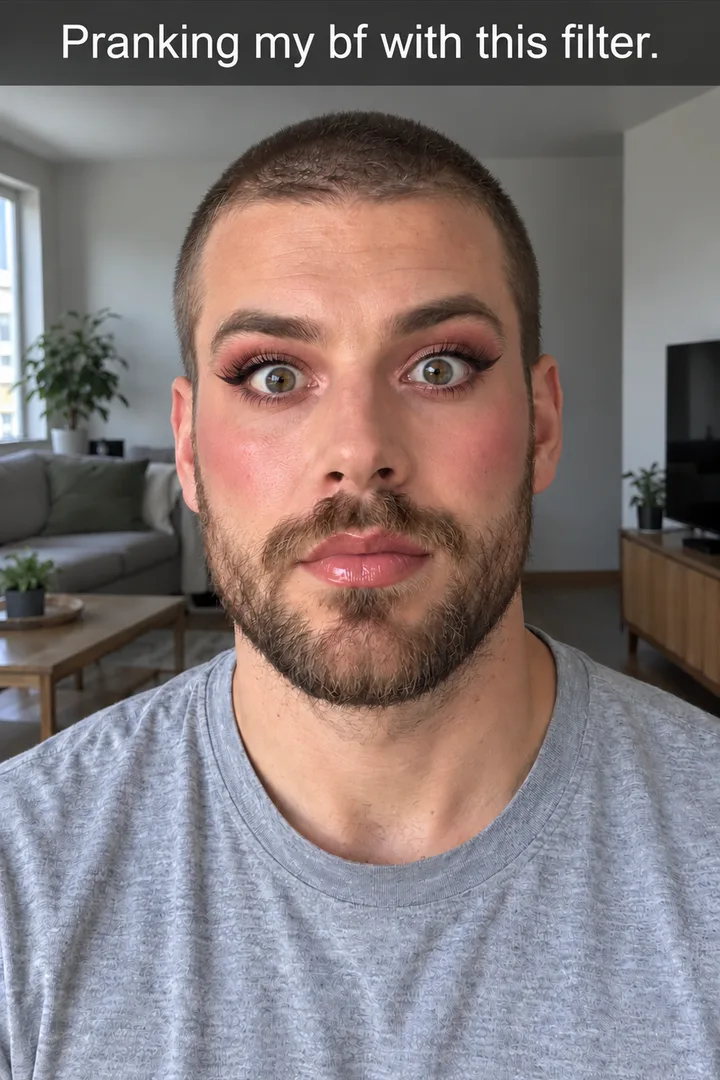
Use the trend line Pranking my bf with this filter, or He's gonna hate me, across the top where it does not cover his face.
Still only · GPT Image 2.5 Flare
The usual line
Most posts reuse the same short line, so viewers know the joke before the first brush lands. Copy one:
Pranking my bf with this filter
He's gonna hate me
Pranking my boyfriend with this makeup filter
Where it sits
Across the top, above his head, in plain white type on a thin dark band. The face is where the change happens, so keep the eyes and lips clear. Download frame on the glam still, then Open in PhotoCraft and type the line. PhotoCraft is a free editor in the browser; editing costs no credits.
Animate the boyfriend makeup prank filter frame to frame
On Video, set his bare-face photo as the first frame and the designed glam as the last, and list the makeup steps in order.
First frame: bare face
Animate it sends his photo to Image to Video as the first frame. Pick Seedance 2.5 or Seedance 2.0 Mini as the video model, because they take a first and a last frame.
Last frame: full glam
The designed glam still is the last frame, so the clip has to end on the look you chose on the board instead of whatever makeup the model invents.
The steps between
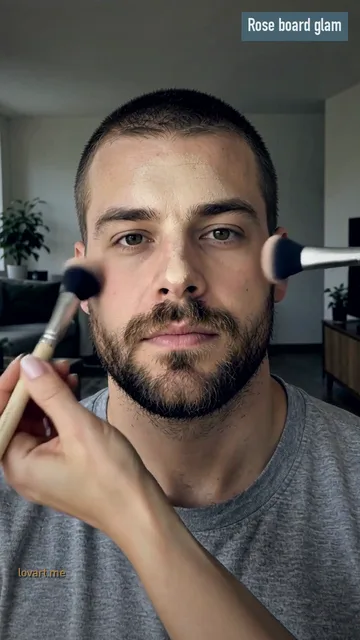
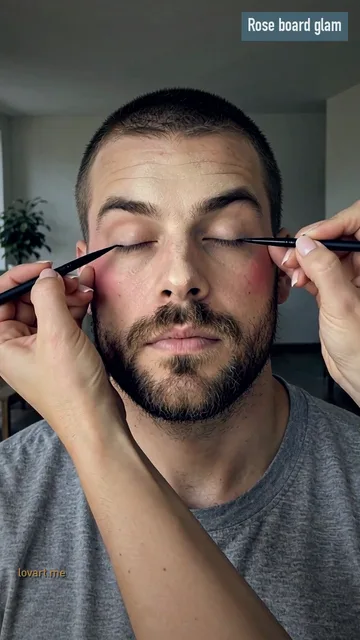
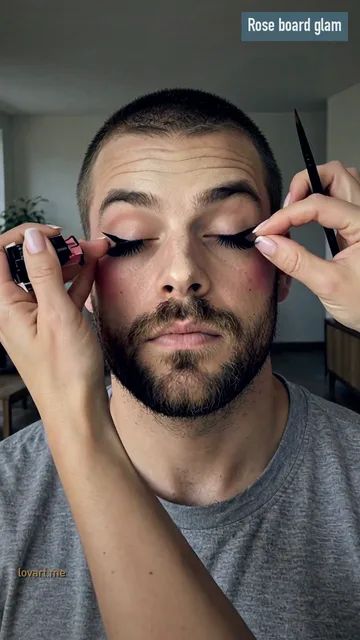
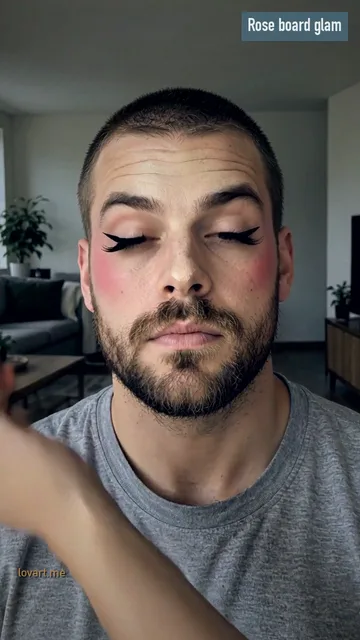
The prompt lists the order: foundation, blush, eyeliner and eyeshadow, false lashes, then lipstick last, with only a friend's hands entering the frame. The frames below come from Rose board glam, made from his photo alone, at 1.2, 3.0, 4.6, 6.2 and 7.5 seconds.
1.2 sBlush
The cut opens with a brush on each cheek; no separate foundation step shows in this cut.
3.0 sEyeliner
His eyes close and two pens draw a black wing on each lid.
4.6 sSecond wing
One hand steadies his brow while the other finishes the second wing.
6.2 sLashes
Both wings are done and the false lashes are on; his eyes are still shut.
7.5 sLipstick
Eyes open wide, rose cheeks, and pink lipstick goes on last.
The clip comes with original music. Add the trend sound in TikTok when you post.
It began as a one-photo AI template on August 18, 2026, turned into a partner prank in September and got its own hashtag on October 15.
Aug 18, 2026
A one-photo makeup template in a popular video editing app gets its first clip on its sound: 1 million views.
Sep 19–21
Posted as a partner prank, twice, at 965,300 and 984,500 views.
Sep 23
A version on a bald man reaches 1.6 million views.
Oct 10
A how-to for making the prank reaches 7 million views.
Oct 15
#boyfriendmakeupprank is created; by October 28 the sound is in 2,619 videos.
August template
It was never a live camera filter. It started as a one-photo AI template: one picture of him in, a clip of him getting made up out. The name stuck from the captions.
September pranks
In September people started posting it as a prank on their partner, and a how-to in October brought the biggest wave. Dates and view counts are as recorded on a peer template page, not checked post by post.
Label before you post
Show him the finished clip and post only if he agrees. TikTok asks creators to label realistic AI-generated content, and an AI clip of a private person needs their permission.
“Pranking my bf with this filter” is the usual one; “He's gonna hate me” is the other line people reuse. Keep it to one line across the top, above his head.
Can I control the final look?
Yes. Add a makeup reference to the board, a palette photo, a lip swatch or a liner shape, and Design the glam copies its colours onto his face. That designed still becomes the last frame, so the clip has to land on exactly that look.
Which photo of him works?
Head and shoulders or chest up, face straight to the camera, even window daylight, eyes open and nothing covering the face. A beard is fine and stays. His face, clothes and room in the clip all come from this photo, so use a vertical one.
How long is the clip?
About 10 seconds, vertical 9:16. Animate it makes a 10-second clip; the two samples above are 8.6 and 9.7 second re-cuts of 10-second originals.
What else is it called?
Boyfriend makeup prank, boyfriend makeup filter, makeup filter prank or makeup prank trend. It is not a live camera filter: it started as a one-photo AI template.
More
More after your boyfriend makeup prank filter clip
Lovart ME is an independent site and is not affiliated with TikTok, MakeViral, Kavel or any video editing app. Clips here use original music, not the trend sound. Sample people are original generated adults.