Baby Dancing AI, Designed: Room, Outfit and a Toddler Dance
Upload your baby’s photo, design a still in a new room and outfit beside the original, then animate the toddler dance and make a birthday card from the still.
Last checked November 14, 2026
⚙ AI Forge Studio
Upload your baby’s photo, design a still in a new room and outfit beside the original, then animate the toddler dance.
1Still · 3→
2Animate 10 s · 40
Your child’s photo · only your own child, or one a parent let you edit · saved in your account history
9:16 vertical · the still is made first, then animated as the first frame
Next: animate 10 s · 40 credits.
A 10-second clip uses 40 credits in Fast mode (Seedance 2.0 Mini, 480p) or 280 credits in High quality mode (Seedance 2.5, 480p); each still uses 3 credits. Credits come in one-time packs from $9.90 for 250 credits, and each button shows its exact cost before you generate.
SAMPLE · INPUT → RESULT
Sample inputs and result from this page. Your result will appear here.
Start with an idea
Only upload a photo of your own child, or one a parent gave you permission to edit. Your photo and every still and clip you make are saved in your account history so you can download them again.
01 / Samples
Baby dancing ai before and after the designed look
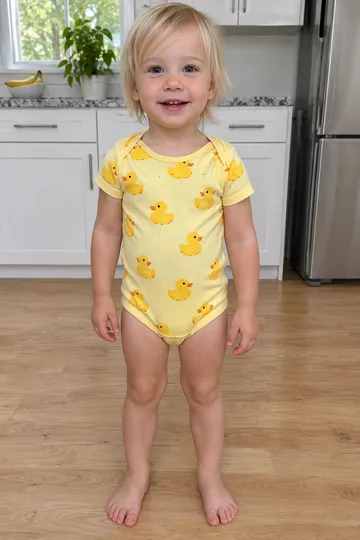
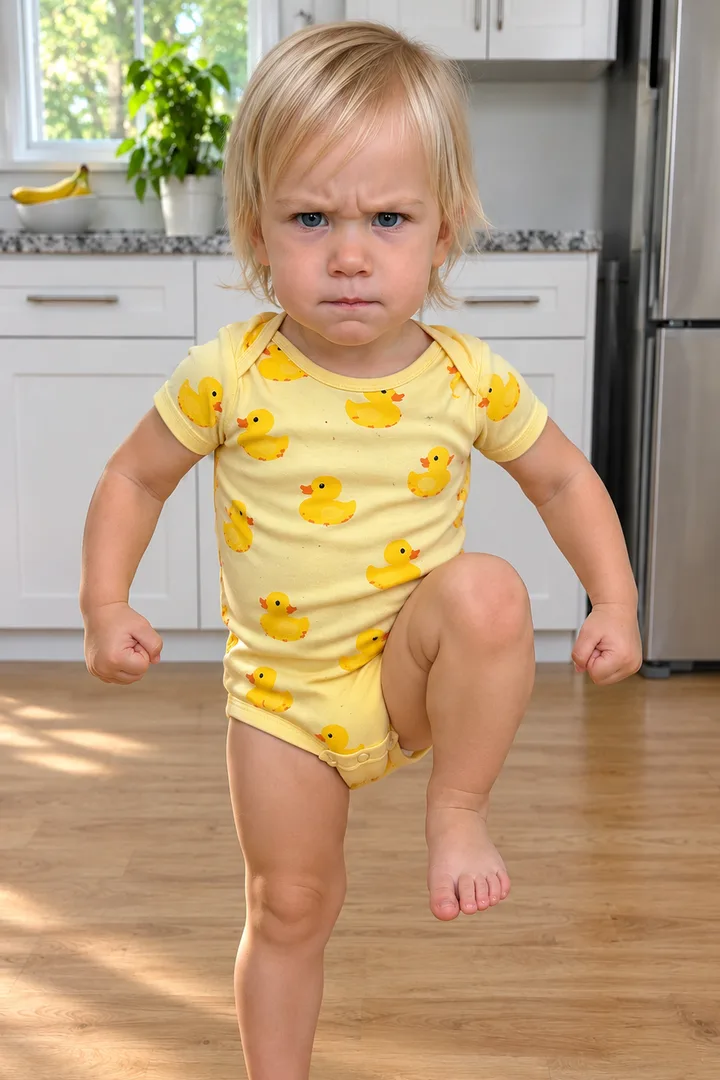
A toddler in a cherry romper on a bedroom carpet and a toddler in a duck onesie in a kitchen, each shown as the original photo, the designed still and a short toddler dance (9 s and 8 s).
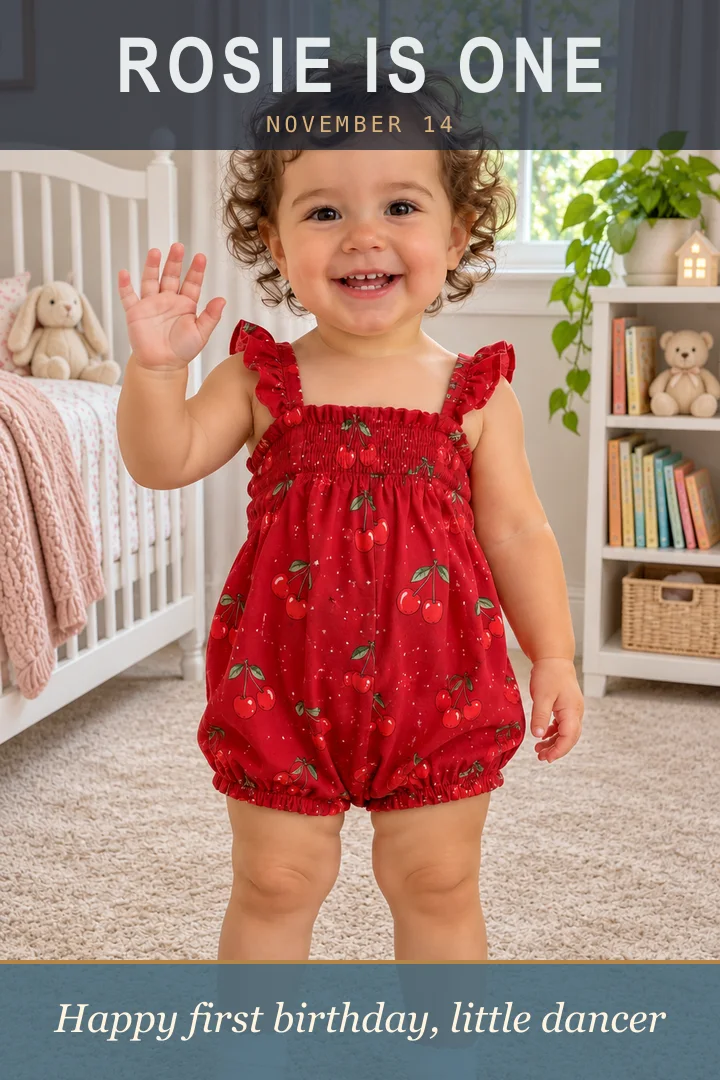
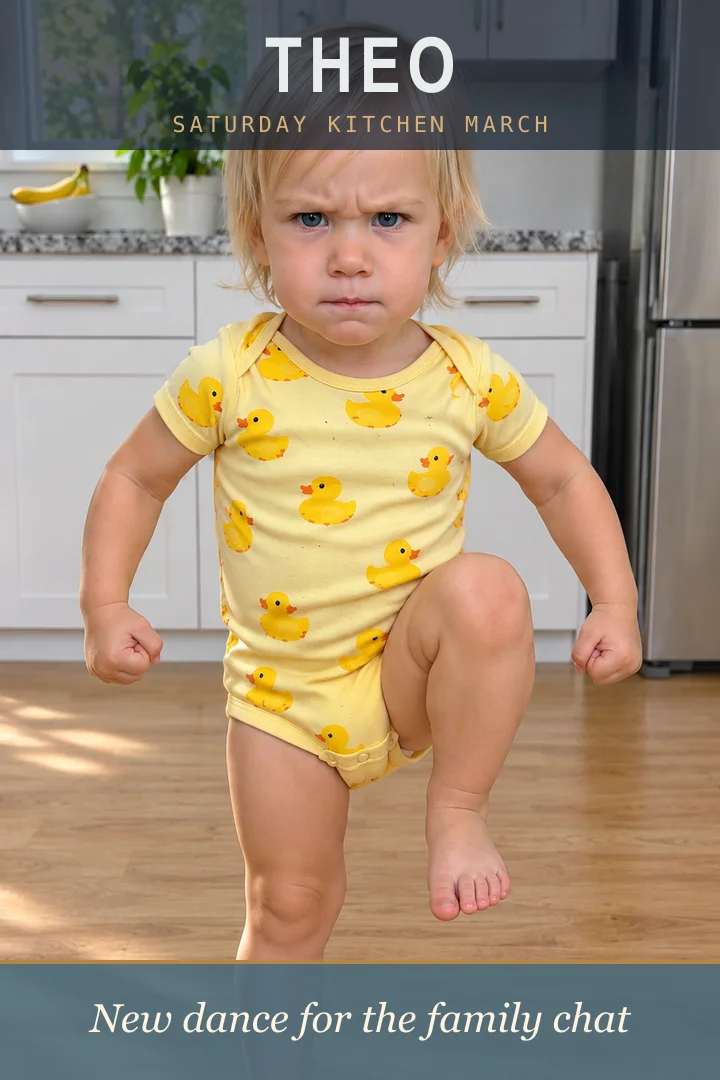
The baby dancing AI trend is a short vertical clip made from one photo of a baby: the baby stands in their own room, toddles up to the camera, waves, shrugs, bounces to the beat and runs at the lens laughing. The face comes from the photo and the dance is generated, which is why babies too young to walk do a full routine. Every baby below is an original AI toddler, fully dressed. The two clips were made on Lovart ME with Seedance 2.0 Fast (720p, 9:16), each from a GPT Image 2.5 Flare still used as the first frame, with generated music. The two cards are those stills with type on top. None came from the workbench above.
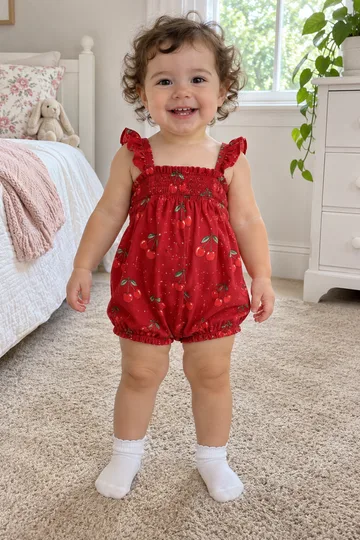
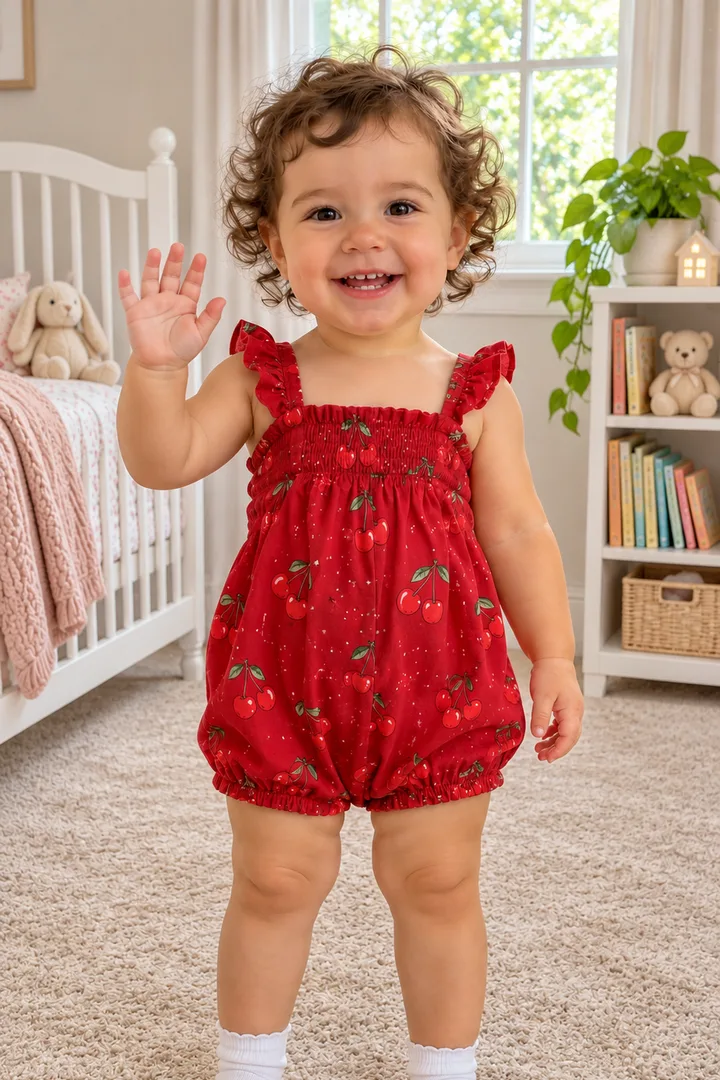
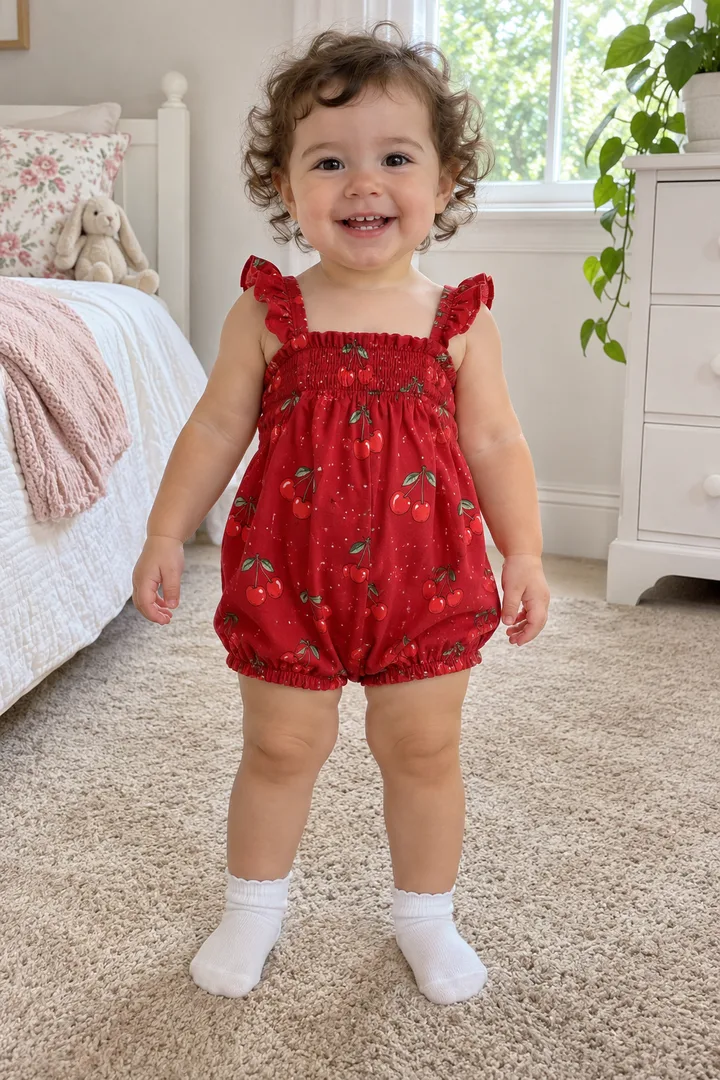
Cherry romper, bedroom
Photo →Still→StartEnd
Cherry romper, bedroom
Made on Lovart ME with Seedance 2.0 Fast · 720p
Photo
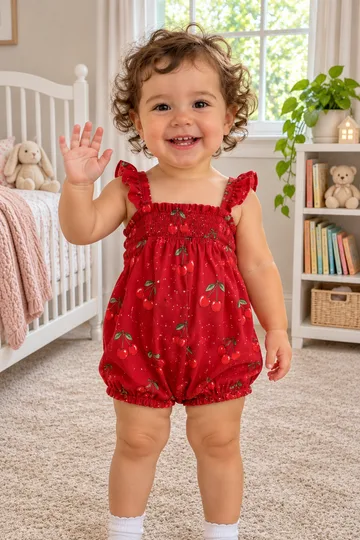
A GPT Image 2.5 Flare photo of an original AI toddler, about 18 months old, with curly brown hair, a red cherry-print romper and white socks, standing on a beige bedroom carpet
Still
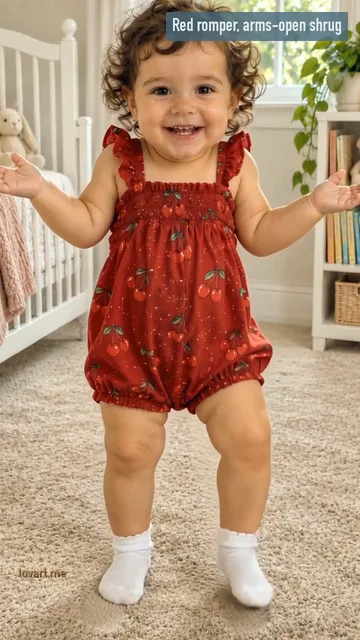
GPT Image 2.5 Flare image to image: the same face, hair, romper and socks, a white crib and a small bookshelf now behind, one hand up in a wave
Model & input
Seedance 2.0 Fast · 720p · 9:16 · 10 s from one still as the first frame, made on Lovart ME on November 14, 2026
Format & photo
9.0 s · 9:16 vertical · whole body in view, face to the camera, daylight
What happens
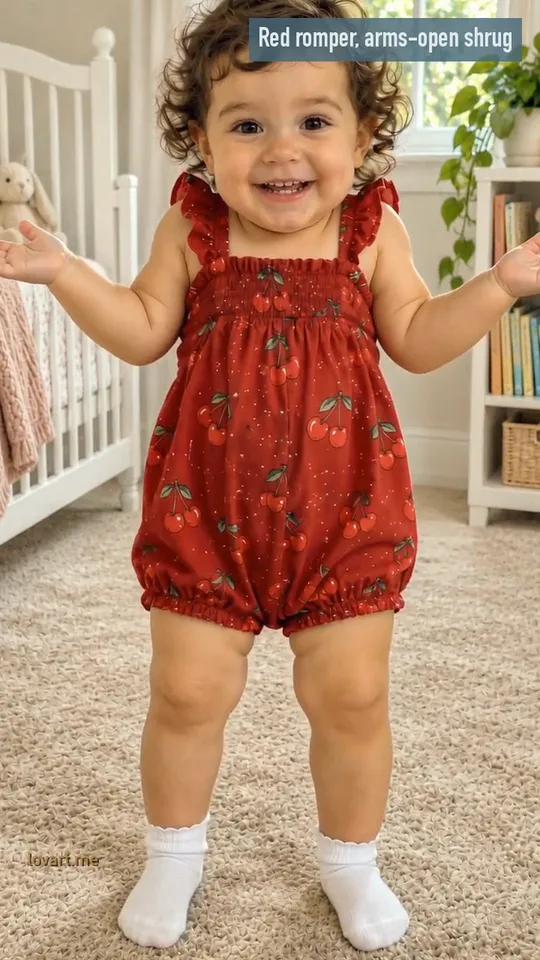
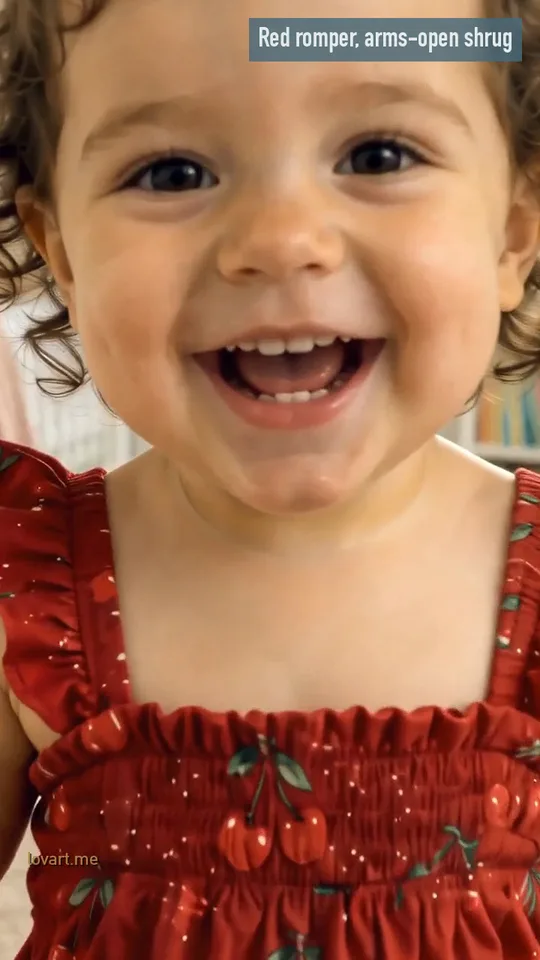
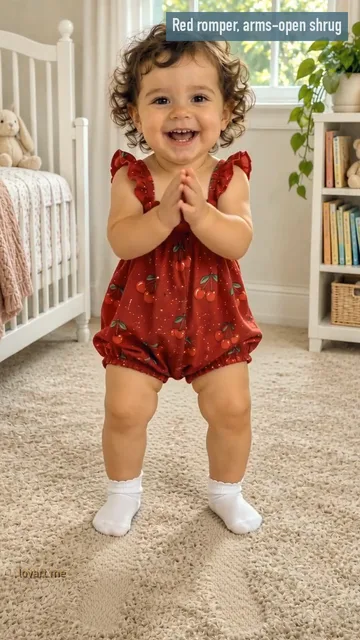
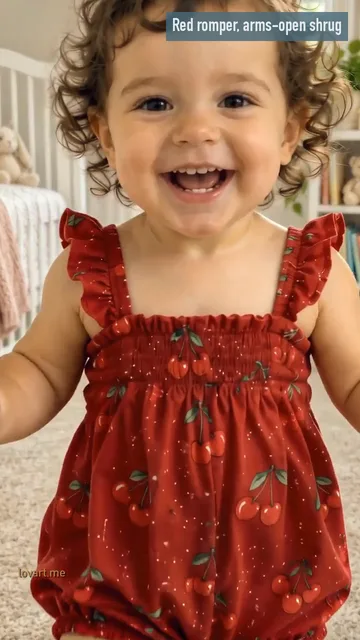
She opens with both arms spread wide, palms up, in a cheeky shrug; from about 2 s she bobs on bent knees with her arms swinging; at 4 to 5.5 s she claps at her chest; from 6 s she toddles at the camera, and at 8.5 s her laughing face fills the frame
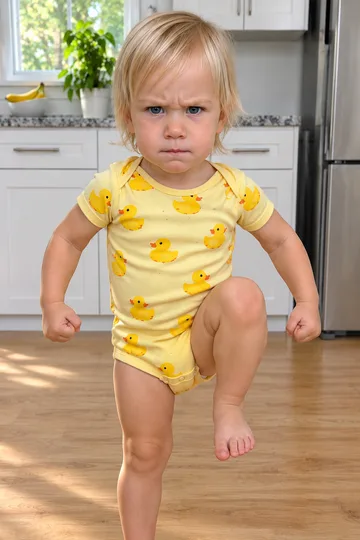
A GPT Image 2.5 Flare photo of an original AI toddler, about two years old, with straight light-blond hair and a yellow duck-print onesie, standing barefoot on a light wooden kitchen floor
Still
GPT Image 2.5 Flare image to image: the same face, hair and onesie by white cupboards and a fruit bowl, one knee lifted high, fists up, a serious frown
Model & input
Seedance 2.0 Fast · 720p · 9:16 · 10 s from one still as the first frame, made on Lovart ME on November 14, 2026
Format & photo
8.3 s · 9:16 vertical · whole body in view, face to the camera, daylight
What happens
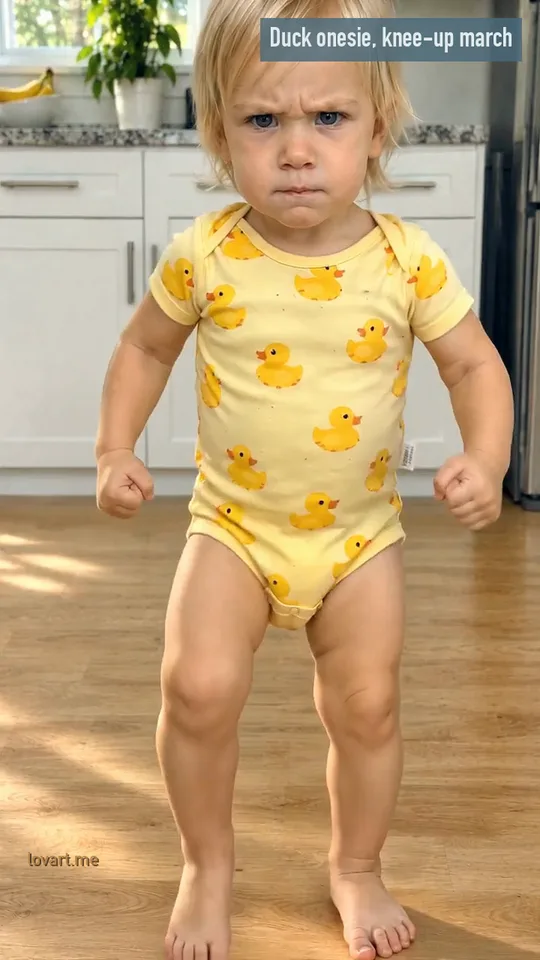
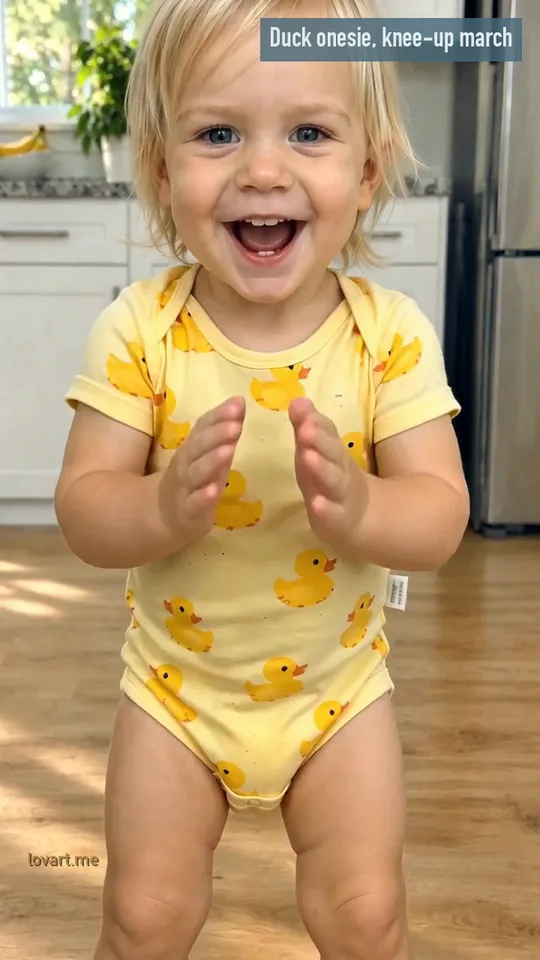
He marches on the spot with knees high, fists up and a frown for the first 3 s; from 3 s he marches toward the camera, still frowning; at about 7 s he breaks into a big grin and claps until the end
Can I change the room and outfit in baby dancing ai?
Yes. Put your baby’s photo in an image request, keep the face, hair and age, and name the room and the outfit: a bedroom carpet with a cherry romper, or a kitchen floor with a duck onesie.
What stays from your photo
The face, the curly hair, the age and, in this sample, the cherry romper and white socks. Face to the camera, eyes open, good light: standing or sitting both work, and a photo that shows the outfit gives the clip something to keep.
What you can change
The room and the pose. Design the still added a white crib and a small bookshelf and raised one hand in a wave. You can also name a different outfit: rompers, sleepsuits and onesies are what the trend clips wear.
The kitchen sample kept the duck onesie and the wooden floor and changed only the pose: one knee high, fists up, a serious frown, the march the clip starts from. Pick Cherry Romper or Duck Onesie on the workbench, add Your child’s photo and press Design the still. The same request works on Image to Image, which takes up to 16 reference images and outputs at 1K, 2K or 4K.
Animate the baby dancing ai look from the first frame
The designed still is the first frame: Animate it starts the clip on your baby in the new room and outfit, and the prompt adds the toddler moves for 10 seconds.
First frame: the designed still
Check the face before you animate; Rebuild still makes a new one from the same photo, and Download still saves it as it is. The clip begins exactly on this frame, so the room, the outfit and the knee-up pose are all there at 0 s.
Your photo: the face to keep
Your photo is only the reference for the still; the clip is made from the still. Pick a photo where the face is sharp and turned to the camera, and the still and the clip carry that face from the first frame.
Route
What you bring
What you get
Best for
This page
One photo of your child, whole body, face to the camera
Design the still, then Animate it: a 9:16 still and a 10 s toddler dance with generated music
Cherry Romper and Duck Onesie scenes with the prompts ready
Image to Image + Image to Video
Your photo plus your own prompt
Up to 16 reference images and 1K, 2K or 4K stills; then one image, a first and last frame, or several images to video
Your own room, outfit and moves written from scratch
PhotoCraft
A still you downloaded
Type and layout on the image: a name, a date, one line
A birthday card or a family chat cover
Animate it sends the still to Image to Video at 9:16. Models that take reference video or audio show those slots when you pick them; this page uses the still alone.
Arms flung wide in a cheeky shrug, bouncy knees with a clap, then a laughing toddle at the camera; the kitchen look swaps in a frowning knees-up march that ends in a grin and a clap.
0.9 s
Wave and shrug
The wave is in the still: one hand up at the lens. In the sample clip both arms then spread wide, palms up, in a cheeky shrug from the first second.
4.6 s
Bounce and clap
From about 2 s she bobs on bent knees with her arms swinging; at 4 s the hands come together for a clap at her chest, held to 5.5 s.
7.9 s
The run at the lens
From 6 s she toddles straight at the camera, laughing; by 8.5 s her face fills the frame. Keep the room clear between the baby and the phone in your photo.
The prompt for the Cherry Romper scene
Video
Use the photo as the first frame; keep the toddler’s face, hair, outfit and age exactly. One continuous vertical take, phone at the toddler’s eye level, on a bouncy children’s instrumental beat with no lyrics. 0-2 s: the toddler waves at the camera with a big smile. 2-4 s: a big cheeky shrug with both hands up, then a little step back. 4-7 s: bobbing on bent knees to the beat, arms swinging, a happy clap. 7-10 s: the toddler toddles quickly straight at the camera, laughing, until the face fills the frame. Natural toddler proportions and wobbly steps, fully dressed, no grown-up dance moves. No text, no logos.
The times on the cards come from Cherry romper, bedroom. The prompt asks for a wave from 0 to 2 s; in the clip the wave stays in the still and the arms open into the shrug instead, so expect beats to shift by a second.
Duck onesie, kitchen runs the other way round: knees high and fists up in a serious march on the spot for the first 3 s, a frowning march toward the lens from 3 s, then at about 7 s a big grin and a clap to the end.
Every move is a toddler move, fully dressed: waves, shrugs, bouncy knees, claps, stomps and a run at the camera. Grown-up dance moves draw complaints on AI baby dances, and none of the prompts here ask for them.
Open the still in PhotoCraft, add your baby’s name and one short line such as a first-birthday wish, and export it as a card or as the cover for the family chat.
The name
The name in big capitals in a dark band across the top, above the curls, with the date in small type under it. Still only · GPT Image 2.5 Flare still, type set on top.
The line
One short line in a band at the bottom, clear of the face and feet: a first-birthday wish for the card, or “new dance for the family chat” for the cover you send before the clip. Still only.
After Design the still, press Download still, then Open in PhotoCraft and type the name and the line. PhotoCraft is a free editor in the browser for type and layout on a generated image. Send the card and the clip together.
The still fixes the room and the outfit around your baby’s own face first. Animate it then starts the clip on that still, so the dance has a clear look to keep, and Rebuild still lets you redo it until the face looks right before you animate.
Can I change my baby’s outfit?
Yes. Name a romper, a sleepsuit or a onesie for the still; the face, hair and age stay from your photo. In both samples the outfit from the photo was kept and only the room and the pose changed, so a photo that already shows the outfit you like is the easiest start.
Whose photo can I upload, and is it kept?
Only upload a photo of your own child, or one a parent gave you permission to edit. The photo you upload and the stills and clips you make are saved in your account history with each generation, so you can download them again.
Does my baby do grown-up moves?
No. Both scenes ask for toddler moves only, fully dressed: a wave, a shrug, bouncy knees, a clap, a knees-up march and a run at the camera. Grown-up dance moves are left out of every prompt on this page.
How many credits does baby dancing ai cost on Lovart ME?
Each designed still or frame uses 3 credits. The 10-second clip uses 40 credits in Fast mode (Seedance 2.0 Mini, 480p) or 280 credits in High quality mode (Seedance 2.5, 480p). Credits come in one-time packs, not a subscription: the smallest is $9.90 for 250 credits. Purchased credits do not expire, and a failed generation returns its credits automatically.
Lovart ME is an independent site and is not affiliated with TikTok, CapCut, Kavel or ClipTrend. Every baby in the samples is an original AI toddler, fully dressed, and the music is generated.