Parameters Configuration
3

Preview & Examples

Live Preview

Your generated image will appear here

Configure parameters and click Generate

Fashion Portrait Collage AI Image Generator

What is Fashion Portrait Collage?

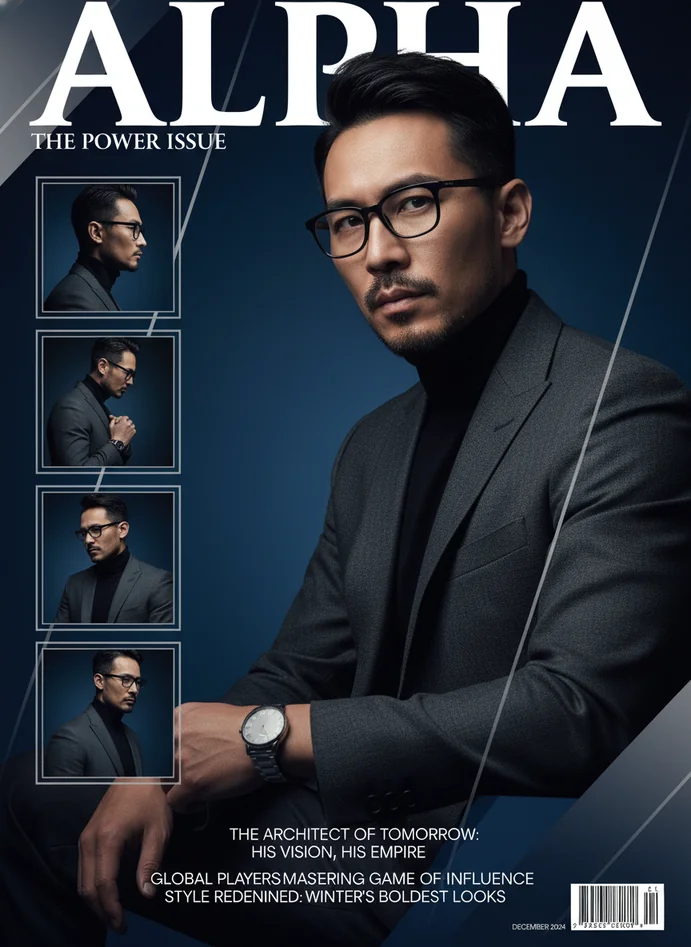
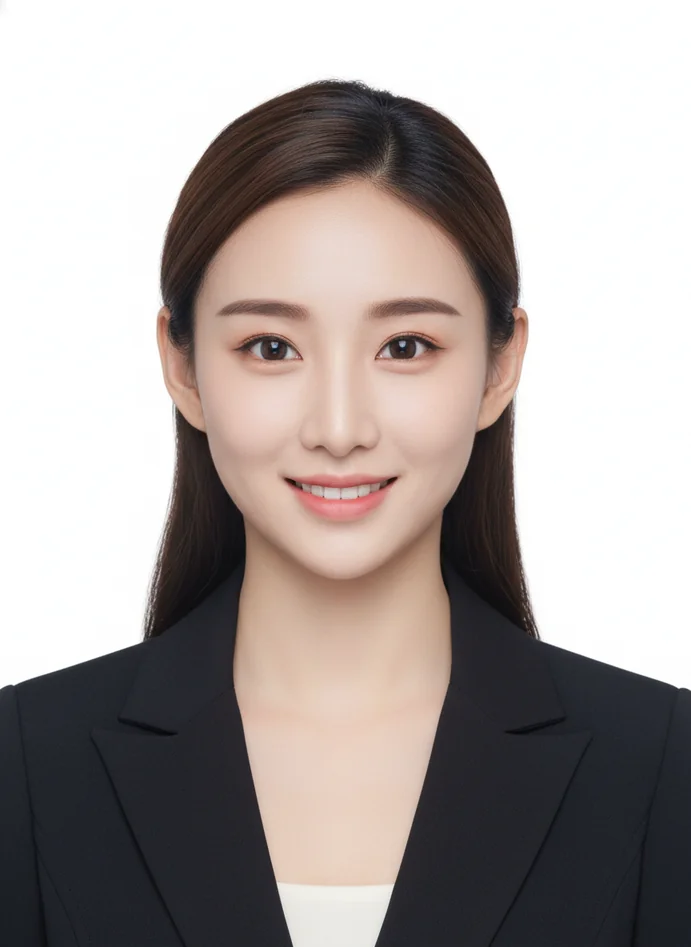
Fashion portrait collage brings magazine-quality editorial layouts to your personal photos in seconds. This AI-powered portrait collage maker analyzes your uploaded image—reading facial features, lighting mood, makeup style—then creates professional multi-panel compositions that look straight off a Vogue cover. Lovart's technology turns everyday selfies into fashion portrait collages with ultra-close-up main shots, detail tiles, clean typography, and that signature editorial vibe you see in high-end magazines.

Key Features of Fashion Portrait Collage

Magazine-Style Multi-Panel Layouts

Generate professional editorial designs with a main ultra-close-up portrait plus smaller detail tiles—profile shots, hand gestures, makeup close-ups arranged in cohesive magazine compositions.

AI Image Generation Intelligence

Smart extraction of your photo's lighting, color palette, makeup intensity, and emotional atmosphere, maintaining your authentic look while adding artistic variations and editorial polish.

Professional Typography & Graphics

Clean, powerful magazine-quality text elements with geometric design accents, thin lines, color blocks, and minimalist backgrounds that keep your portrait the star.

Style Preservation & Enhancement

Creates variations that honor your original vibe—intensified blush here, enhanced lip gradient there—without losing what makes your portrait uniquely yours.

Quick Processing for Creators

From upload to finished fashion portrait collage in 10-40 seconds. No design skills, no expensive software, just instant magazine-worthy results ready for social media or print.

Online Portrait Collage Maker

Create your fashion portrait collage directly in your browser with Lovart ME's web-based AI generation template. No software downloads, no installation headaches—just upload your photo and watch as our AI magazine cover generator builds professional editorial layouts in real-time. Access this powerful portrait collage maker from any device with internet, whether you're on desktop planning your brand refresh or on mobile capturing inspiration.

Fashion Portrait Collage Showcase
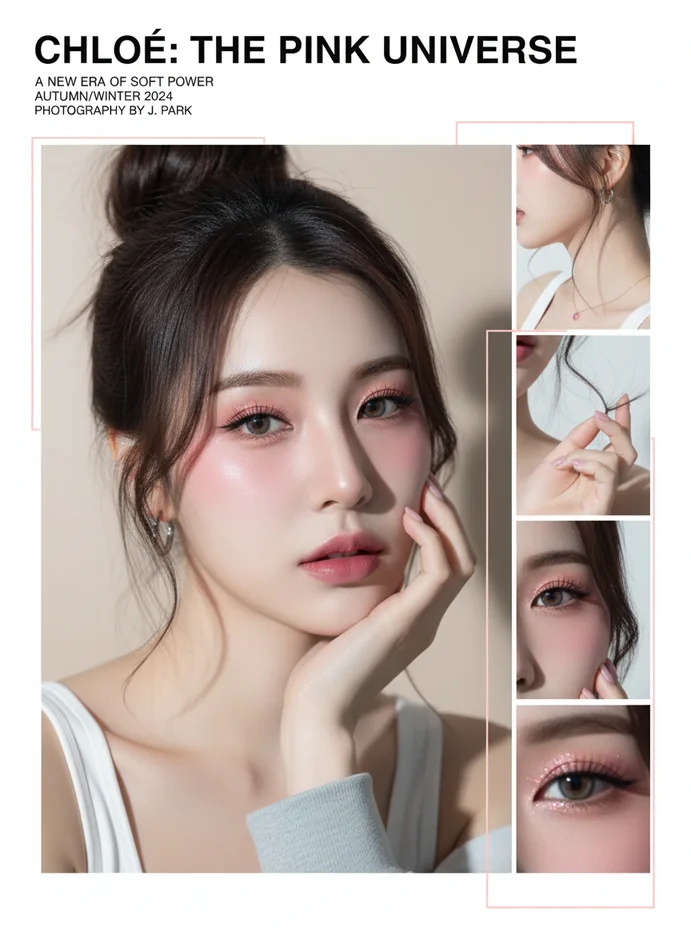
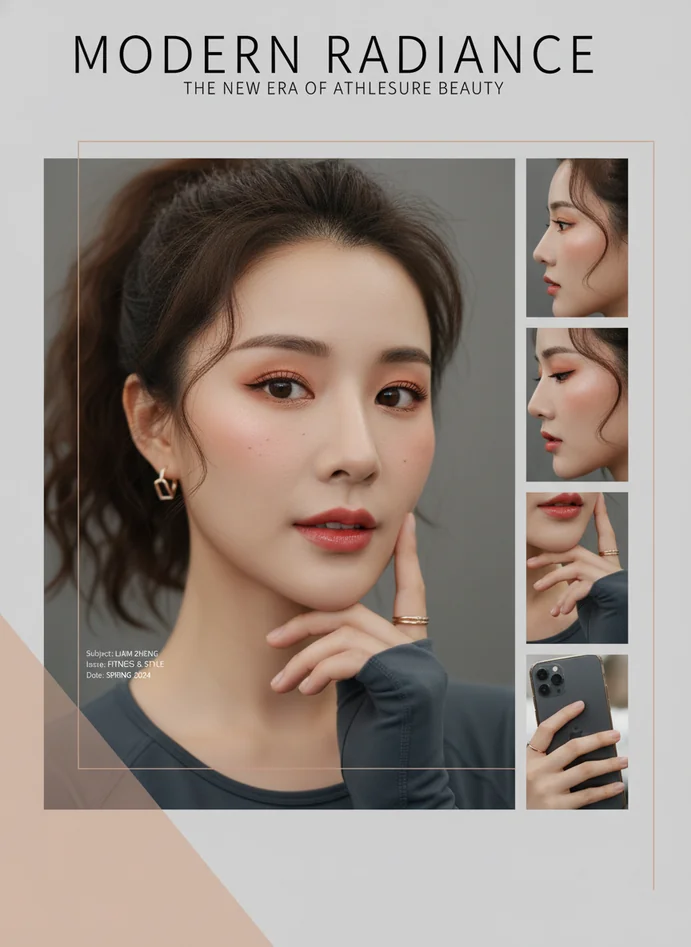
Editorial Minimalist Portrait

Editorial Minimalist Portrait

Clean, monochrome fashion portrait collage with soft lighting and understated elegance—perfect for luxury brand aesthetics and high-end portfolio presentations.
Bold Color Editorial Layout

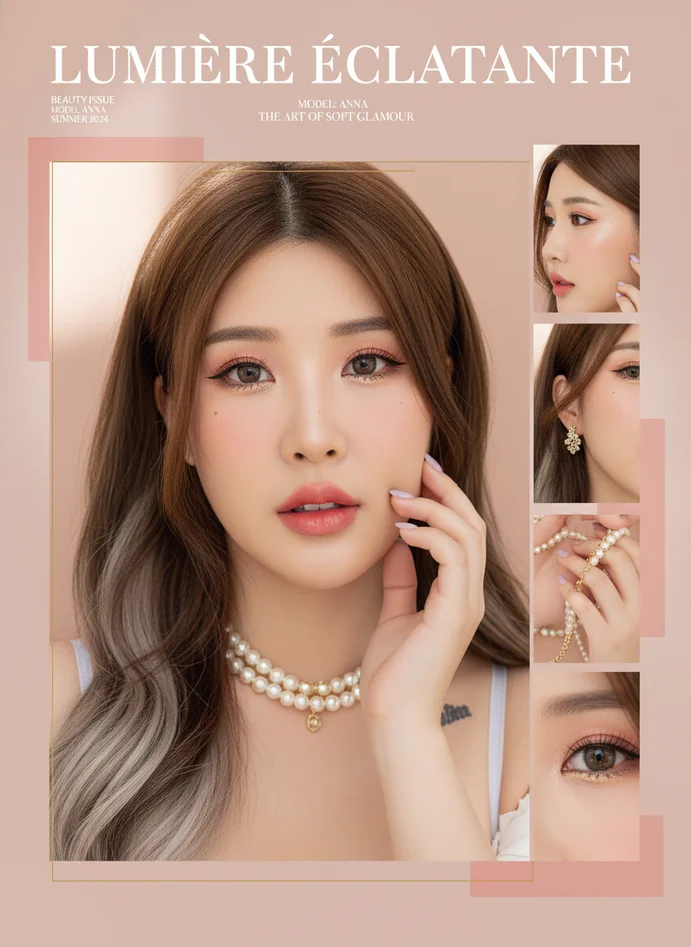
Bold Color Editorial Layout

Vibrant AI-generated magazine cover featuring saturated tones, dramatic makeup details, and geometric graphic elements that command attention on any feed.
Natural Beauty Magazine Style

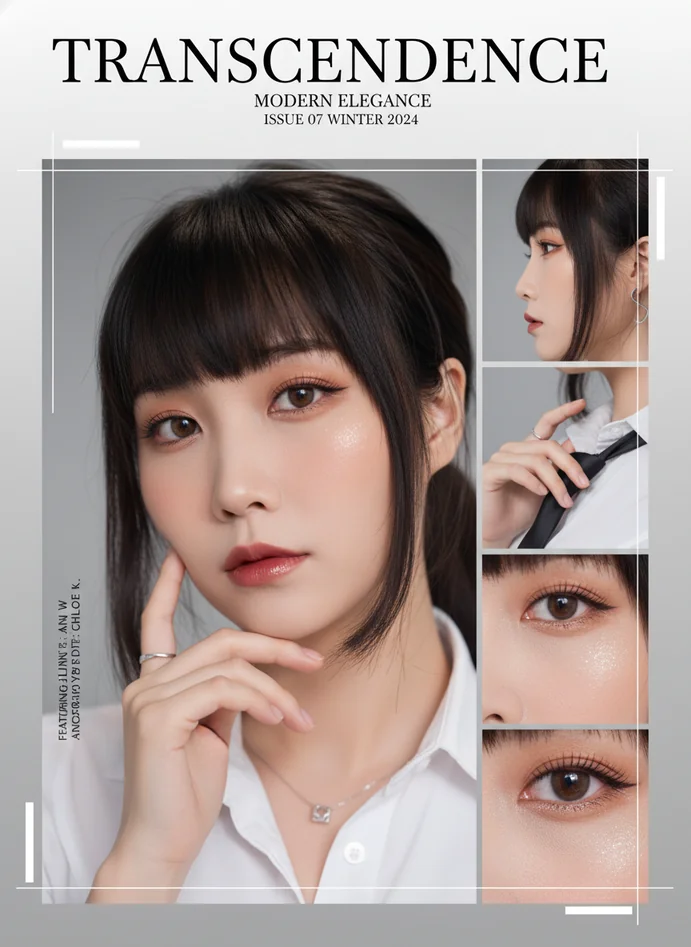
Natural Beauty Magazine Style

Soft, approachable portrait collage with natural lighting and subtle enhancements—ideal for wellness brands, lifestyle influencers, and authentic personal branding.
Experimental Fashion Editorial

Experimental Fashion Editorial

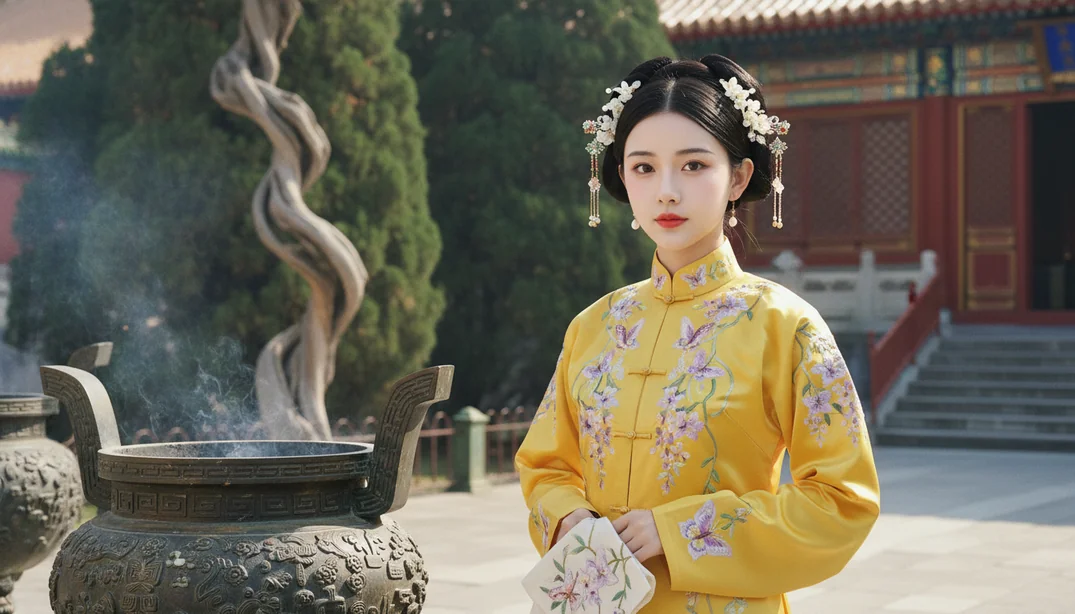
Avant-garde AI generation featuring unconventional angles, artistic makeup variations, and contemporary design language for cutting-edge creative portfolios.

Latest Fashion Portrait Collage Innovations

Smart Attribute Recognition System

AI analyzes facial structure, temperament, skin tone, and emotional atmosphere from your photo, then preserves these qualities across every panel in your fashion portrait collage for consistent storytelling.

AI Magazine Cover Layout Engine

Automated composition decisions based on thousands of real editorial designs—optimal tile placement, typography hierarchy, and graphic element balance that rivals professional art directors.

Makeup Variation Intelligence

Creates artistic enhancements staying true to your reference style: localized blush intensification, lip gradient expansion, strategic highlight placement—never generic, always you.

Unified Color Grading Technology

Extracts dominant color palette from your upload, applies cohesive grading across all collage panels, reduces visual noise, emphasizes accent colors for magazine-quality polish.

Professional Portrait Collage Creation Techniques

Ultra-Close-Up Focal Strategy

Leading with intense facial close-ups as your main panel draws viewers into intimate connection—eyes, skin texture, subtle expressions that create emotional engagement typical of high-fashion editorials.

Detail Tile Narrative Building

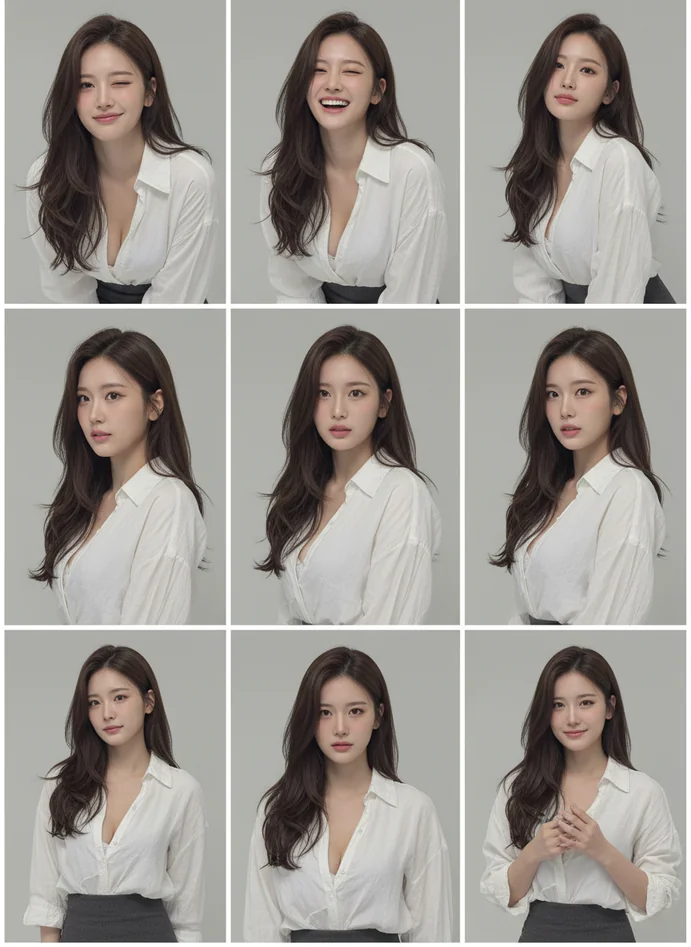
Supplementing main portraits with hand gestures, profile angles, and makeup details tells a richer story. Each small tile adds context without competing for attention.

Minimalist Background Philosophy

Solid colors and subtle gradients in your fashion portrait collage keep focus squarely on the subject. Clean backgrounds prevent visual clutter, allowing typography and portrait to breathe.

Geometric Graphic Layering

Strategic placement of thin lines, rectangular color blocks, and semi-transparent overlays adds contemporary design language without overwhelming the human element at the collage's core.

Typography Hierarchy Balance

Magazine titles use powerful, centered fonts while subtitles, dates, and theme words employ restraint—creating visual structure that guides the eye through your AI generation template's composition.

Creative Applications for Fashion Portrait Collage

Personal Brand Identity Building

Content creators and influencers use fashion portrait collages to establish cohesive visual identities across Instagram, TikTok, and LinkedIn with professional magazine-quality imagery that stands out.

Fashion & Beauty Portfolio Development

Aspiring models, makeup artists, and stylists build impressive portfolios without expensive photo shoots—our AI magazine cover generator delivers editorial-grade results from simple selfies.

Small Business Marketing Assets

Boutiques, salons, and lifestyle brands create professional marketing collages for social media campaigns, email headers, and promotional materials using this portrait collage maker.

Social Media Content Planning

Generate weeks of consistent, high-quality posts from a few reference photos. Fashion portrait collages maintain brand aesthetic while providing enough variation to keep feeds fresh.

Magazine Cover Mockups

Writers, bloggers, and entrepreneurs visualize themselves as published experts with AI-generated magazine covers—powerful for media kits, speaker profiles, and authority building.

Event & Campaign Visuals

Launch parties, product releases, and promotional campaigns get cohesive visual assets quickly. Batch-generate fashion portrait collages matching event color schemes and branding requirements.

Fashion Portrait Collage FAQs

What exactly is a fashion portrait collage?
A fashion portrait collage is an AI-generated editorial layout combining multiple portrait panels—typically one large ultra-close-up main image plus smaller detail tiles like profile shots, hand gestures, and makeup close-ups. These layouts mimic professional magazine designs with clean typography, geometric graphics, and minimalist backgrounds. The result looks like something you'd see in Vogue or Elle, not something you made on your phone.
How does the AI magazine cover generator analyze my photo?
When you upload a portrait, Lovart's AI examines facial structure, skin tone, makeup intensity, lighting direction and softness, color palette, and emotional atmosphere. It identifies what makes your photo work—maybe it's the warm golden tones, or the soft focus, or your confident expression—then preserves those qualities while creating artistic variations. Think of it as a smart assistant that understands photography and design.
Do I need photography or design experience to create portrait collages?
Not at all. This portrait collage maker handles composition, typography, color grading, and layout automatically. You just upload a clear portrait photo with decent lighting. The AI does the heavy lifting—deciding where detail tiles should go, which fonts work best, how to balance graphic elements. It's built specifically for people who want professional results without mastering Photoshop or hiring designers.
What kind of portrait photo should I upload for best results?
Upload clear headshots or head-and-shoulders portraits with visible facial features. Good lighting helps—natural window light, soft studio lighting, even well-lit outdoor shots work great. The fashion portrait collage AI reads makeup style, so if you want makeup-focused collages, wear makeup in your reference. For minimalist editorial looks, simpler photos perform better. Basically, whatever vibe your reference photo has, the output will amplify.
How long does it take to generate a fashion portrait collage?
Most collages finish in 10 to 40 seconds from upload to final output. Complex compositions with lots of detail tiles might push toward a minute, but rarely longer. Lovart ME's AI generation runs in real-time, so you're not waiting around. Upload, grab coffee, and your magazine-worthy collage is ready when you're back.
Can I customize the typography and text in my collage?
Yes, most templates let you edit magazine-style title text, subtitles, dates, and theme words. You can personalize headlines to match your brand, add your name or business title, or incorporate campaign-specific messaging. The AI provides the professional layout structure and font pairings—you just swap in your own words.
Will the AI maintain my facial features or change my appearance?
The technology preserves your core facial structure and overall temperament. You'll still look like you. What changes are artistic details: maybe slightly intensified blush matching your makeup style, varied composition angles, enhanced lip gradients, or added accessories echoing your color palette. It's enhancement and variation within your existing aesthetic, not transformation into someone else.
What file formats can I export from this AI image generation tool?
Standard exports include JPG and PNG formats, with high-resolution options available for print-ready output. Some templates support transparency (PNG with alpha channel) if you want to composite your fashion portrait collage into other designs. Files are optimized for both web use (social media, websites) and professional printing (posters, marketing materials).
Can I use these fashion portrait collages commercially?
Commercial usage rights depend on your Lovart ME subscription tier. Premium plans typically include full commercial licensing—meaning you can use generated collages in marketing materials, client projects, product packaging, social media ads, and anywhere else you'd use professional photography. Always verify your specific plan's terms, but most creators use these for business without issues.
How is this different from regular photo collage apps?
Traditional collage apps just arrange your existing photos in grid layouts—you provide all the images and do manual placement. This AI magazine cover generator creates new portrait variations from a single reference photo, handles professional typography, applies unified color grading, and designs magazine-quality layouts automatically. It's less like arranging scrapbook pieces, more like having an art director generate editorial options based on your photo.
Can I generate multiple variations from one portrait?
Absolutely. Upload one reference portrait and generate several fashion portrait collage variations with different composition angles, makeup intensities, and layout arrangements. This is perfect for content planning—create a week's worth of social posts from one photo shoot, or generate multiple options to choose your favorite before committing to print.
What AI models power Lovart's portrait collage maker?
Lovart integrates advanced AI generation models optimized for portrait understanding and editorial design aesthetics. The system combines computer vision for facial analysis, generative AI for creating variations, and design automation for layout composition. It's not just one model—it's a pipeline of specialized tools working together to deliver magazine-quality results.
Is the output quality good enough for professional printing?
Yes, with high-resolution export enabled. Fashion portrait collages generate with sufficient detail for large-format printing, marketing materials, and professional publications. The unified color grading and print-ready optimization ensure your collages look as good on printed posters or magazine pages as they do on screens.
How does the AI handle different skin tones and ethnicities?
The AI is trained on diverse datasets and analyzes each uploaded portrait individually rather than applying generic templates. It reads your specific skin tone, undertones, and lighting situation, then preserves those characteristics across all generated panels. The makeup variation and color grading systems adapt to your unique features, not the other way around.
What makes Lovart's fashion portrait collage better than competitors?
Lovart ME combines style preservation with professional design automation in one streamlined workflow. Where other tools might generate generic magazine templates or require you to manually arrange elements, our AI generation template understands your photo's unique aesthetic and builds cohesive editorial layouts that feel custom-designed. Plus, you get access to multiple AI models, fast processing, and an interface built for creators who value their time.