Personalized Santa Video, Designed: From Your Empty Room to the Name Tag
Set your empty room as the first frame and Santa holding a tag with the name as the last, then animate the visit in between.
Last checked 2026-11-05
⚙ AI Forge Studio
Set your empty room as the first frame and Santa holding a tag with the name as the last, then animate the visit in between.
1Still · 3→
2Animate 10 s · 280
Your room photo · lights on, nobody in the shot · no photos of children
9:16 vertical · your photo is the first frame, the designed frame is the last
Next: animate 10 s · 280 credits.
Joining the trend is free; making it on Lovart ME uses credits from packs starting at $9.90 for 250 credits. Each button shows its exact cost before you generate.
SAMPLE · INPUT → RESULT
Sample inputs and result from this page. Your result will appear here.
Start with an idea
01 / Samples
Personalized Santa video frame samples
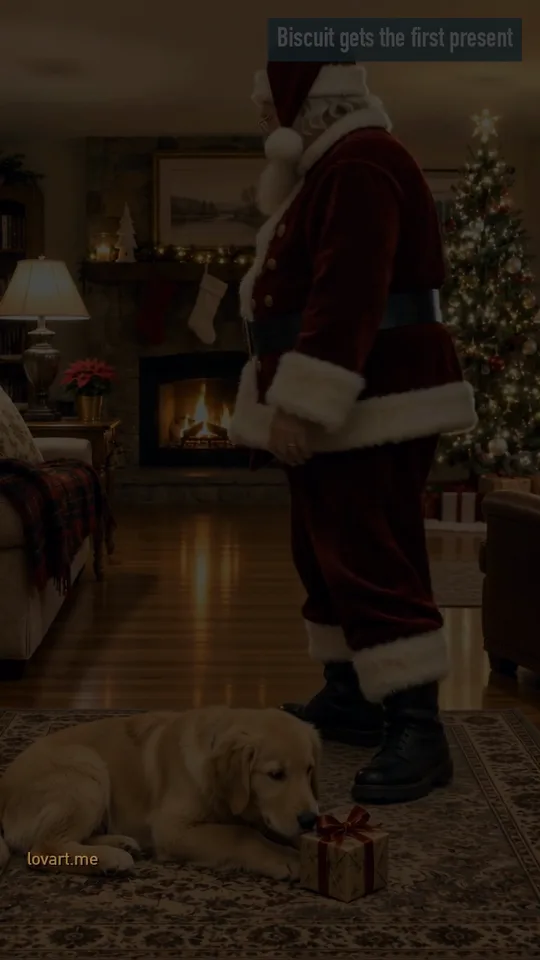
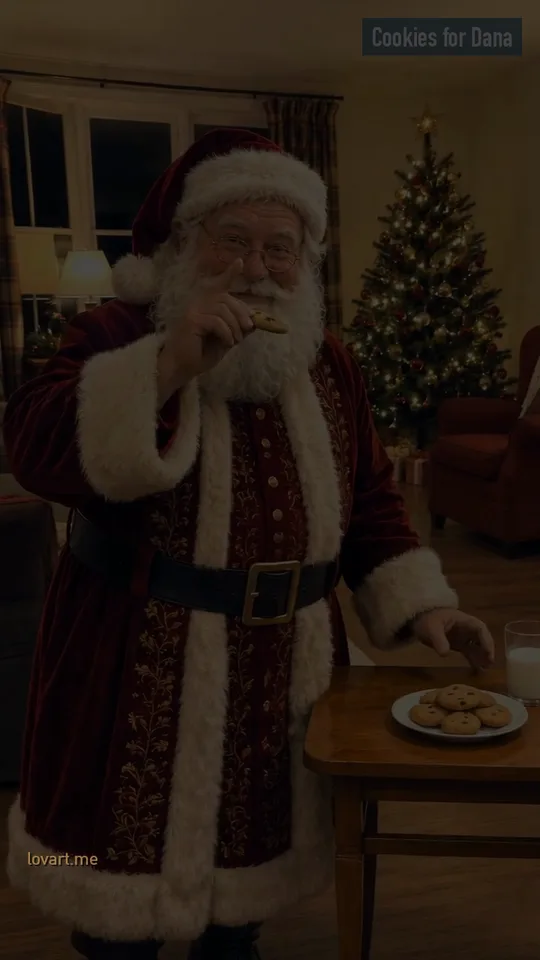
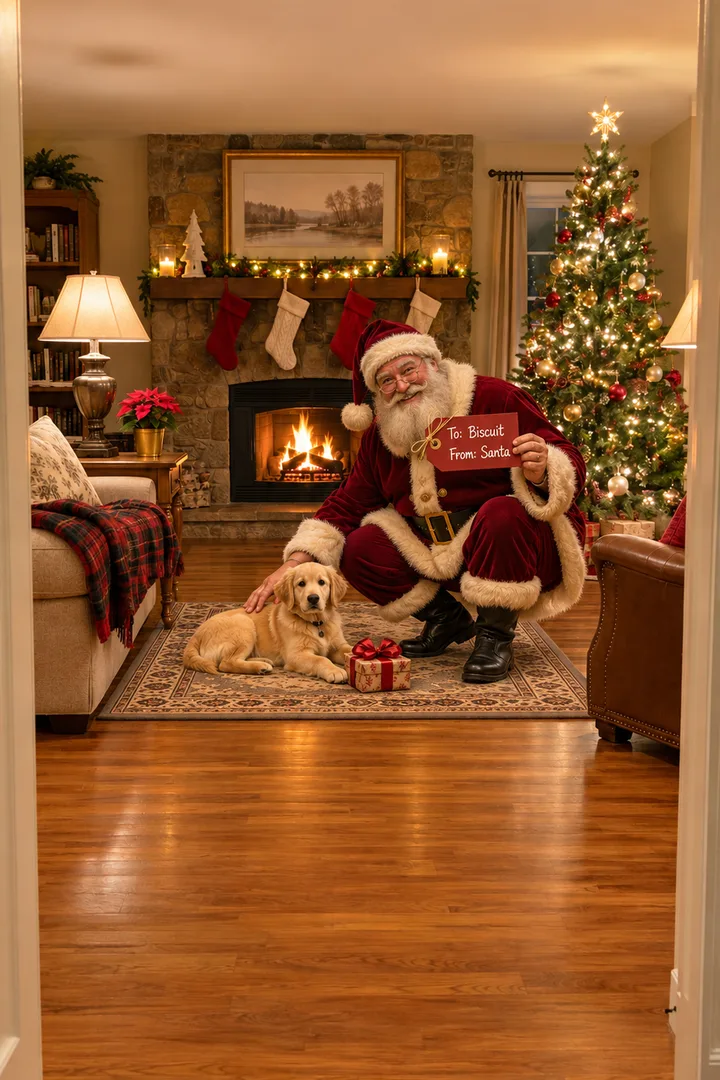
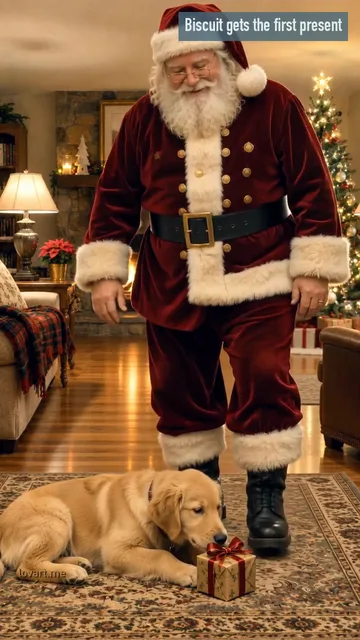
Santa crouching by the fire with a present for Biscuit the puppy, and Santa by the cookie table thanking Dana, remixed from 10-second aiaigenerator.ai clips, plus the two name-tag last frames.
A personalized Santa video is a short clip of Santa talking to one person by name. The AI versions start from one photo of a room in your own home: Santa appears by your tree, fireplace or armchair and says the name you typed. The rooms, Santa and the puppy below are original generated pictures, and Dana is an adult’s name. Both clips are Lovart ME edits of Seedance 2.0 Fast originals made for aiaigenerator.ai on November 5, 2026, with Santa’s line in the original sound; the tag last frames are GPT Image 2.5 Flare stills made for this page. None came from the workbench above.
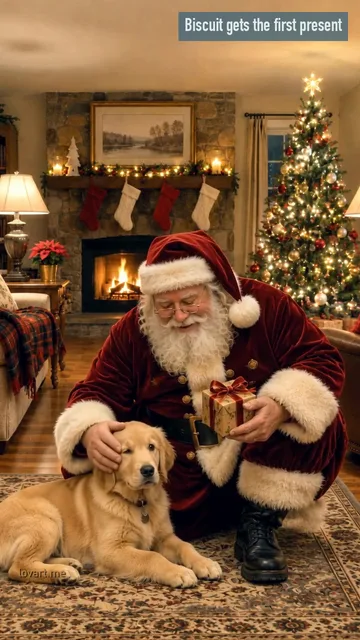
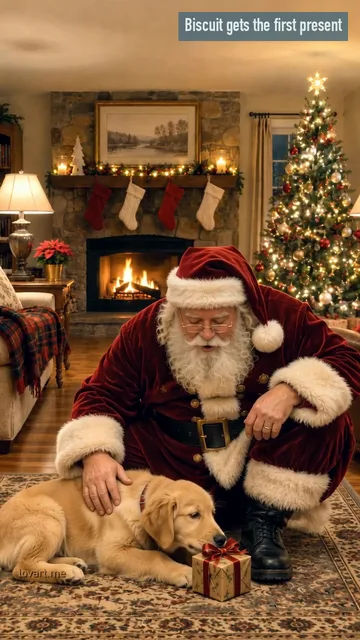
Biscuit gets the first present
Photo →Still→StartEnd
Biscuit gets the first present
Remixed from an aiaigenerator.ai clip · Seedance 2.0 Fast
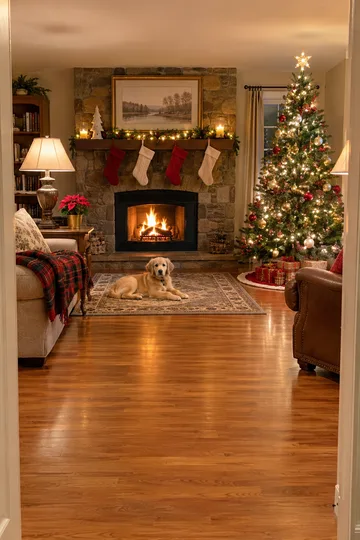
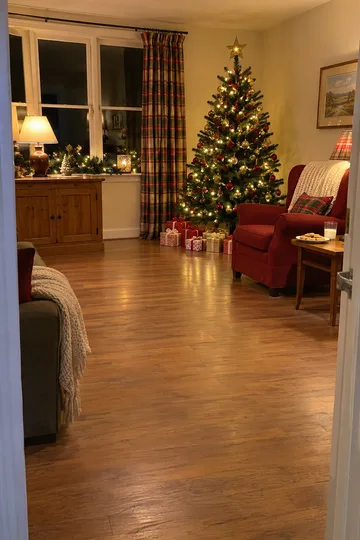
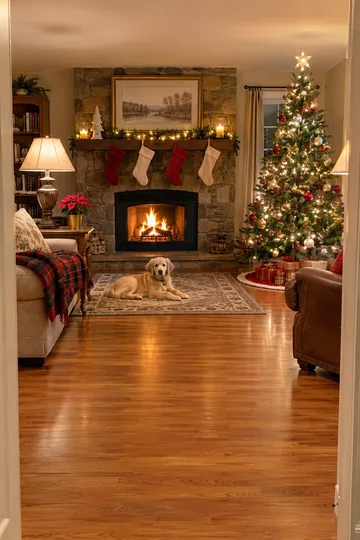
Room photo
A GPT Image 2.5 Flare photo of an original living room with a stone fireplace, stockings and a lit tree, an AI golden retriever puppy lying on the rug
First frame
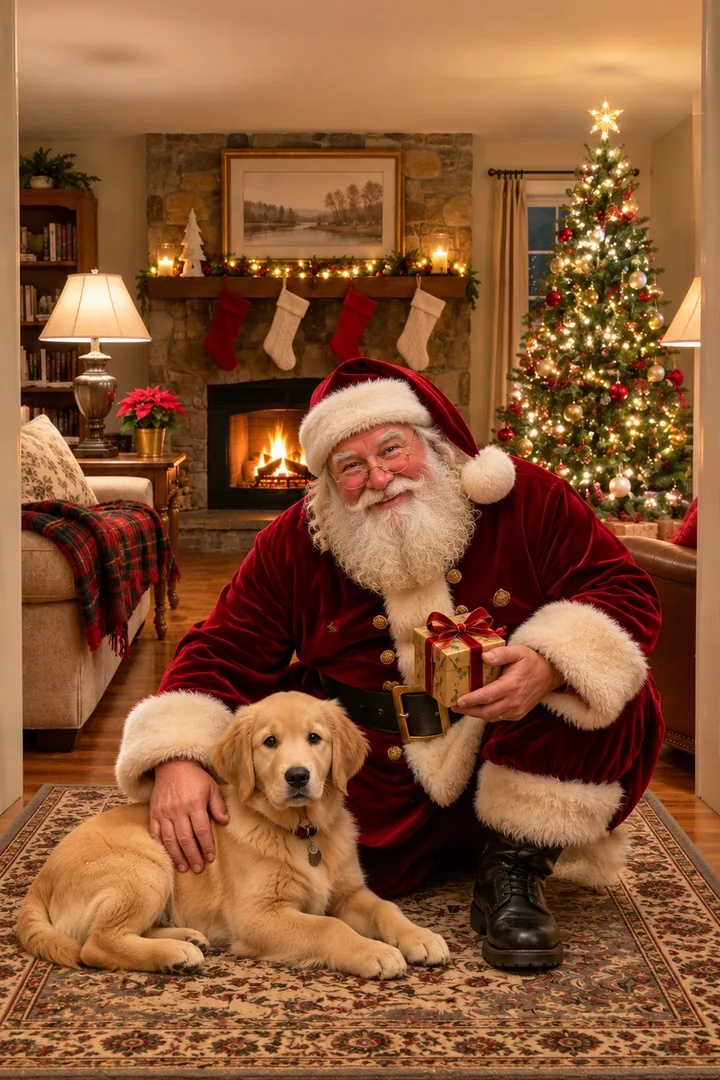
GPT Image 2.5 Flare image to image, 9:16: the same room with an original Santa crouching by the puppy, a small present in his hands
Master
Seedance 2.0 Fast · 720p · 9:16 · 10 s from a first frame with Santa already in the room, made on aiaigenerator.ai on November 5, 2026
This cut
8.9 s re-cut for Lovart ME: reframed, ice-and-brass grade, not mirrored; zero credits
What happens
Santa strokes the puppy, sets the present on the rug beside it and says “Merry Christmas, Biscuit. This one is all yours.”, then stands and walks toward the tree; the puppy lies still the whole time
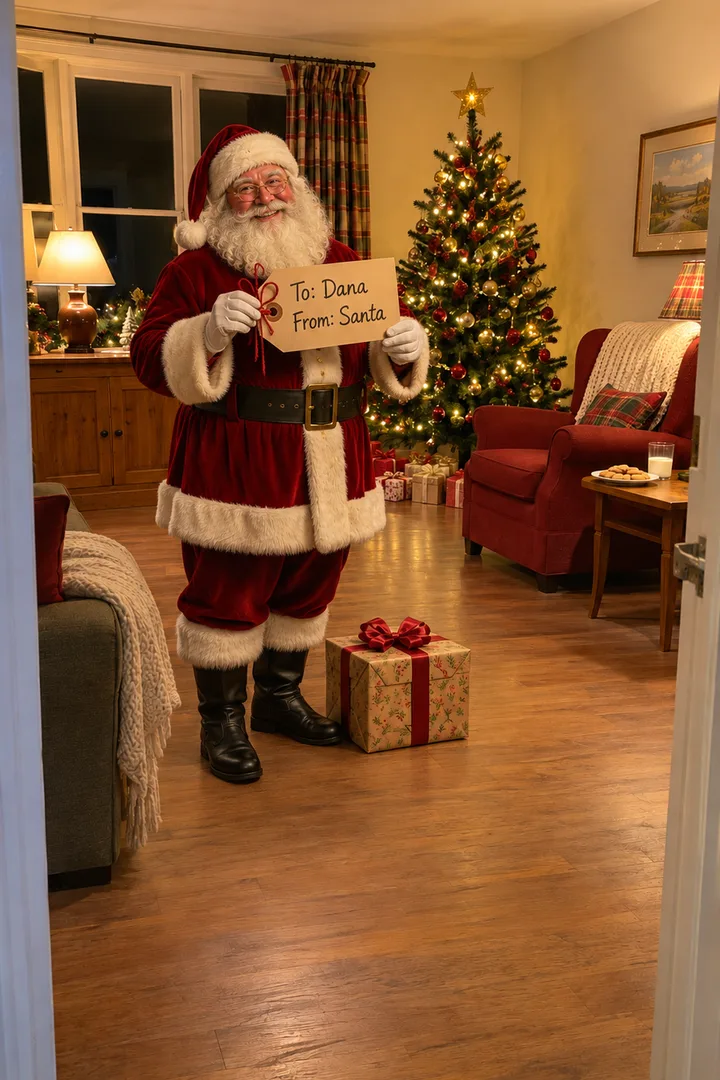
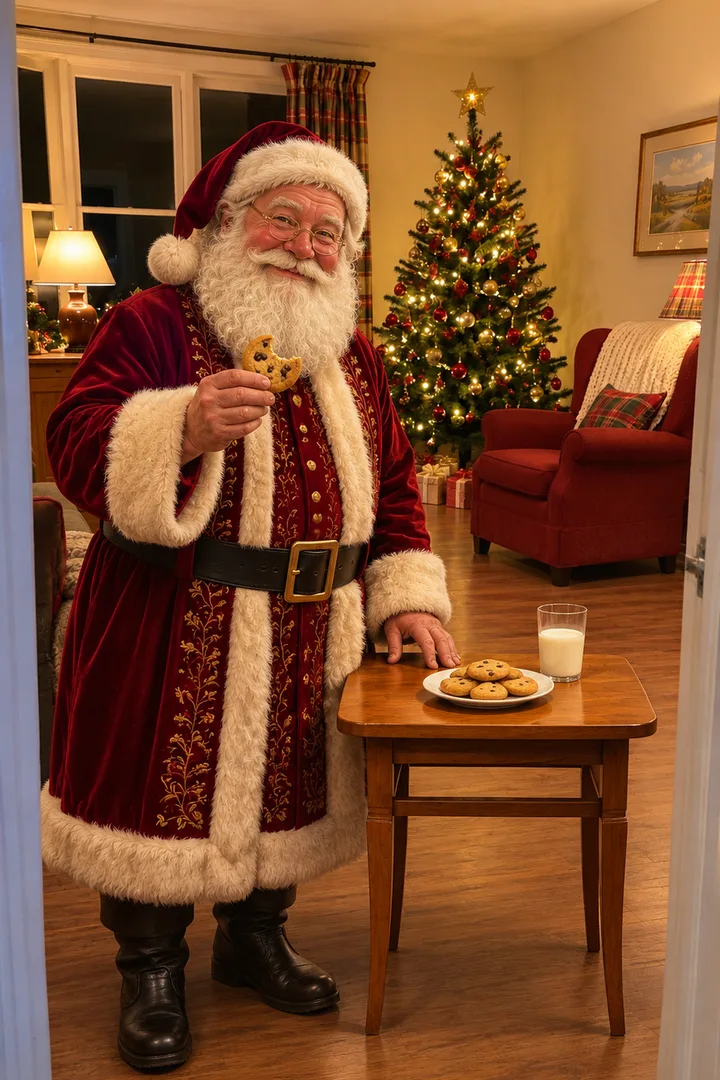
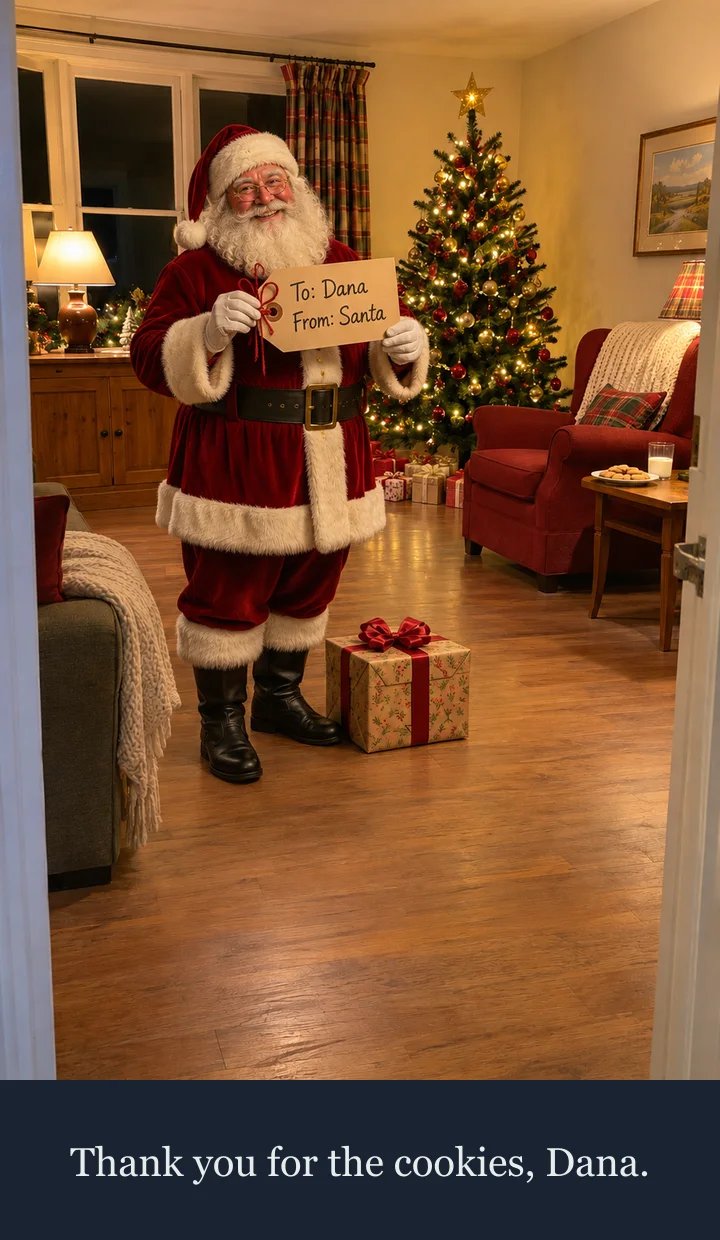
GPT Image 2.5 Flare image to image, made November 5, 2026 for this page: Santa by the tree holding a kraft tag that reads “To: Dana · From: Santa”, a present at his feet
The fireplace room photo from Biscuit gets the first present
Still
GPT Image 2.5 Flare image to image, made November 5, 2026 for this page: Santa crouching by the puppy, holding a red tag that reads “To: Biscuit · From: Santa”
Set the personalized Santa video first and last frame
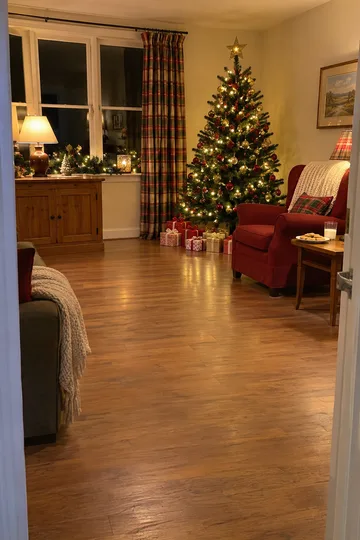
First frame: your room exactly as you shot it, empty; last frame: the same room with Santa by the tree, holding up a tag with the name.
First frame: the empty room
One ordinary phone photo, upright, lights on, nobody in the shot. Get the tree, the fireplace or the armchair in view and leave floor space where Santa can walk in. This photo is the first frame as it is.
Last frame: the name tag
Set the first frame designs this from your photo: the same room, Santa standing by the tree, the tag with the name held up at chest height and a present at his feet.
Keep the room the same
The last frame runs on Image to Image with your room as the reference, so the tree, sofa, windows and lights stay where they are; check them before you animate. Animate it sends the pair to Image to Video at 9:16, and Santa walks in between the two. Seedance 2.5 and Seedance 2.0 Mini land the clip on your last frame; other video models start from the first frame only.
Write “To: [name] · From: Santa” on a kraft or red tag, keep the letters big enough to read on a phone, and place it in Santa’s hand in the last frame.
Tag text
Two short lines: “To: [name]” and “From: Santa”. Type the name the way it is spelled at home; one or two names fit, a whole sentence does not.
Tag size and place
Big enough to read on a phone: the tag about as wide as Santa’s chest, held at chest height and facing the lens, never in front of his face.
Red tag by the fire
Kraft paper with dark ink reads best against a lit tree; a red tag with white letters reads best against a warm fire.
To: Dana · From: Santa
To: Biscuit · From: Santa
To: Mum · From: Santa
Type the name in the Name on the tag box above the button; the server checks it and writes it onto the tag. It works for a grown-up or a pet as well as anyone else in the family. If the lettering comes out wrong, Download still and fix the tag in PhotoCraft before you animate.
Write three beats between the frames: Santa walks into the empty room, sets the present down by the tree, then turns to the camera and lifts the tag.
The prompt for the Empty Room scene
Video
Use image 1 as the first frame and image 2 as the last frame; the clip must end exactly on image 2. One steady vertical shot from the same camera position, one continuous take. 0-3 s: Santa walks into the empty room from the side, carrying a wrapped present. 3-6 s: he sets the present down by the tree and straightens up. 6-10 s: he turns to the camera, smiles and lifts the name tag to chest height, holding still at the end. Keep the room exactly the same. Soft original sleigh bells and a low warm room tone, no lyrics. No logos, no children.
Start from the empty room so the visit has an arrival. The Biscuit master below began with Santa already crouched by the fire, so it has no walk-in.
The present
Give him one job in the middle: set the present down by the tree or next to the pet. The pet in the master stayed lying down; write any wag or sniff you want in the prompt, and expect it may not happen.
The tag
End on the tag held still for the last two seconds. In the master, Santa walked off toward the tree instead, which is why the designed last frame matters.
0.3 s
The present
Santa is already crouched by the puppy with the present in his hands; this master started from a first frame with him in the room.
4.0 s
The name
The present is on the rug beside Biscuit and he says the line with the name. The puppy stays lying down.
7.6 s
Walk off
He stands and heads for the tree. With a tag last frame, this is where he would turn back and lift the name.
Add Santa’s line as a caption under the tag, keep it to one short sentence, and make the clip before December 24 so it is ready for Christmas Eve.
Still only · GPT Image 2.5 Flare still, caption typed on top
One-line caption
Put one sentence in a band under the picture, well below the tag, so the name is never covered. Use the line Santa says, or a short one of your own.
Thank you for the cookies, Dana.
Merry Christmas, Biscuit.
You made the nice list again.
Download still, then Open in PhotoCraft and type the line. PhotoCraft is a free editor in the browser; editing costs no credits.
Ready before Christmas Eve
Searches for Santa videos peak around December 20, and Christmas is December 25. Make the clip by December 24 so it is ready to play on Christmas Eve; that leaves time to redo a tag or a room that came out wrong.
On November 5, 2026, peer pages offered personalized Santa videos as a 10-second landscape clip for the TV, paid per clip, or as 4-second clips on a free account with 15-second clips on a plan. People look for it as personalized santa video, video from santa, santa video message with name and ai santa video. Formats are as recorded on peer pages.
Questions
Personalized Santa video questions
Which photo is the first frame?
Your own room, empty, with the lights on and nobody in it. The last frame is the same room with Santa by the tree, holding up a tag with the name.
Why put the name on a tag?
The name is right there on screen, so it reads at a glance on a phone and still works with the sound off or in a noisy room.
Do I upload my child?
No. Upload the room photo and type the name; nobody needs to be in the picture. Please do not upload photos of children.
Can I make one for my dog or a grown-up?
Yes. Type their name for the tag, like the samples for Biscuit the puppy and Dana. By the Fire also takes your pet’s photo as an optional second picture.
When should I make it?
Before December 24, so the clip is ready for Christmas Eve. Searches for Santa videos peak around December 20.
Lovart ME is an independent site and is not affiliated with Kavel or Movoa. Santa, the rooms and the puppy in the samples are original generated pictures, no children appear, and the sound is original.